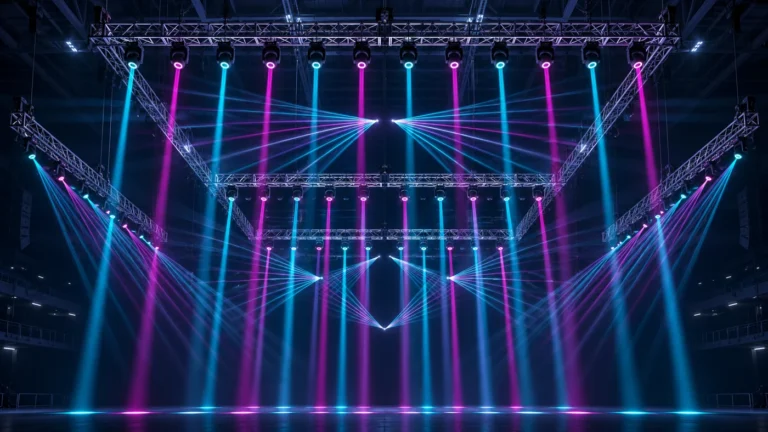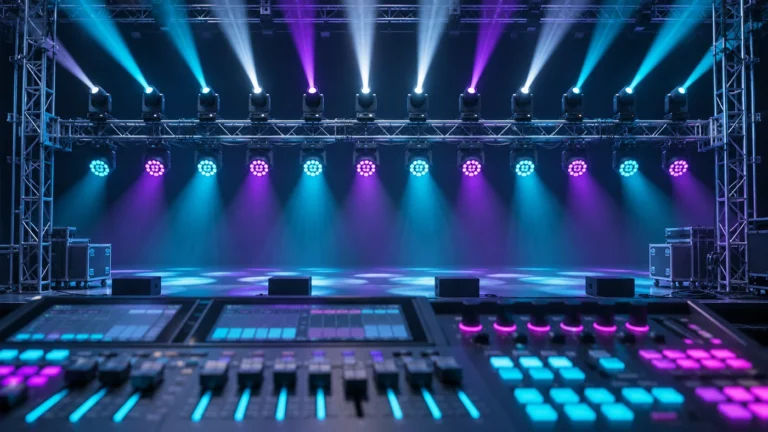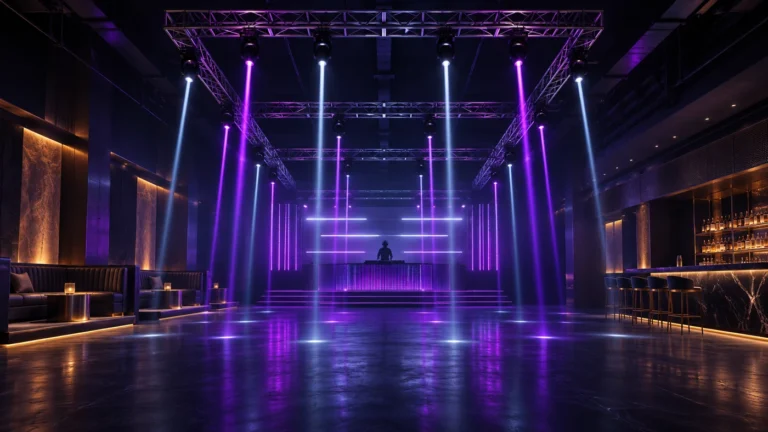
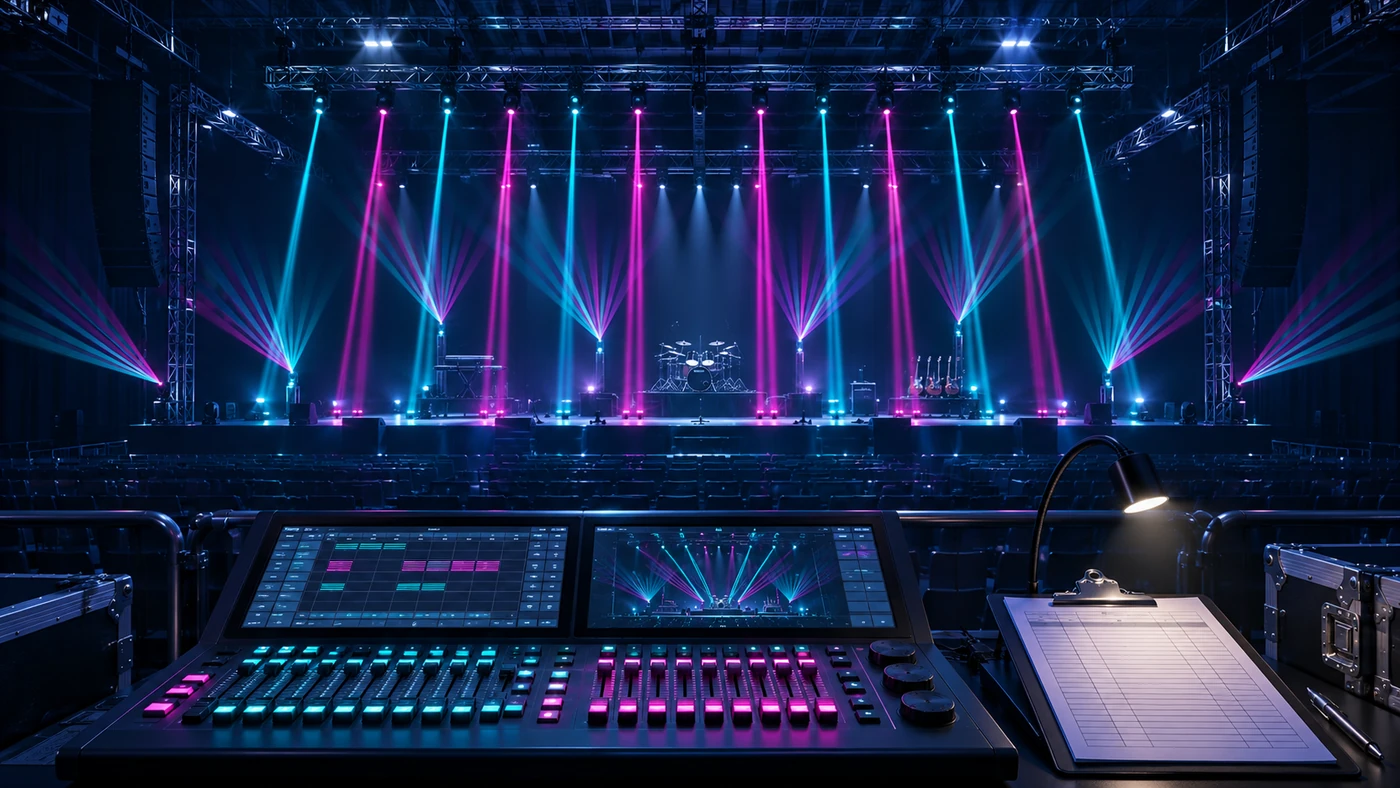
A lighting cue sheet is the moment-by-moment operating script that tells a lighting operator and stage manager exactly what lighting state happens, on which exact musical or spoken trigger, how fast it transitions, and which fixture layers change from doors open to final blackout. Without a written light cue sheet, even an expensive moving head rig turns into guesswork during live transitions, missed blackouts, and awkward fades.
Whether you are calling a theater production, programming a touring concert setlist, or running a weekend nightclub progression with matched 2° aerial beams and rotating bee-eye washes, a disciplined lighting cue sheet template synchronizes your lighting console with audio, video, and stage crew in seconds.
This practical guide breaks down every column that belongs on a professional lighting cue sheet, clarifies how a cue list differs from a lighting plot and DMX patch sheet, provides an interactive Lighting Cue Sheet Builder with 1-click CSV export, and includes worked club, concert, and scripted theater examples built around verified WUYESTAGE rigs.
1. What Are Lighting Cues and What Belongs on a Lighting Cue Sheet?
Direct answer (What is a lighting cue list / cue sheet?): Lighting cues (numbered Q1, Q2, Q2.5, or LX 10) are pre-programmed lighting states stored on a DMX console—combining dimmer intensity, color, pan/tilt position, prism geometry, and strobe speed—that execute on a specific trigger. A lighting cue list (recorded on paper or CSV as a stage lighting cue sheet) arranges those cues in chronological order so the stage manager can call Standby LX 12... LX 12 GO! and the operator hits the right button on beat.
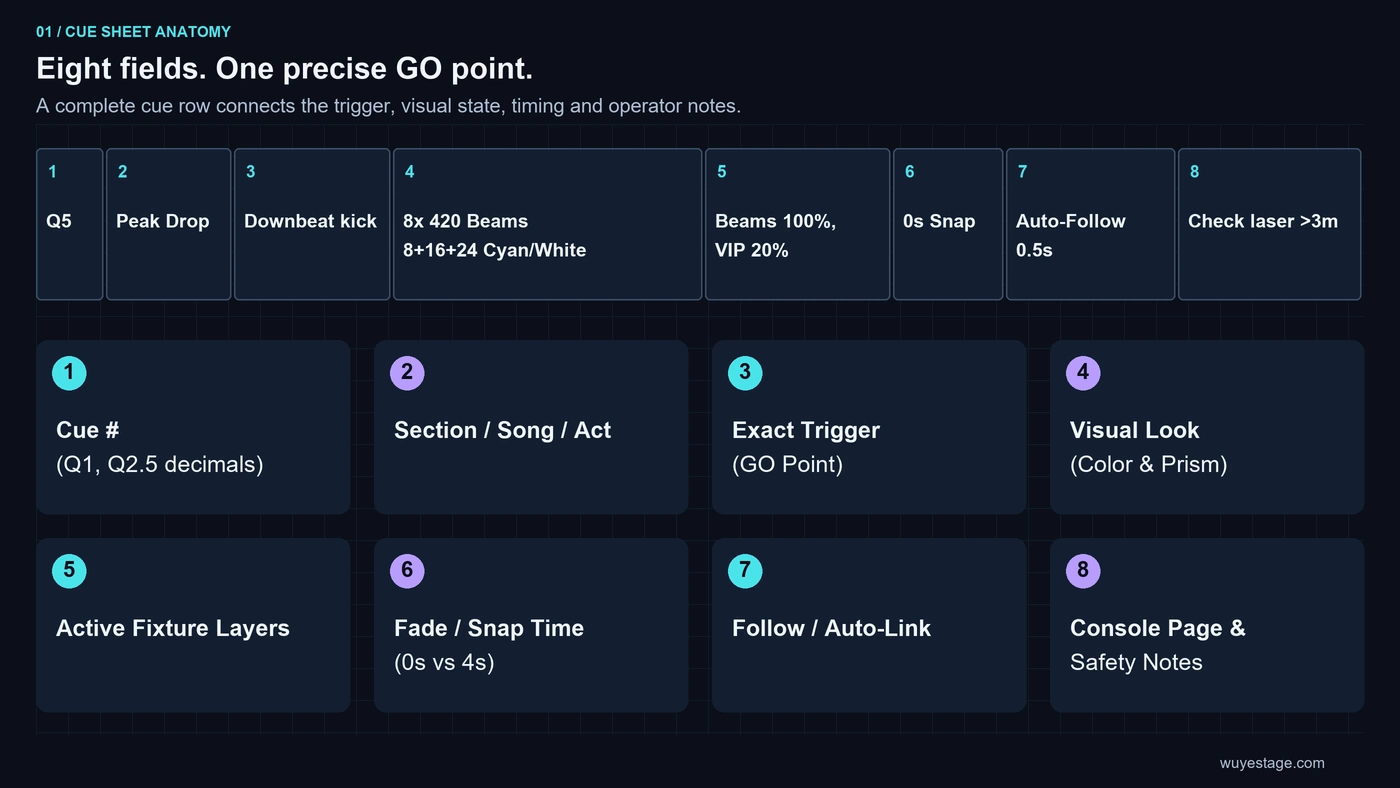
The 8 Essential Columns of a Pro Lighting Cue Sheet
| Column Name | What to Write Inside | Concrete Live-Show Example | Why Skipping It Causes Show Errors |
|---|---|---|---|
| 1. Cue # (LX #) | Sequential cue number; use decimals (Q4.5) for late rehearsal inserts | Q1, Q2, Q2.5, Q3 | Renumbering whole sheets breaks stage-manager call scripts |
| 2. Section / Song / Act | Act/Scene (theater) or Song Title / Nightly Phase (concert & club) | Act 1 Sc 2 or Peak Drop — Track 06 | Lets operators jump directly to any rehearsal segment |
| 3. Exact Trigger (GO Point) | Spoken line, visual action, musical bar, or timecode stamp | Downbeat after 4-bar vocal pause | Vague triggers like “during chorus” cause early or late hits |
| 4. Visual Look / Color & Position | Dominant palette, aerial geometry, beam/prism look, and focus target | Deep blue + cyan; 8× 420 beams in 8+16+24 prism canopy | Ensures operator immediately spots if a wrong preset fires |
| 5. Active Fixture Layers | Which fixture groups are ON, dimmed, or parked at 0% | Beams 100%, Bee-Eyes 60%, VIP PARs 20%, Lasers OFF | Prevents dance-floor strobes from accidentally blinding VIP or front wash |
| 6. Fade / Snap Time (Up / Down) | Exact transition speed in seconds (0s = instant snap; 4s = smooth fade) | 0s Snap (drop) or 5s Fade (ballad) | Controls emotional impact—wrong fade times ruin drops and blackouts |
| 7. Follow / Auto-Link | Whether the next cue triggers automatically after a set delay | Auto-Follow 0.5s → Q5.2 | Automates multi-step blackout-to-strobe sequences cleanly |
| 8. Console Page / Operator Notes | Playback fader, DMX preset ID, haze level, or safety check | Exec 1.4 · Confirm overhead laser height >3 m | Critical handoff notes when a substitute operator runs the board |
2. Lighting Cue Sheet vs. Lighting Plot vs. DMX Patch Sheet
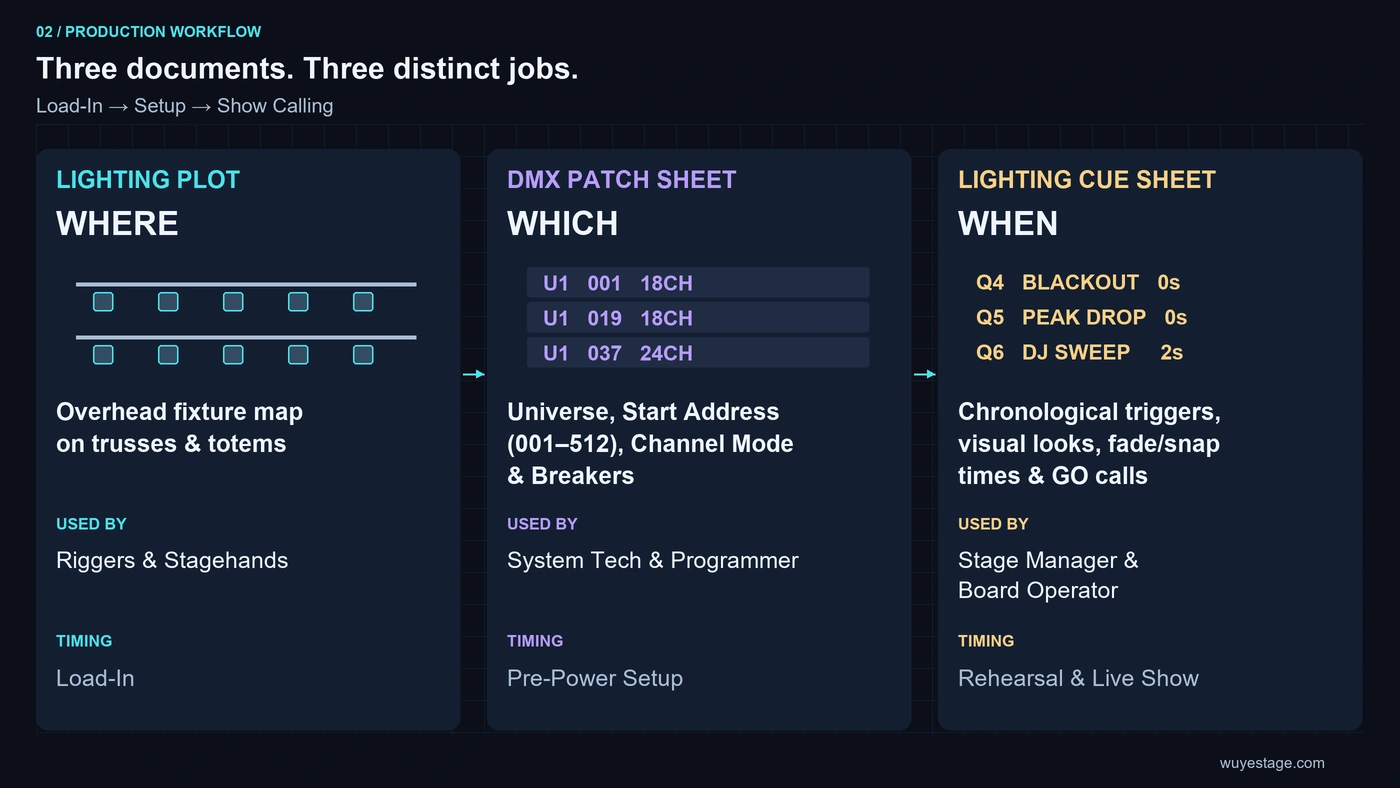
Direct answer (Document separation rule): Keep your lighting plot (physical fixture rigging locations on trusses), your DMX patch sheet (universes, starting addresses 001–512, and channel modes), and your stage lighting cue sheet (chronological show triggers, visual looks, and fade times) as three separate documents. Merging them creates unreadable tables during dark live shows and mixes load-in engineering with show-calling timing.
| Production Document | Core Question It Answers | Who Uses It Most | When It Is Built |
|---|---|---|---|
| Lighting Plot | Where is every fixture physically hung on trusses, pipes, or totems? | Riggers, stagehands, electricians | Pre-production load-in & truss rigging |
| DMX Patch & Addressing Sheet | Which DMX universe, starting address (001–512), channel mode, and breaker powers each light? | System tech, lighting programmer | Before powering on the console & fixtures |
| Lighting Cue Sheet | When does each visual look fire during the show, on what trigger, and how fast? | Stage manager, lighting board operator | Tech rehearsal, programming & live show calling |
Need to verify your starting addresses and channel modes before building your lighting cue list? Generate a zero-overlap patch first with our DMX addressing guide & calculator.
3. Interactive Lighting Cue Sheet Template & CSV Builder
Build, edit, or test a real lighting cue sheet template right in your browser. Click 420 Nightclub Preset, Concert Band Preset, or Theater Drama Preset to inspect complete multi-fixture cues, customize any row or add new cues, and click Download CSV to open your finished file directly in Excel or Google Sheets for rehearsal.
Lighting Cue Sheet Template & CSV Builder
| Cue # | Section / Song | Trigger (GO Point) | Fixture Look (420 Beams / Wash / Strobe) | Time | Operator Notes |
|---|
4. Worked Lighting Cue Sheet Example Sets (Club, Concert & Theater Rigs)
Generic textbook templates only list "Lights Up" and "Blackout." Below are three complete, production-ready examples—a 28-fixture nightclub lighting cue sheet example, a live concert/keynote sheet, and a scripted theater light cue sheet example—showing how lighting cues coordinate narrow 2° beam moving heads, rotating bee-eye washes, swing strobes, lasers, and static LED PARs.
Example A: 8-Cue Nightclub / EDM Peak-Hour Progression (28-Fixture Rig)
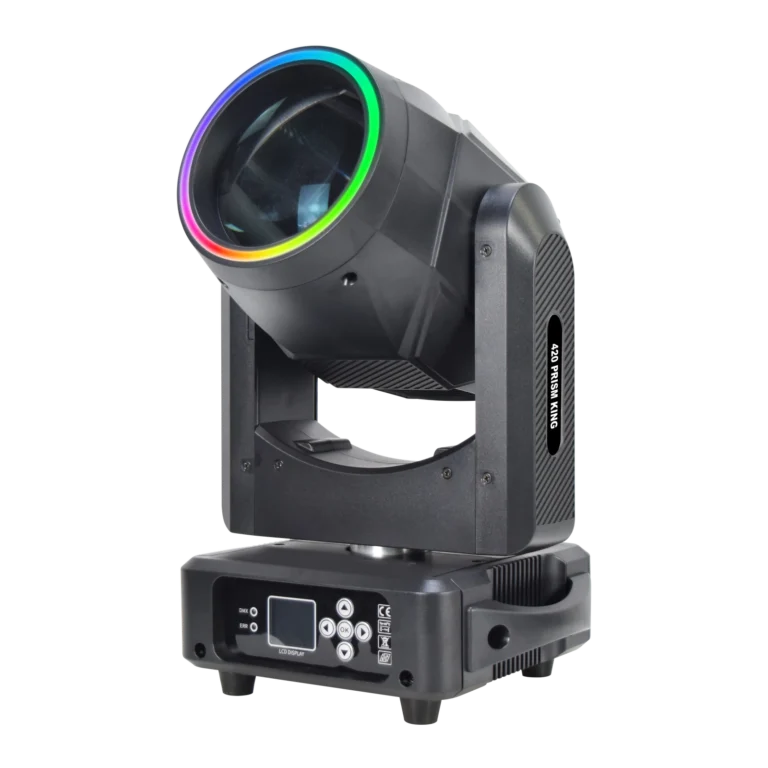
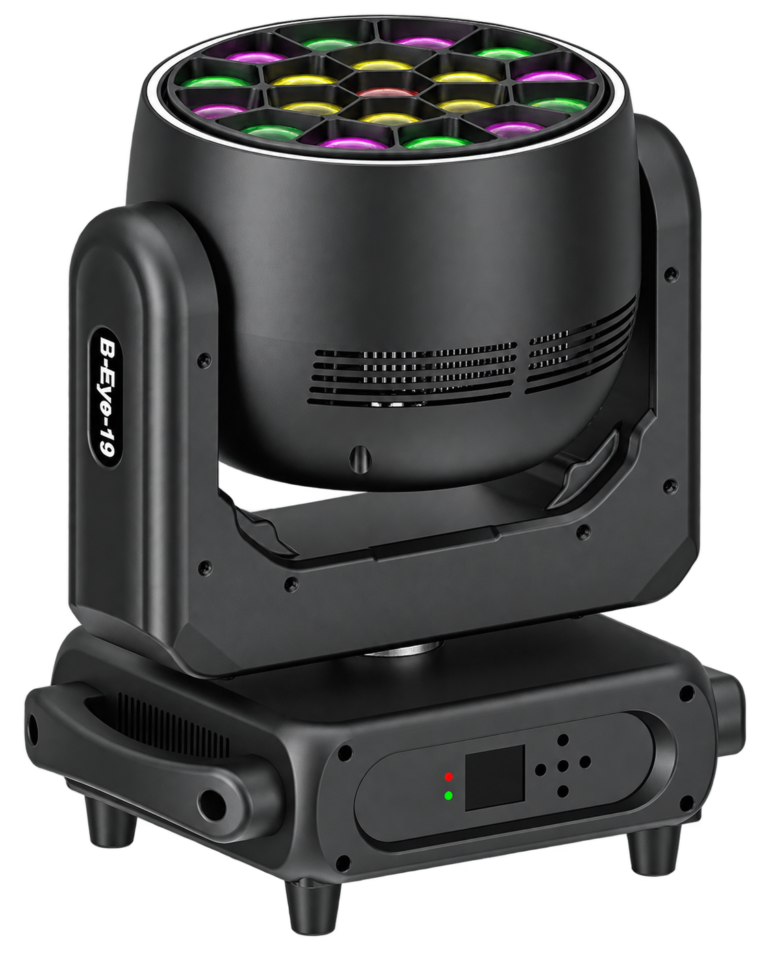
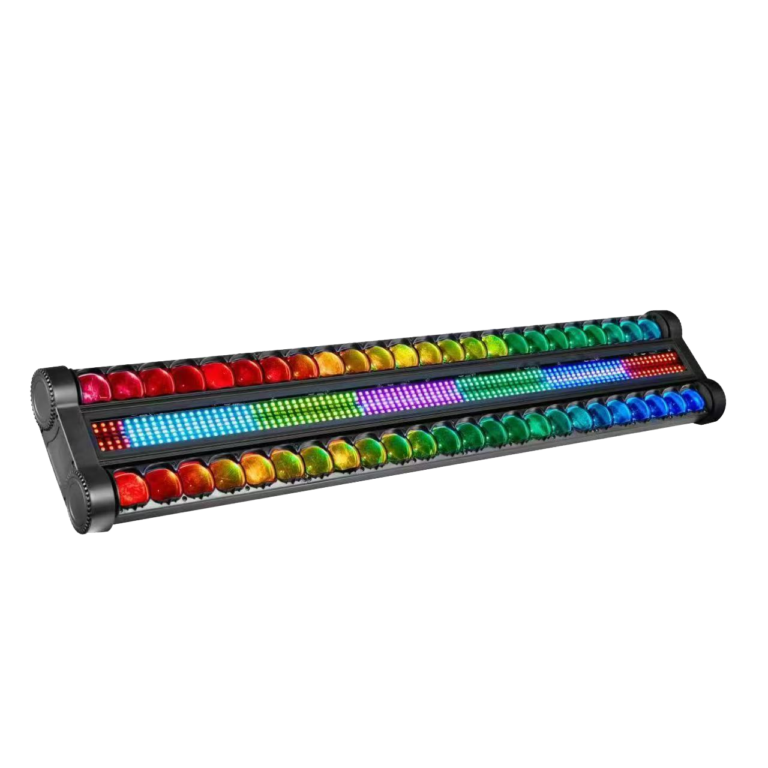
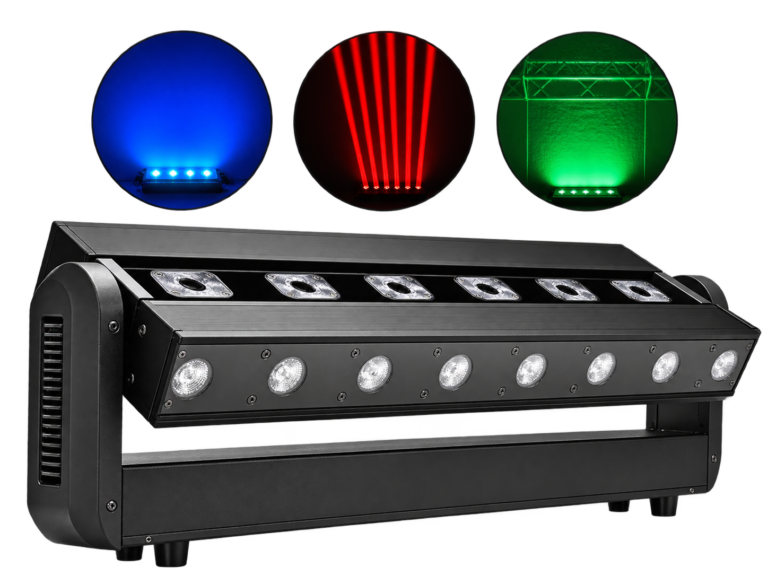
Built around a verified 1-universe club rig: 8 × 420 Prism King Beam Moving Head (18CH) + 6 × 19×40W Rotating Bee Eye (24CH) + 4 × 253W Double-Row Swing Strobe (9CH) + 2 × 6-Head Red Laser Bar (22CH) + 8 × LED PAR Lights (8CH):
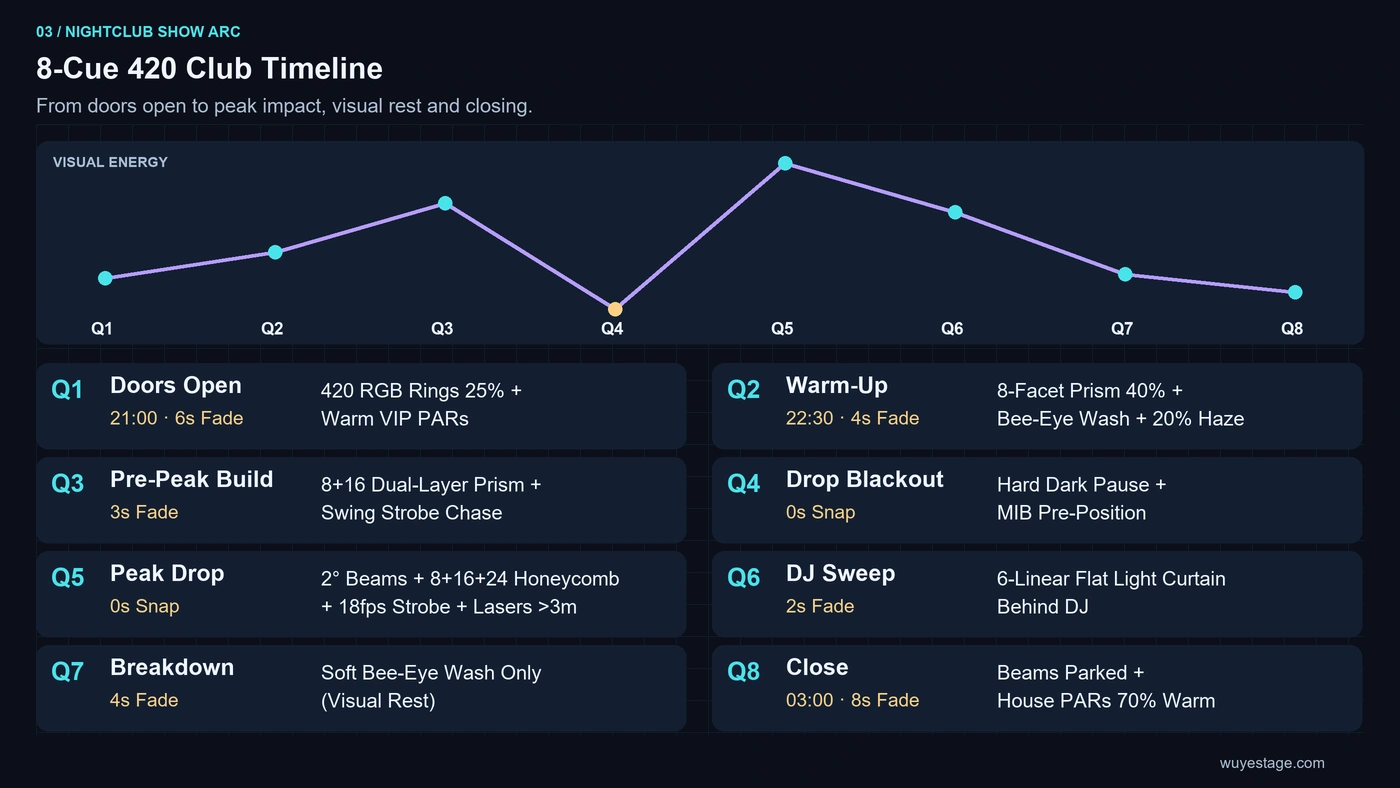
| Cue # | Phase / Trigger | 420 Beam Layer (8 Units) | Wash / Strobe / Laser / PAR Layers | Time | Operator Note |
|---|---|---|---|---|---|
| Q1 | Doors Open (21:00) | Main lamp shutter closed; 24-LED RGB front rings warm amber at 25% | VIP & wall LED PARs 25% warm amber; strobes & lasers OFF | 6s Fade | Inviting entry mood; zero dance-floor glare |
| Q2 | Early Warm-Up (22:30 DJ #1) | 8-facet circular prism at 40% dimmer, slow mirrored figure-8 sweep | Bee-Eyes wide 45° teal/magenta wash at 45%; VIP PARs 20% | 4s Fade | Start thin continuous hazer (20% output) |
| Q3 | Pre-Peak Build (8 bars before drop) | 8+16 dual-layer prism tilted upward, speed accelerating on beat | Swing strobes sweeping slow cyan pixel chase; Bee-Eyes tightening to 12° | 3s Fade | Keep laser bars parked until peak hour |
| Q4 | Drop Tease Blackout (1 bar vocal break) | Hard blackout (shutter closed) while yokes pre-position overhead | Bee-Eye RGB rings dimly glowing blue; all strobes OFF | 0s Snap | Dark pause maximizes next cue impact |
| Q5 | Peak-Hour Drop (Downbeat kick) | Full 2° raw beams + 8+16+24 honeycomb prism snapping white/cyan | Swing strobes 18 fps white burst (2s) then RGBW waves; overhead red lasers ON above 3 m | 0s Snap | Verify laser mask stays strictly above crowd heads |
| Q6 | DJ Booth Architectural Sweep (Bridge) | 6-linear prism slicing flat straight light curtains across haze | Bee-Eyes slow rotating vortex at 50%; VIP PARs locked at 20% | 2s Fade | High-contrast silhouette behind DJ booth |
| Q7 | Vocal Breakdown (Mid-set reset) | Beams dimmed to 30% tight static cone on center dance floor | Bee-Eyes wide 55° soft magenta/amber wash; strobes & lasers OFF | 4s Fade | Gives audience eyes visual rest before next climb |
| Q8 | Closing / House Up (03:00 Last track) | Beams parked cleanly; main shutters closed, RGB rings fading out | Static wall PARs & exit lighting smoothly raised to 70% warm white | 8s Fade | Kill hazer 15 min prior; safe exit visibility |
Example B: 4-Cue Live Concert & Corporate Keynote Mini-Template
| Cue # | Show Moment / Trigger | Front Face & Stage Layer | Aerial Beam & Backdrop Layer | Transition |
|---|---|---|---|---|
| Q10 | Walk-In / Pre-Show | Warm house wash 40%; stage front PARs 30% | Upstage 420 beams parked with subtle brand-color RGB rings | 5s Fade |
| Q11 | Host / Keynote Walk-On (Music sting) | Crisp front key wash 85% (camera-safe CRI & white balance) | Upstage beams snap into wide static 6-linear fan behind podium at 60% | 1.5s Fade |
| Q12 | Band Chorus / Product Reveal (Downbeat) | Front key held steady 80% so cameras never lose faces | 8× 420 beams launch 8+16 rotating prism canopy + bee-eye color lift | 0.5s Snap |
| Q13 | Q&A / Acoustic Ballad (Applause dies) | Tight warm center pool on speaker/vocalist 75% | Aerial beams fade to 0%; subtle blue upstage haze glow only | 4s Fade |
Example C: 4-Cue Scripted Theater & Drama Light Cue Sheet Example
For plays, musicals, and school productions where a stage manager calls cues off dialogue pages (Script Page + LX # decimal inserts):
| LX # | Script Page / Act | Exact Dialogue or Action Trigger | Stage Look & Color Balance | Transition | Stage Manager Note |
|---|---|---|---|---|---|
| LX 10 | Act 1, p. 4 | House lights reach 0% (Auto-Follow) | Warm amber front wash 65% (high-CRI LED PARs); cool blue cyclorama 35% | 4s Fade | Silent fanless front wash |
| LX 10.5 | Act 1, p. 6 | Character opens stage-left door | Insert point cue: sharp cool moonlight shaft (2° dimmed beam or spot) across doorway | 1.5s Fade | Added during tech rehearsal |
| LX 11 | Act 1, p. 9 | Final line: “Turn out the lights.” | Crisp center blackout; dim blue work-light strip backstage 10% for crew | 0s Snap | Call "LX 11 GO" on “lights” |
| LX 12 | Act 1, p. 10 | Set change cleared (SM Visual) | Full warm morning wash 85%; soft amber upstage wash 50% | 3s Fade | Confirm props clear before GO |
For detailed multi-zone venue design and optical beam math behind these presets, explore our nightclub lighting ideas blueprint, what is a beam light optical guide, theatre stage lighting design guide, and concert lighting guide.
5. Cue Timing & Transition Rules: Snap vs. Fade, Split Times & Mark Cues
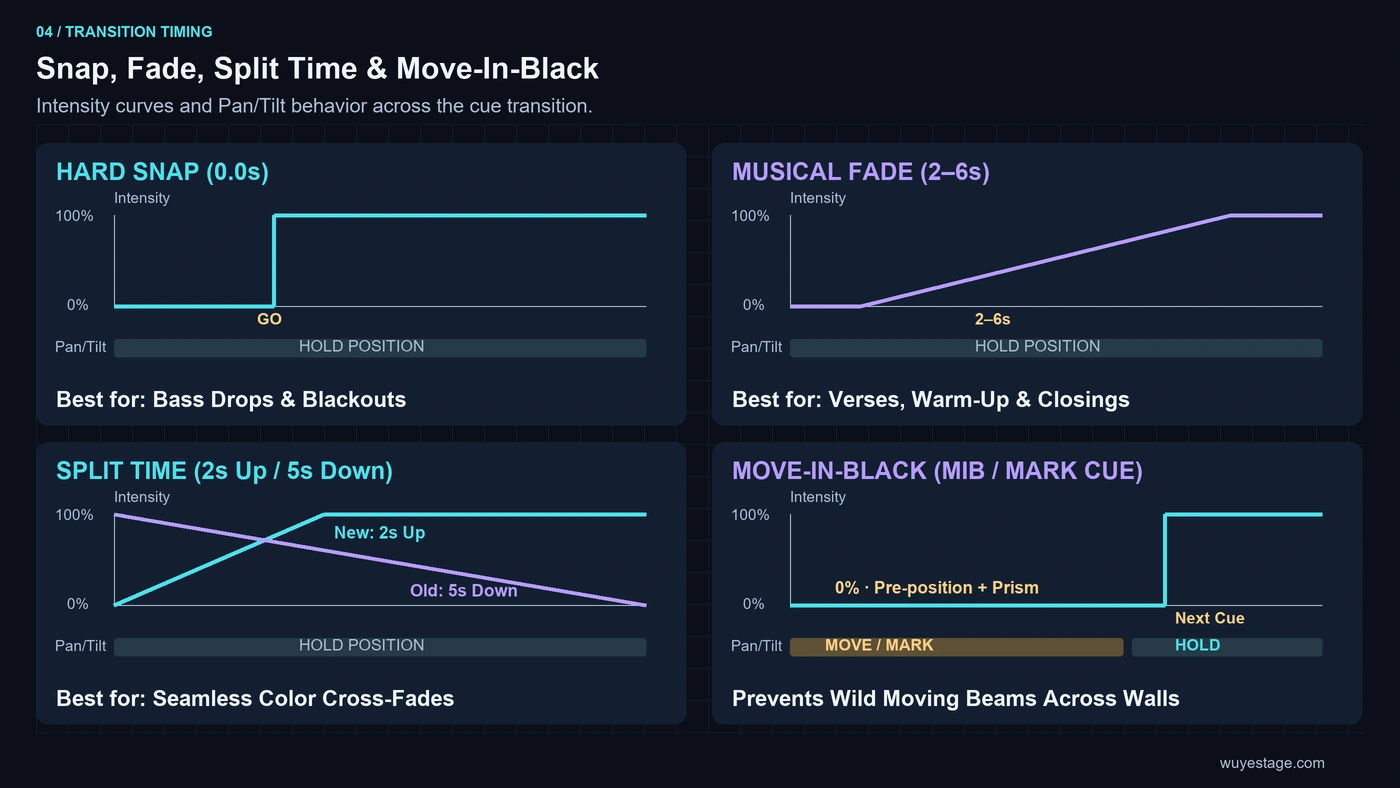
Direct answer (How to time lighting cues cleanly): For cue sheet lighting programmers running moving heads, use 0s hard snaps for musical drops and comedy blackouts, 2–6s linear fades for scene shifts and warm-ups, split Up/Down times (e.g., 2s Up / 5s Down) to cross-fade palettes without dipping dark, and Move-In-Black (MIB) or silent mark cues so moving heads finish rotating pan, tilt, and prism wheels at 0% dimmer before snapping open.
| Cue Timing Technique | Standard Setting | When to Use It | Why It Keeps Moving Heads Clean |
|---|---|---|---|
Hard Snap (0s) | 0.0 s intensity + color | Bass drops, snare hits, comedy blackouts, sudden reveals | Crisp rhythmic punch; combine with a 0.5–1 bar dark pause before the hit |
Musical Fade (2–6s) | 2.0 – 6.0 s linear fade | Song verses, warm-up progression, scene shifts, speaker walk-offs | Smooth emotional transition without distracting the audience |
Split Up / Down Time (2/5s) | 2s incoming / 5s outgoing | Cross-fading between two contrasting palettes without dipping dark | Brings new wash up faster while old beams dissolve gently behind it |
| Move-In-Black (MIB) / Mark Cue | Pre-position at 0% dimmer | Mandatory before any moving head snaps ON in a new position | Prevents ugly wild pan/tilt streaks sweeping across walls as lights fade up |
Auto-Follow (Follow 0.5s) | Console auto-fires next cue | Multi-step strobe burst → beam canopy or reveal sequences | Eliminates human reaction delay on tight two-part hits |
Pro moving-head tip: Always enable Move-In-Black (MIB) on your lighting desk—or insert a silent Q4.1 pre-position cue during the blackout—so your 420 Prism King heads finish rotating their pan/tilt yokes and prism wheels before their shutter snaps open on Q5. Learn step-by-step console cue programming in our how to program moving head lights guide.
6. How to Call and Run a Lighting Cue Sheet Without Missed Hits (5-Step Rehearsal Workflow)
Direct answer (How stage managers call lighting cues): Number primary cues by integers (Q1, Q2 or LX 10, LX 20) and use decimal point cues (LX 10.5) for rehearsal inserts, warn operators with "Standby LX 12" 10–15 seconds ahead, execute on the crisp final word "GO!", and keep house/VIP/front-key faders isolated on dedicated submasters outside the main blackout stack.
- Number by whole integers first (
Q1, Q2, Q3...orLX 10, LX 20, LX 30...): Leaving gaps or reserving decimals (LX 10.5) ensures last-minute director additions never force you to renumber 60 lighting cues ten minutes before doors open. - Use the two-step “Standby → GO” call protocol: The stage manager calls
"Standby LX 12"roughly 10–15 seconds before the moment; the operator replies"Standing by"with a finger hovering onGO, then executes on the crisp final word"GO!"(never say the word “go” casually on headset). - Separate VIP/Bar and Front-Key intensities from your main cue stack: Keep bar PARs, exit illumination, and broadcast front key on dedicated submaster faders so a blackout cue on the dance floor never plunges bartenders or livestream cameras into pitch black.
- Add a 1-line haze & safety check every 4–6 cues: Beams and overhead lasers depend on thin, steady haze (
20–30%)—putting brief hazer checks inside your cue sheet prevents rooms from either turning foggy or clearing out right before the headliner. See our haze machine vs. fog machine guide. - Print one laminated backup copy + export CSV: Consoles reboot and tablets lose battery. Keep one printed backup sheet clipped to the desk with highlighters for red-pen tech-rehearsal updates.
7. Six Common Cue Sheet Mistakes (and Fast Fixes)
| Common Mistake | What Goes Wrong Live | Instant Fix |
|---|---|---|
| Writing vague triggers (“when song gets loud”) | Operator fires 2 seconds late after the drop already passed | Tie every trigger to a concrete lyric, bar count, visual entrance, or timecode |
| Forgetting Move-In-Black (MIB) on moving heads | Lit beams visibly swing across ceilings and guests’ eyes while moving to the next preset | Enable console MIB or add a 0% pre-position mark cue 2 seconds earlier |
| Stacking every fixture at 100% in every cue | Show flattens visually; zero headroom left for the finale | Reserve 8+16+24 prisms, white strobes, and lasers strictly for peak drops |
| Omitting fade/snap times from the sheet | Every cue defaults to the console’s generic 2s fade, ruining hard snaps and slow closings | Write an explicit 0s Snap or exact second count on every single row |
| Mixing DMX patch data into the cue table | Text becomes microscopic and unreadable in a dark booth | Keep fixture addresses on a separate DMX patch sheet |
| Zero blackout recovery / emergency house cue | Technical glitch leaves performers standing in darkness | Always park a one-button House / Safe Wash fader outside the main cue list |
Frequently Asked Questions
What is the difference between a lighting cue sheet and a lighting plot?
A lighting plot is a spatial overhead drawing showing where every fixture hangs on trusses and how it is aimed. A lighting cue sheet is a chronological show-calling table showing when each lighting state fires, what triggers it, what looks change, and how fast the transition runs.
How should you number cues on a lighting cue sheet?
Use ascending numbers—either whole numbers (1, 2, 3…) with decimal point cues (2.5) for rehearsal inserts, or increments of ten (10, 20, 30…) for large concerts and theater shows so you can add intermediate cues cleanly without renumbering the entire script.
What information does a stage manager need on a light cue sheet?
At minimum, a stage manager needs five core columns: Cue Number (LX #), Act or Song Section, Exact Spoken or Musical Trigger, Brief Visual Description (so they confirm the right look fired), and Transition Time (0s Snap vs. 4s Fade).
Do DJs and nightclubs need a lighting cue sheet?
While club operators often busk live on submasters rather than calling numbered theater cues, programming a structured 4-to-8 cue nightly progression sheet (Doors Open to Warm-Up, Build, Drop, Breakdown, and Close) guarantees consistent energy, protects VIP glare limits, and makes training backup operators effortless.
How do you write moving head prism and beam effects into a cue sheet?
List the fixture group, beam or prism selection, dimmer level, color, movement speed, and transition time concisely—for example: 8x 420 Beams: 8+16+24 prism, cyan/white, 100%, slow fan sweep, 0s Snap. Avoid cluttering the cue sheet with raw DMX channel numbers.
Can I export a cue sheet to Excel or Google Sheets?
Yes. Use our interactive builder above to customize rows or load our nightclub, concert, and theater presets, then click Download CSV to open, edit, share, or print your finished cue list directly in Excel, Google Sheets, or Apple Numbers.
Build a Cue-Ready Stage & Club Rig with WUYESTAGE
A great cue list comes alive when your fixtures respond fast, match symmetrically, and shift cleanly from subtle warm-up accents to full multi-prism drops. Ready to specify a matched fixture package for your club, concert stage, or rental fleet?
- Flagship
2°4-prism moving head for dramatic aerial cues: 420 Prism King Beam Moving Head Light - Wide wash & vortex transition layer: 19×40W Rotating Bee Eye Moving Head
- Kinetic backdrop & drop punch: 253W Double-Row Beam Swing Strobe Light and 6-Head Red Laser Bar
- Request a tailored multi-fixture quote with DMX channel charts on our Contact Page.