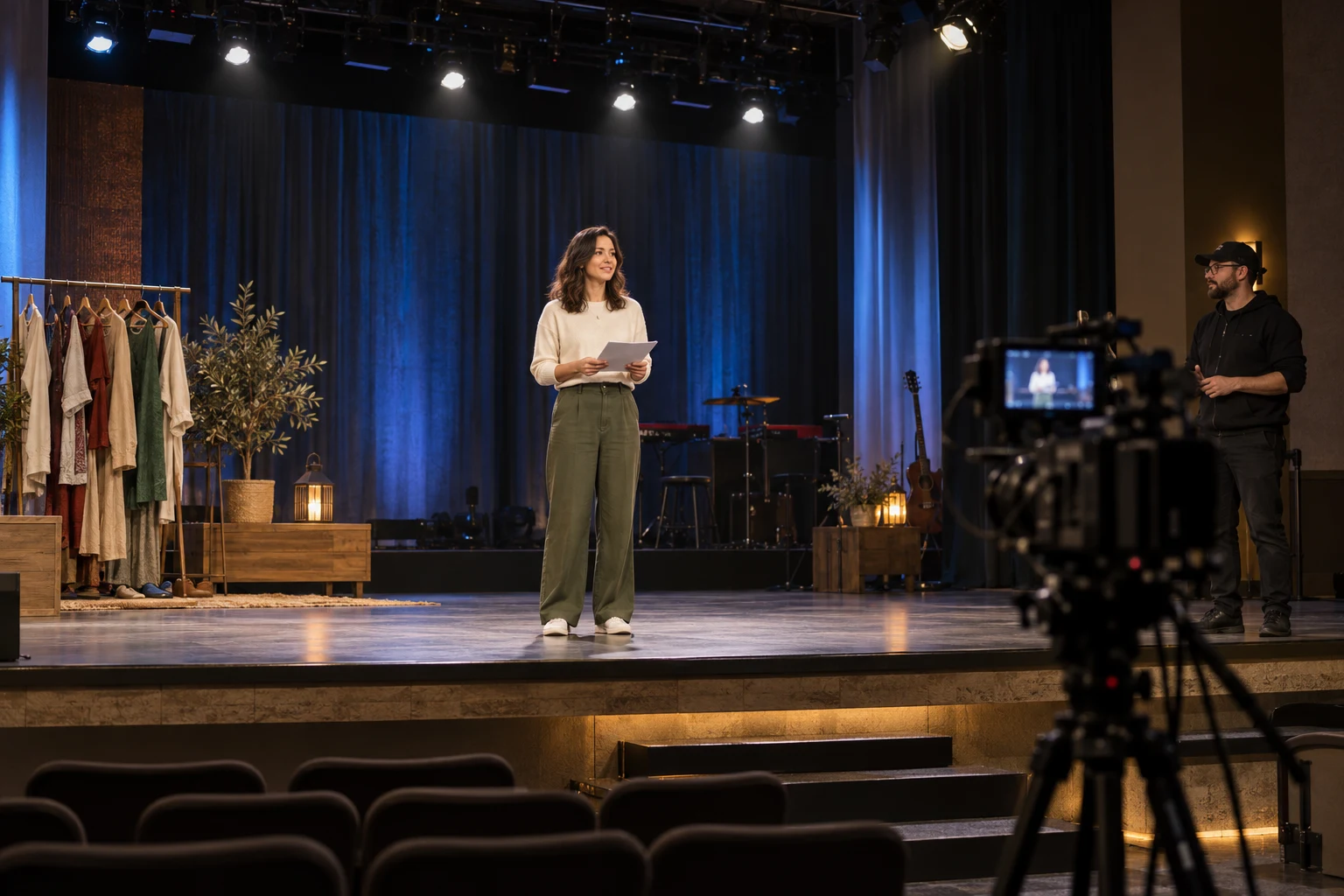
CRI for stage lighting describes color rendering; a specified Ra of 90 or higher does not guarantee a good camera image. For white light on faces, costumes and presentation materials, check the scope of the stated value, compare representative samples and test the intended camera and dimmer cues. Color temperature, coverage and flicker are separate acceptance questions.
This guide is for church and theatre AV buyers, rental teams and integrators choosing white front light for livestreams or recorded performances. It turns a quotation number into a controlled comparison and a record your team can keep with the order. It does not prescribe one CRI threshold for every production or treat colored effect lighting as a substitute for face light.
Cover image: an illustrative rehearsal scene, not a customer installation or measured color test.
What does CRI tell you about a stage light?
Color rendering concerns how illuminated objects appear compared with their appearance under a reference illuminant. The commonly listed general color rendering index, Ra, summarizes a color-fidelity evaluation. It is not a measurement of brightness, beam coverage, softness or every aspect of color quality. Read the CRI specification as one part of a defined white-light requirement.
The CIE discussion of color fidelity explains limitations of Ra and distinguishes fidelity from wider judgments about color quality and preference. The buying consequence is straightforward: a higher headline number alone cannot describe everything that matters to the production. Ask for evidence that corresponds to the exact fixture and white-light configuration being quoted.
When assessing the color rendering index of stage lighting, identify the selected white setting and the conditions behind the published figure. If a fixture offers several white settings, one stated Ra value should not be assumed to document every CCT and dimmer cue. A missing condition is a question for the supplier, rather than a reason to invent a result or reject all available information.
CRI vs CCT: separate the questions before comparing quotes
CRI and correlated color temperature (CCT) answer different questions. CCT describes the warm or cool appearance of a white light. Color rendering describes the appearance of objects under that light relative to a reference. Two lights set to a similar CCT can still need a color comparison; adjustable CCT alone does not establish color-rendering performance.
| Buyer question | Evidence to use | What it does not establish |
|---|---|---|
| How warm or cool should white light look? | Selected CCT and surrounding lighting | Color fidelity or camera compatibility |
| How do faces, fabrics and objects look? | Color-rendering evidence and a representative sample | Beam coverage or flicker performance |
| Does the light cover the required area? | Position, throw distance, optics and observed coverage | Color quality |
| Is the recorded image usable through the cues? | Actual camera settings, white balance and cue tests | A universal result for all cameras and settings |
Start with the job. A speaker at a lectern needs usable face light, while saturated scenery and aerial beam effects serve different purposes. The church stage lighting guide explains those system roles. For a theatre installation, the theatre lighting design guide connects fixture selection to production needs, positions and control. Keep those broader planning decisions separate from this sample check.
Why do high CRI stage lights still need a camera test?
A human-observer color metric and a camera-oriented evaluation answer different questions. The EBU explanation of the Television Lighting Consistency Index (TLCI) describes a model of a television camera and display chain. TLCI is calculated from measured spectral information; it is not a conversion of a catalogue Ra number and is not a test of every camera your project might use.
Use camera-oriented information when it is available for the quoted configuration. If only Ra is supplied, keep TLCI and separate R9 data unspecified. Neither a high Ra nor a TLCI figure establishes flicker performance, a minimum usable dimmer level or a smooth fade. Those requirements need their own evidence and project checks.
For a church livestream or recorded theatre presentation, test the actual camera workflow, including the intended frame rate, shutter setting, exposure, white balance and picture profile. Look at faces and representative materials alongside the proposed background lighting. Record banding or unstable brightness separately from a color mismatch, so an image problem is not automatically blamed on CRI.
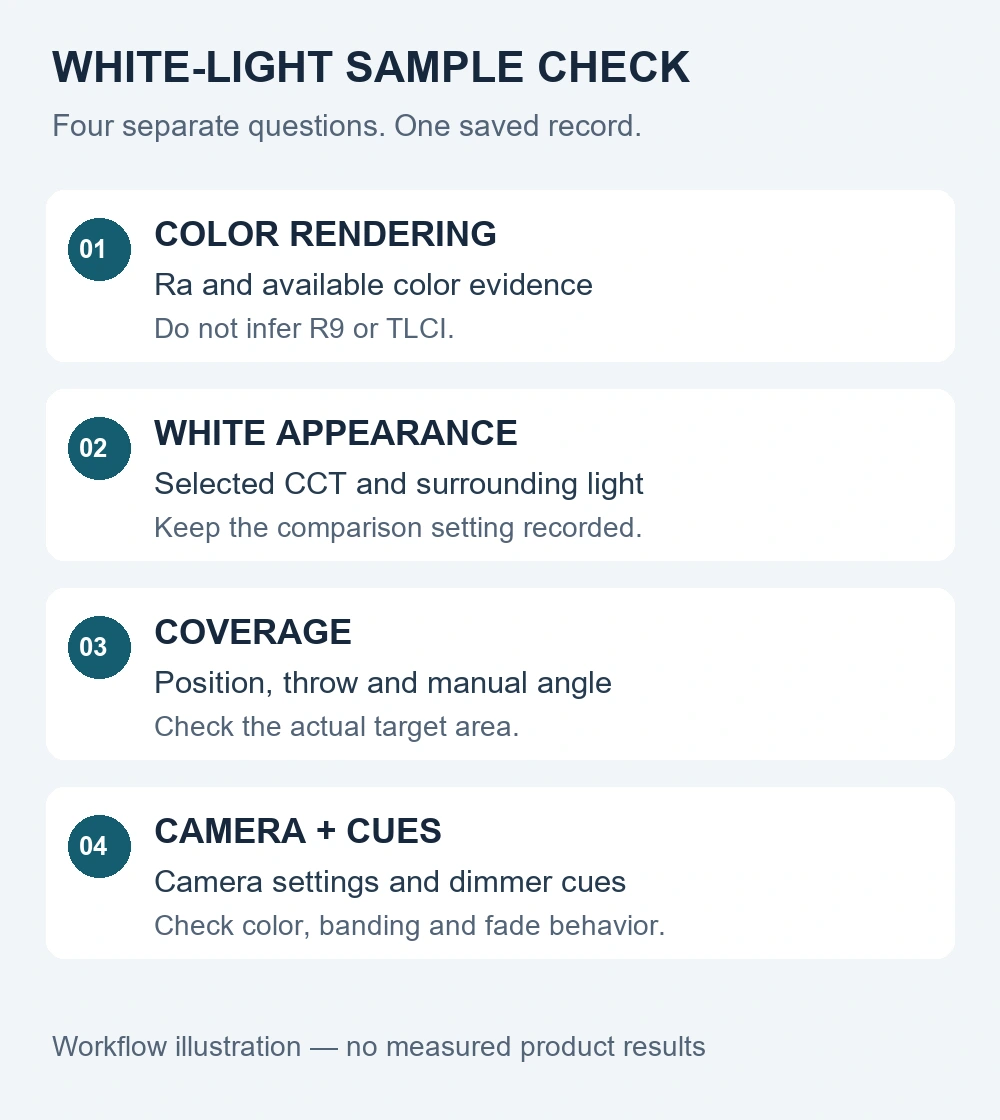
A controlled sample comparison for CRI in stage lighting
Define the scene first. Record the speaking or performance position, target area, fixture position and throw distance. Decide which faces, fabrics, printed materials or scenic objects matter. Use representative materials and obtain consent when recording people. An empty beam on a wall cannot answer every question about how a person or costume will look.
Identify the exact sample. Write down the model, source configuration, selected white setting and control mode. Keep the quotation, supplied color information and any report with that record. Mark unprovided metrics as “not supplied.” A claim for another source option or an unnamed demonstration fixture is not evidence for the ordered configuration.
Hold the comparison conditions steady. Keep the camera, lens, framing, subject position, white-balance setting and picture profile consistent for the initial comparison. Use manual exposure where the workflow allows. Prevent automatic white balance or exposure from silently changing the image between samples. Note differences in ambient light and surrounding colors that you cannot control.
Compare samples at a suitable, comparable exposure rather than letting one image clip while the other is underexposed. If a setting must change to obtain that comparison, record it. Keep a separate operational check at the final show settings. These two records answer different practical questions: what changes under controlled conditions, and whether the final production setup is acceptable.
Run the intended white and intensity cues. Include the white settings and dimmer levels your show will actually use, with both steady scenes and relevant transitions. Observe color appearance and coverage by eye, then inspect the camera image for color shifts, banding, brightness instability and fade behavior. A successful full-output still does not approve an untested low-level cue.
Make a conditional decision. Save the accepted setup, the clips or reference stills, limitations and any unresolved requirement. Define the project’s acceptance conditions with the responsible production team rather than applying an invented universal tolerance. This is a practical comparison, not a substitute for a laboratory color measurement or a general certification.
Keep a sample acceptance record with the order
Copy the following fields into your procurement notes or sample checklist. A useful record ties an observation to a repeatable setup. “Good color” without the fixture, camera and cue settings is difficult to check again when another sample arrives or the show configuration changes.
| Record field | What to save |
|---|---|
| Project and sample identity | Date; project; exact model and source option; sample identifier; supplier document or report reference |
| Lighting setup | Fixture and subject positions; throw distance; target area; optic or zoom setting; ambient and background light |
| White-light and control settings | Selected CCT; dimmer cue or level; operating mode; controller and relevant cue timing |
| Camera workflow | Camera and lens; frame rate; shutter; exposure; white balance; picture profile; any automatic processing |
| Comparison material | Representative faces or objects; fabrics or printed colors; reference still or clip filenames; consent where relevant |
| Evidence and observations | Supplied Ra and its stated conditions; other metrics if supplied; color, coverage, banding and fade observations separately |
| Acceptance and open items | Accepted settings and limits; unresolved questions; approver; order configuration and agreed next check |
If you change the camera profile, white setting or dimmer cue after approval, check whether the affected scene needs another comparison. Retain the original accepted record rather than overwriting it with a new unlabelled clip. It provides a clearer basis for discussing an issue than comparing differently exposed phone videos from different rooms.
A verified white-light example: RG-321 manual-zoom COB
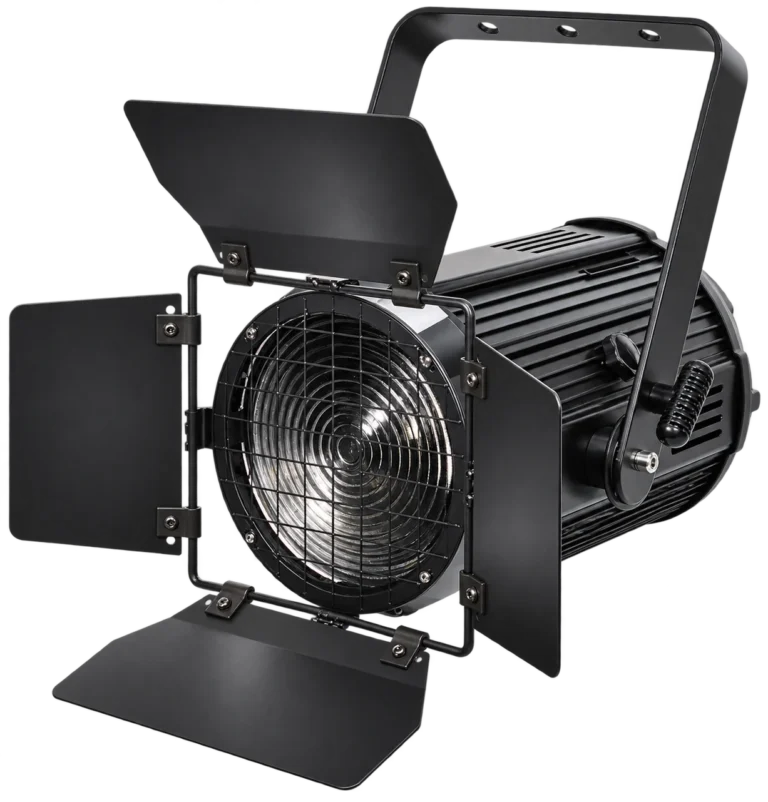
For fixed white-light positions, the RG-321 200W COB stage light with manual zoom lists Ra ≥ 90, adjustable 3200–6500K white light on the same fixture, and 15–50° manual zoom. Its COB source is rated at 200W; complete-fixture power is separately specified at 280W. Set the coverage by hand before the show, then evaluate the required white and intensity cues.
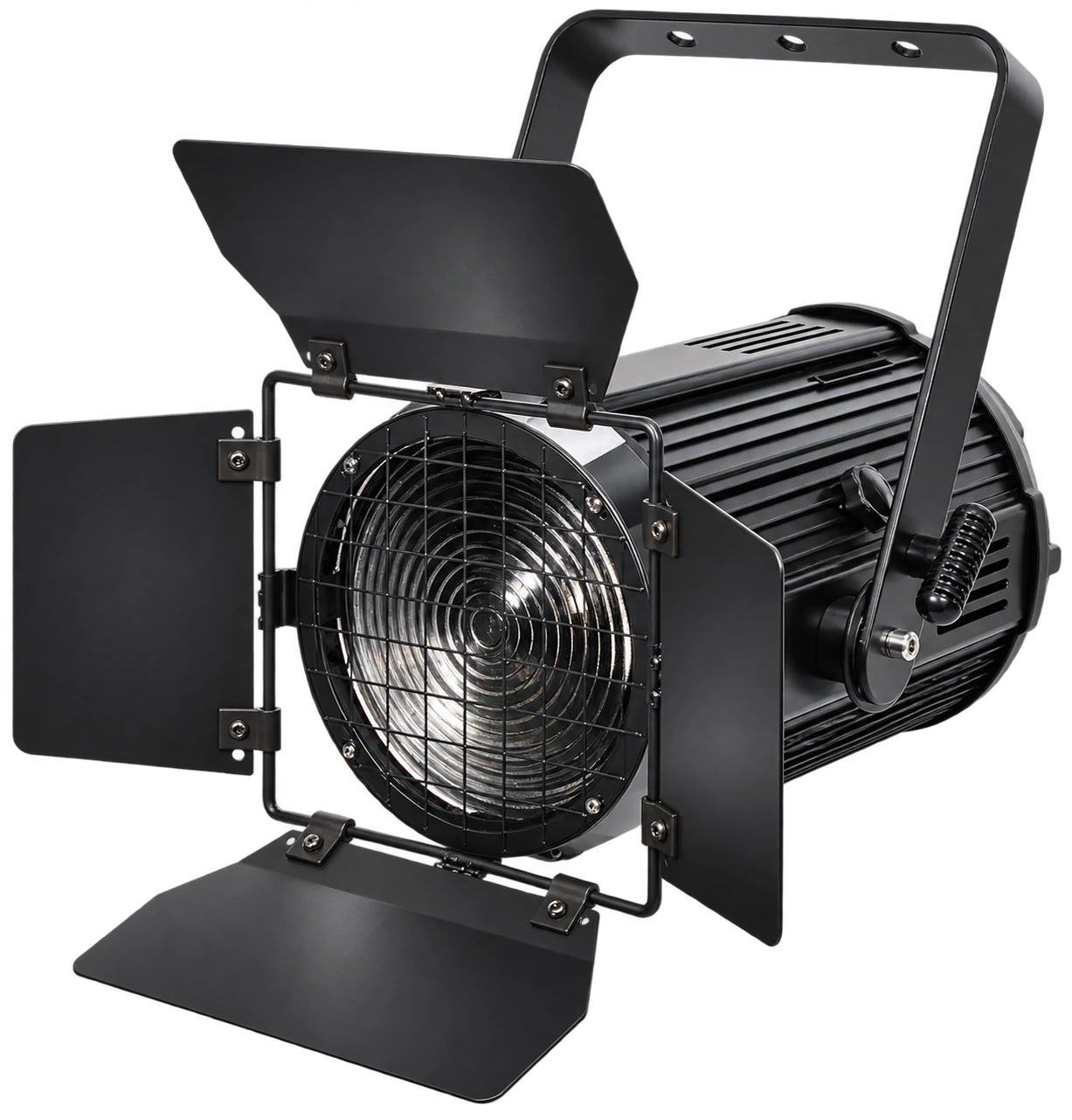
These supplied specifications give buyers a selection starting point. They do not supply an R9 or TLCI result, a measured illuminance at your throw, a minimum usable dimmer level or a camera flicker guarantee. Agree which additional evidence or sample checks matter for the project. Do not turn the product’s Ra figure into those separate claims.
If the main job is colored stage wash, use the LED PAR selection guide to compare source and color configurations. High CRI stage lights for white front light and color-wash fixtures can serve the same production while addressing different tasks.
CRI for stage lighting: sample questions
Does a high Ra value tell me the fixture’s R9 result?
No. Keep a separately requested R9 value unspecified unless the supplier provides it for the relevant configuration. Do not substitute the headline Ra value for another color metric.
Can I approve camera color from a phone photograph?
A phone image can document a setup, but automatic white balance, exposure and image processing can change the result. Use the intended production camera workflow for acceptance and record the settings. A photograph is not a laboratory CRI or TLCI measurement.
Should the sample be accepted only at full brightness?
No. Include the white and intensity cues the production will use, especially any low-level scenes or fades. Record color appearance, coverage, banding and fade behavior separately; do not extend one successful full-output image to untested cues.
Send a white-light brief your team can test
For an inquiry about CRI for stage lighting, include the people or objects being lit, target area, mounting position, throw distance, required white settings and dimmer cues. If cameras are involved, include the intended workflow and acceptance scene. Add quantity, destination, control requirements and any evidence already available.
Send WUYESTAGE your white-light project brief so the proposed configuration and sample checks address the same task. Keep the accepted settings and unresolved conditions with the order. That makes CRI for stage lighting a useful part of procurement rather than the only checkbox deciding the result.