LED wall cost for a rental equipment purchase includes more than the visible screen. A usable order may also need video processing, cables, spare parts, transport cases and installation accessories. Delivery, local support and commissioning can sit outside the supplier's equipment total. Compare those boundaries before deciding which quotation is cheaper.
This guide is for rental companies buying reusable LED display equipment for their inventory. It addresses the purchase budget, rather than the fee to hire a screen for one event. Permanent building installations also have different access, structure and service requirements.
The first useful question is not “What does one panel cost?” It is “What exact equipment and accepted configuration will this amount buy?” Without that answer, two totals may describe two different systems.
Put LED Wall Cost Quotations on the Same Basis
Before comparing LED wall cost, send each supplier the same screen brief: buildable width and height, indoor or outdoor use, nearest audience position, content, camera requirements, installation method and destination. Include the expected quantity and any accessories your company already owns.
Separate the main screen from the inventory needed to support it. For example, cabinets that form the display are one quantity; spare cabinets and modules are additional quantities. A quote can look competitive simply because it excludes those items.
Record the quotation date, currency, validity period, delivery basis and stated exclusions. If suppliers use different currencies or shipment boundaries, keep the original figures visible and make the comparison assumptions explicit. Get freight and destination charges for the actual shipment instead of assuming they are included.
Normalize the order scope before negotiating the unit price.
Match the Unit Behind the Price
When comparing LED wall cost, an LED screen panel price can refer to a module, a complete cabinet or an entire display package. “Per panel” is not a reliable comparison unit until the supplier defines it.
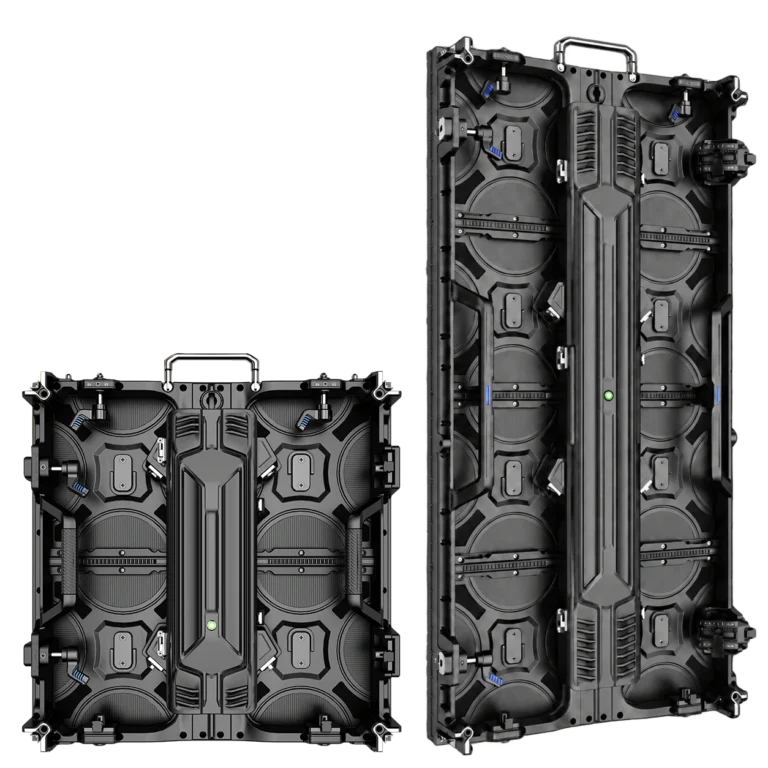
A 500×500mm cabinet covers 0.25m². A 500×1000mm cabinet covers 0.5m². The taller cabinet covers twice the area, so comparing their individual prices without adjusting for area gives a misleading result.
For equivalent configurations, use:
Cabinet-only cost per square metre = cabinet unit price ÷ cabinet area in square metres.
Keep this figure separate from complete-system cost.
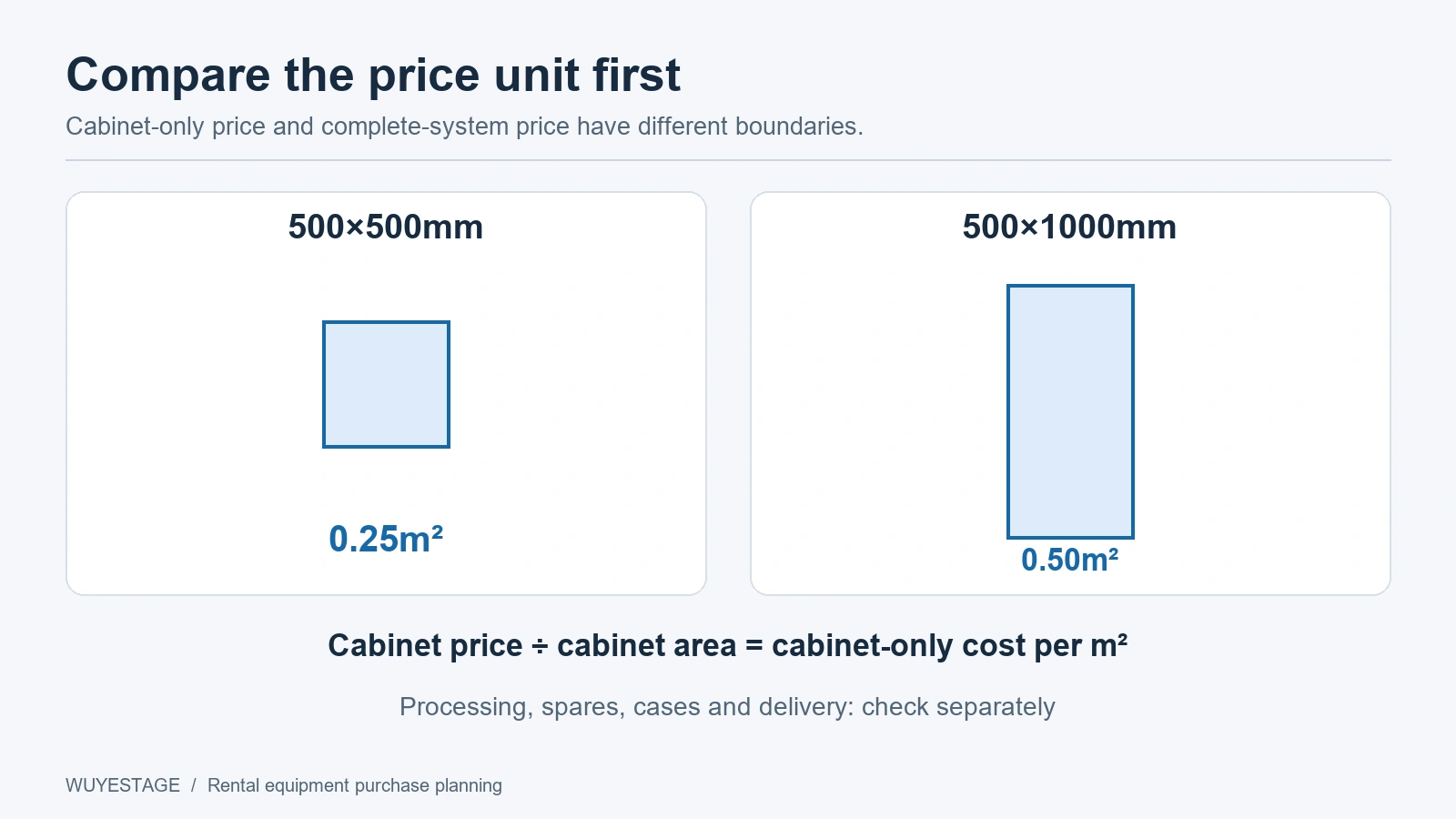
An area-normalized cabinet price does not include processing, cases, spares or installation unless those items are expressly included. It also does not make two different pixel pitches, protection configurations or hardware packages equivalent.
If a quote lists modules, ask what else is required to supply complete working cabinets. If it lists a package, ask for the component quantities behind the package total.
A Worked Configuration Without an Invented Price
Consider a 4m-wide, 2m-high rectangular rental wall. The following comparison uses the published WUYESTAGE P3.91 cabinet resolutions; it is a planning example, not a structural approval or a priced offer.
| Item | 500×500mm cabinets | 500×1000mm cabinets, vertical |
|---|---|---|
| Cabinets across | 8 | 8 |
| Cabinets high | 4 | 2 |
| Main-screen cabinets | 32 | 16 |
| Cabinet resolution | 128×128 pixels | 128×256 pixels |
| Complete screen resolution | 1024×512 pixels | 1024×512 pixels |
| Screen area | 8m² | 8m² |
| Total screen pixels | 524,288 | 524,288 |
Both layouts produce the same screen dimensions and native pixel count.
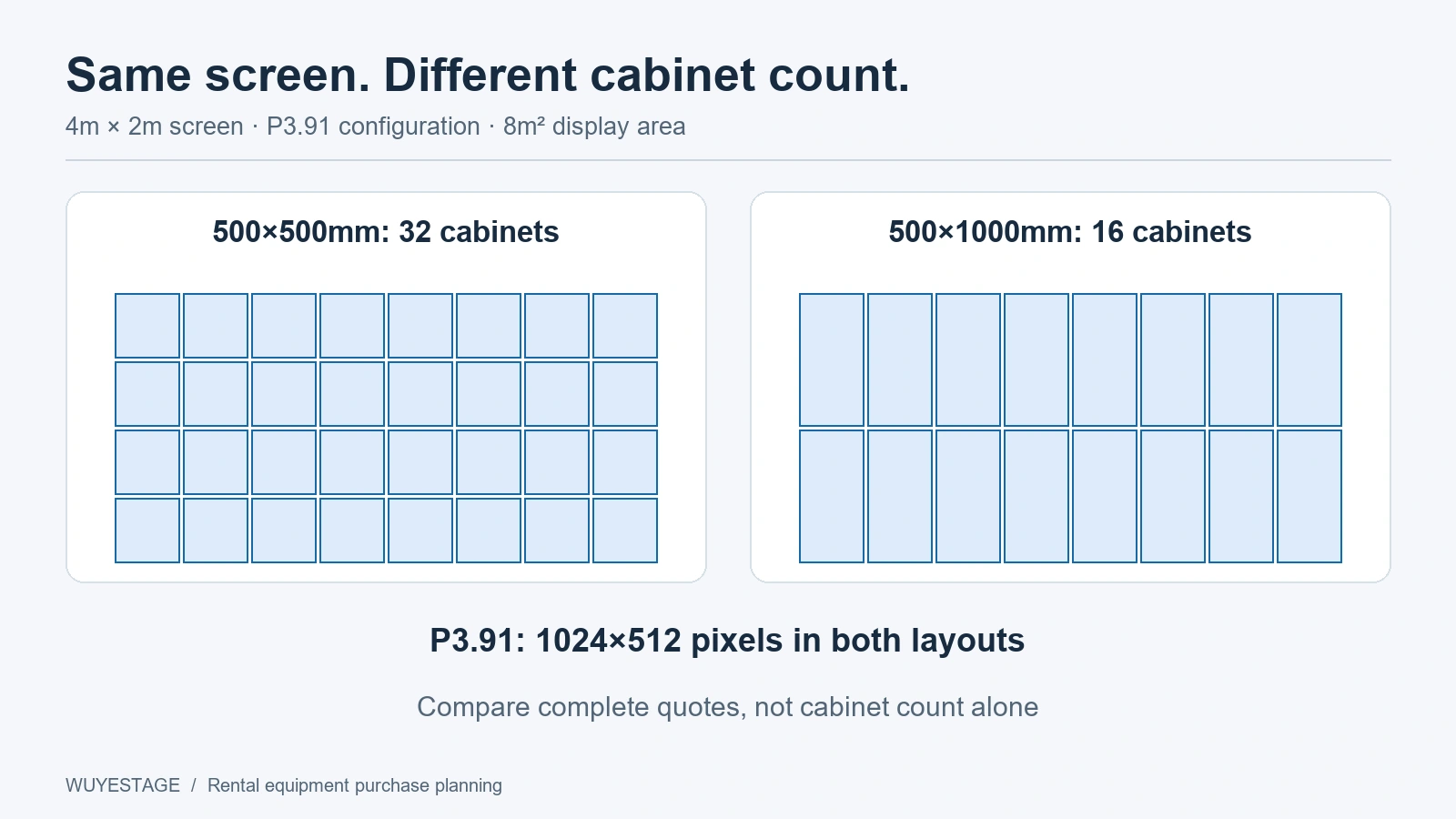
One uses twice as many cabinets. Neither fact establishes which complete order is cheaper.
Ask for separate totals for each cabinet layout, then add the specified spares, cases, cables and accessories. Case capacity and loaded weight must come from the actual packing plan. Cabinet dimensions alone do not prove how many fit safely in one case.
Use the LED wall calculator for the geometry calculation. For a quotation comparison, retain the complete component list alongside those results.
Turn the Quote Into an Inclusion Worksheet
An LED wall cost worksheet makes missing items visible. “Not stated” should remain an unresolved item rather than becoming a zero-cost assumption.
| Cost group | Ask the supplier to identify | Compare on the same basis |
|---|---|---|
| Main-screen cabinets | Quantity, format, pitch and exact supplied configuration | Same buildable screen and acceptance requirements |
| Processing and control | Processor, receiving-card configuration, required inputs and outputs | Same pixel load, signal requirements and backup scope |
| Power and signal accessories | Cable quantities, types, lengths and supplied distribution items | Same cabinet layout and planned cable routes |
| Spare parts | Modules, receiving cards, power supplies and any spare cabinets | Same item quantities and compatibility requirements |
| Transport cases | Case count, dimensions, capacity and loaded weights | Packing for the whole order, including spares |
| Installation accessories | Hanging bars or ground-support components actually supplied | Same installation scope and stated engineering exclusions |
| Setup and support | Configuration files, documentation, training or commissioning if offered | Written deliverables, responsibilities and location |
| Delivery | Packing, shipment basis, destination and exclusions | Same destination and clearly recorded cost boundary |
This worksheet is not a claim that every supplier provides every item.
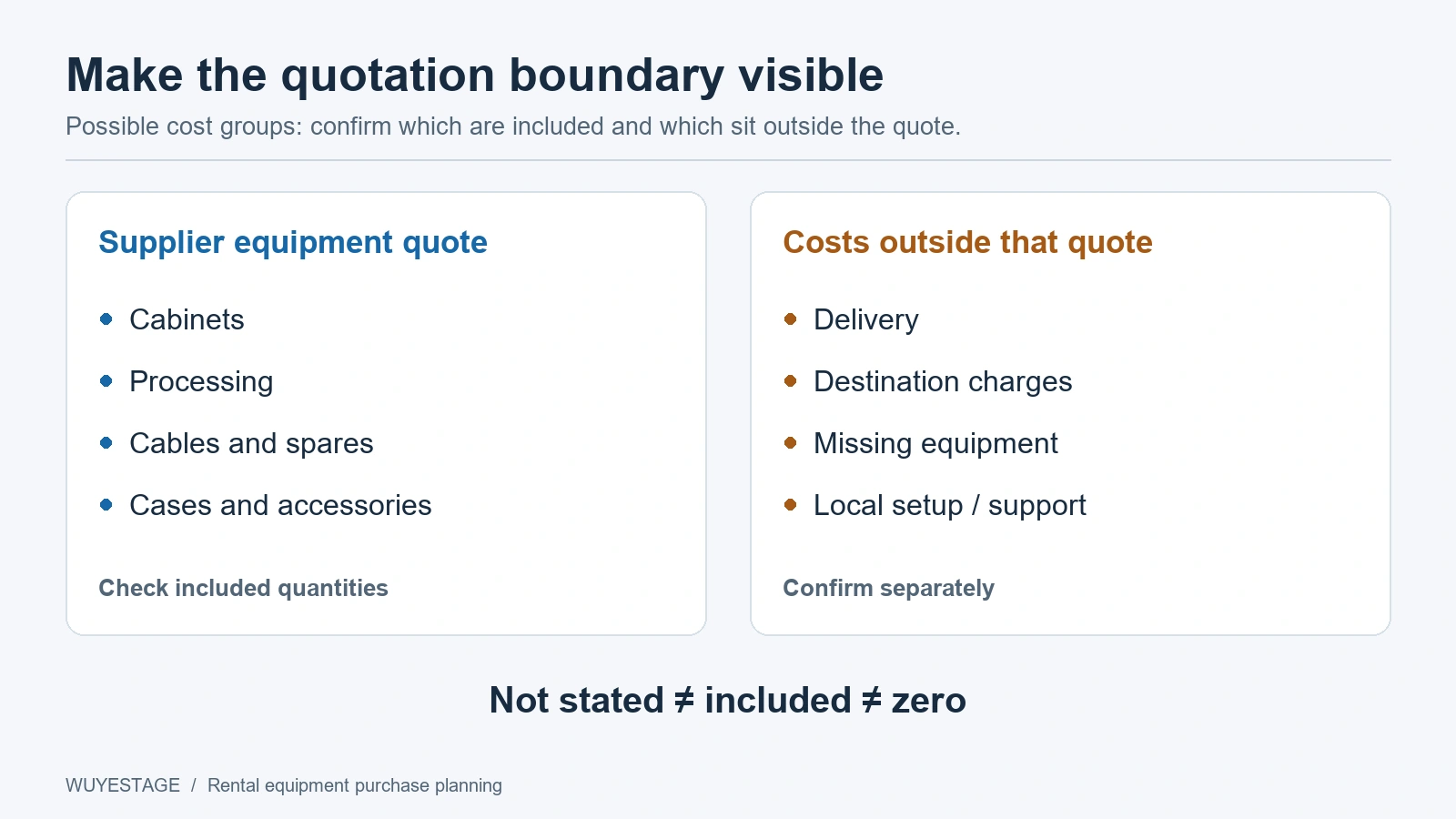
It is a way to discover what is included, optional, excluded or still unconfirmed.
Check Specifications That Can Change the Quote
Indoor and Outdoor Are Different Supply Configurations
Do not treat shared cabinet appearance as proof of equal performance. The WUYESTAGE indoor rental LED display series includes P1.953 GOB, P2.604, P2.976 and P3.91 options. The outdoor rental LED display series has P2.604, P2.976 and P3.91 configurations with separate brightness references.
For the outdoor series, the published P3.91 flagship configuration has an IP65 reference. Protection levels for P2.604 and P2.976 require order confirmation. Do not assume the same rating applies to every pitch or to the complete installation.
Choose the required environment and confirm the supplied configuration before asking whether one quote is cheaper. Local structure, power and weather arrangements remain separate planning responsibilities unless the quote expressly includes them.
Pixel Pitch Changes the Processing Brief
For the same 4×2m screen using 500×1000mm cabinets, the published P2.604 cabinet resolution of 192×384 pixels produces a 1536×768 screen: 1,179,648 pixels. The P3.91 example above produces 524,288 pixels.
P2.604 therefore has 2.25 times the native pixel count in this example. That does not mean the complete equipment price is 2.25 times higher. It means the processor and output mapping must be checked against a different load, alongside the viewer's need for detail.
Select pitch from viewing distance and content, then obtain the matching system quote. A smaller pitch should solve a real viewing requirement rather than consume budget by default.
Camera Requirements Belong in the Written Configuration
Specify camera use before approving the purchase. A listed refresh rate alone does not establish clean footage at every brightness, shutter setting or frame rate.
Macroblock's September 2026 technology announcement describes driver functions designed to reduce low-gray banding and flicker during filming. This reinforces a procurement question: what does the quoted configuration actually deliver under the intended camera conditions? It does not prove that another supplier's screen uses those chips.
Request a recorded sample test using the proposed equipment and settings, and identify the configuration that must be supplied. Do not price an unspecified “camera-ready” upgrade as though all versions provide identical results.
Compare LED Wall Cost Across the Complete Order
After matching the specifications, compare LED wall cost through three separate figures:
- Quoted equipment total: the supplier's listed components and quantities.
- Costs to obtain the equipment: confirmed packing and delivery charges outside that total, plus destination charges applicable to the order.
- Costs to make it usable in your operation: missing accessories, setup, commissioning or locally sourced support items.
Your comparison budget is the equipment total plus confirmed costs outside it. Keep unresolved items listed separately until you have actual quotations; a guessed freight number can reverse the apparent result.
Existing equipment can reduce what you need to buy, but compatibility must be checked. An old processor, a stock of modules or available cases should not be deducted from the budget merely because they have a familiar name or matching dimensions.
Avoid double counting. If the processor is included in the package price, do not add it again. If installation is excluded, show that exclusion instead of presenting the package as a ready-to-use project total.
Decide What to Buy Now and What to Price Separately
To control LED wall cost, request a base order that can meet the agreed screen and acceptance requirements, then list optional items separately. Extra cabinet formats, additional cases or alternative processors should have identifiable prices and reasons for inclusion.
Keep required power, signal, installation and accepted-camera requirements in the base scope. They should not become optional solely to make the advertised total smaller. Conversely, equipment for a hypothetical future project should not automatically inflate today's order.
This LED wall cost comparison is unsuitable for estimating a one-event rental service fee or a permanent installed system without a separate project brief. For repeat-event maintenance and fleet economics after purchase, use the rental LED panel fleet-value guide.
Send a Brief That Produces Comparable Quotes
Send WUYESTAGE the planned screen width and height, indoor or outdoor environment, nearest viewing distance, content and camera use, cabinet-format preference, installation method and existing equipment. Add the destination, schedule, requested spares, packing requirements and any required support deliverables.
Ask for an itemized equipment quote with optional items and exclusions clearly separated. This provides a better basis for comparing LED wall cost than a single panel price or a price per square metre without a defined configuration.
Request a rental LED screen equipment quotation with your screen brief and required order scope.