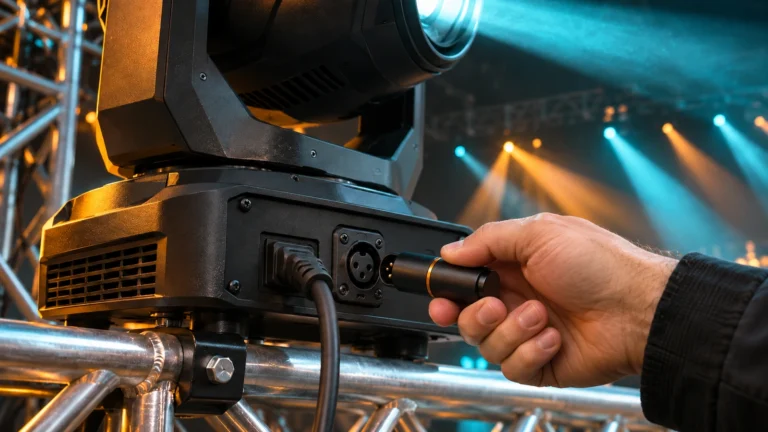
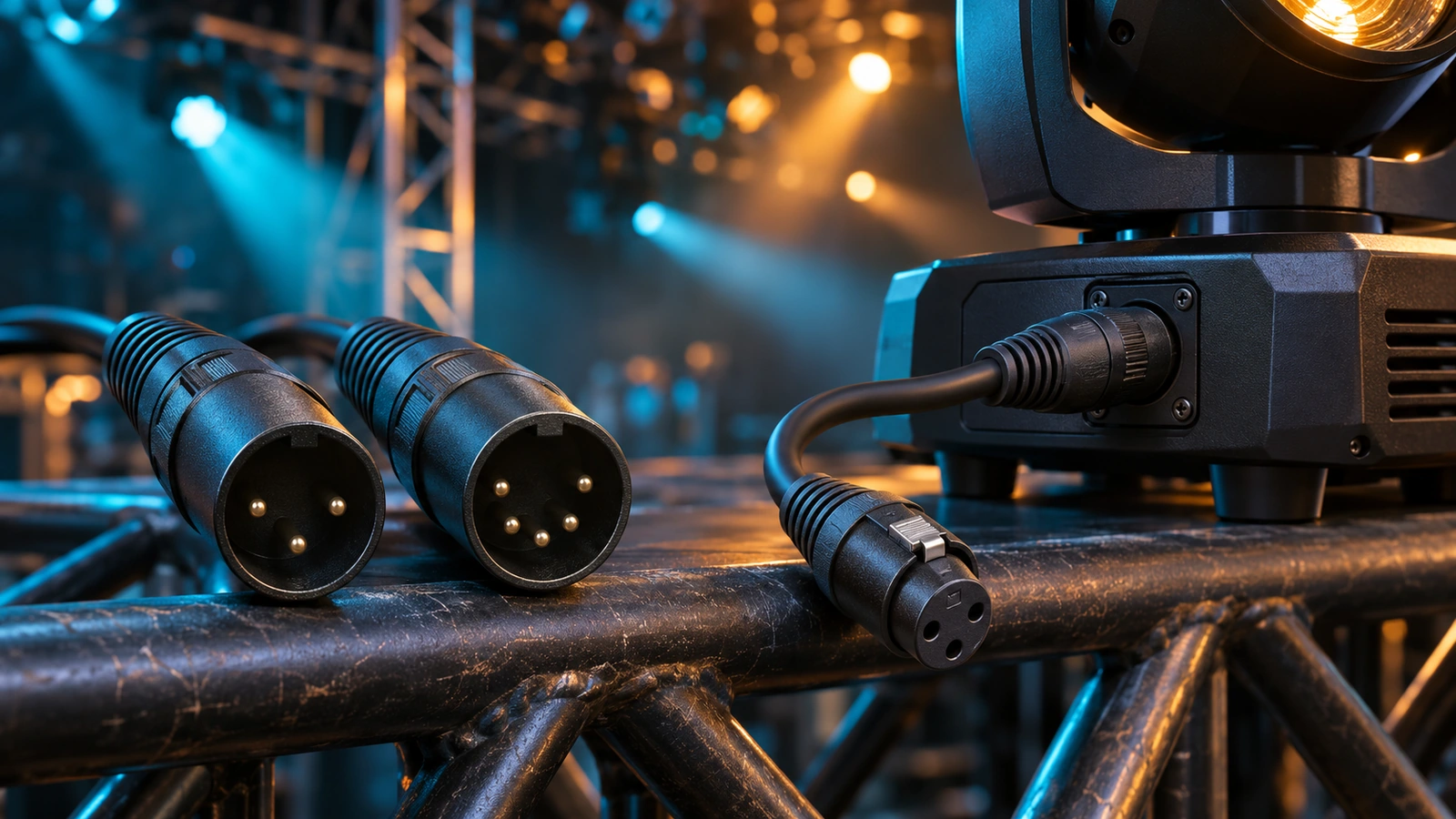
When comparing 3 pin vs 5 pin DMX, both connectors carry the exact same primary DMX512 lighting control data across Pin 1 (Shield / Signal Common), Pin 2 (Data 1−), and Pin 3 (Data 1+). The official ANSI E1.11 (USITT DMX512-A) standard specifies 5-pin XLR specifically to stop crews from accidentally plugging audio microphone cables (and 48V phantom power) into lighting fixtures, and to reserve Pins 4 and 5 for an optional secondary data pair that almost all modern stage fixtures leave unused. Because primary data and bidirectional RDM both run on Pins 1–3, you can mix 3-pin and 5-pin DMX equipment seamlessly using a passive 3-pin to 5-pin DMX adapter—as long as every meter of cable is true 110–120 Ω DMX data cable rather than analog audio mic wire.
On almost any mixed rental or touring call sheet, lighting programmers and technicians run into the exact same mixed-rig scenarios: a touring console with 5-pin DMX outputs feeding a club truss of 3-pin DMX moving heads, a rental technician wondering whether passive turnarounds break RDM, or a venue manager who snapped a fixture’s internal XLR socket because someone used a heavy rigid metal barrel adapter.
This field guide breaks down 3-pin vs 5-pin DMX under ANSI E1.11 and ANSI E1.20 (RDM), gives you an interactive 3-Pin ↔ 5-Pin DMX Adapter & Rig Compatibility Checker that exports a 1600×900 DMX Pinout & Turnaround Card PNG, clarifies when passive adapters work versus when they fail, settles the Cat5 for DMX (RJ45) rule, and separates connector questions from DMX vs XLR microphone cable impedance issues and 120-ohm DMX termination.
1. Interactive Tool: 3-Pin ↔ 5-Pin DMX Adapter & Mixed-Rig Compatibility Checker
Planning a mixed-connector truss or checking whether your 5-pin vs 3-pin DMX rig will pass RDM cleanly? Select your console port, fixture fleet connector type, adapter hardware, cable specification, and protocol mode below to get an immediate compatibility verdict, exact turnaround adapter bill of materials, live 3-pin / 5-pin pinout diagram, and a downloadable 1600×900 DMX Pinout & Turnaround Card PNG for your cable case.
3-Pin ↔ 5-Pin DMX Adapter & Mixed-Rig Compatibility Checker
Verify passive turnaround compatibility, RDM signal behavior, cable impedance rules, and export a 1600×900 DMX Pinout & Adapter Card PNG.
EXACT PASSIVE TURNAROUND PIN MAPPING (ANSI E1.11)
- Pin 1 → Pin 1: Shield / Signal Common (Ground reference)
- Pin 2 → Pin 2: Data 1− (Primary inverted data signal)
- Pin 3 → Pin 3: Data 1+ (Primary non-inverted data signal)
- Pin 4 (5-Pin side): Data 2− (Left open / floating on 3-to-5 adapter)
- Pin 5 (5-Pin side): Data 2+ (Left open / floating on 3-to-5 adapter)
Engineering Diagnostics & Show-Day Checklist
Aligned with ANSI E1.11 (DMX512-A), ANSI E1.20 (RDM), and ANSI E1.27-2 (RJ45). Confirm 3-pin vs 5-pin DMX IN/OUT ports in each fixture datasheet before ordering turnaround kits.
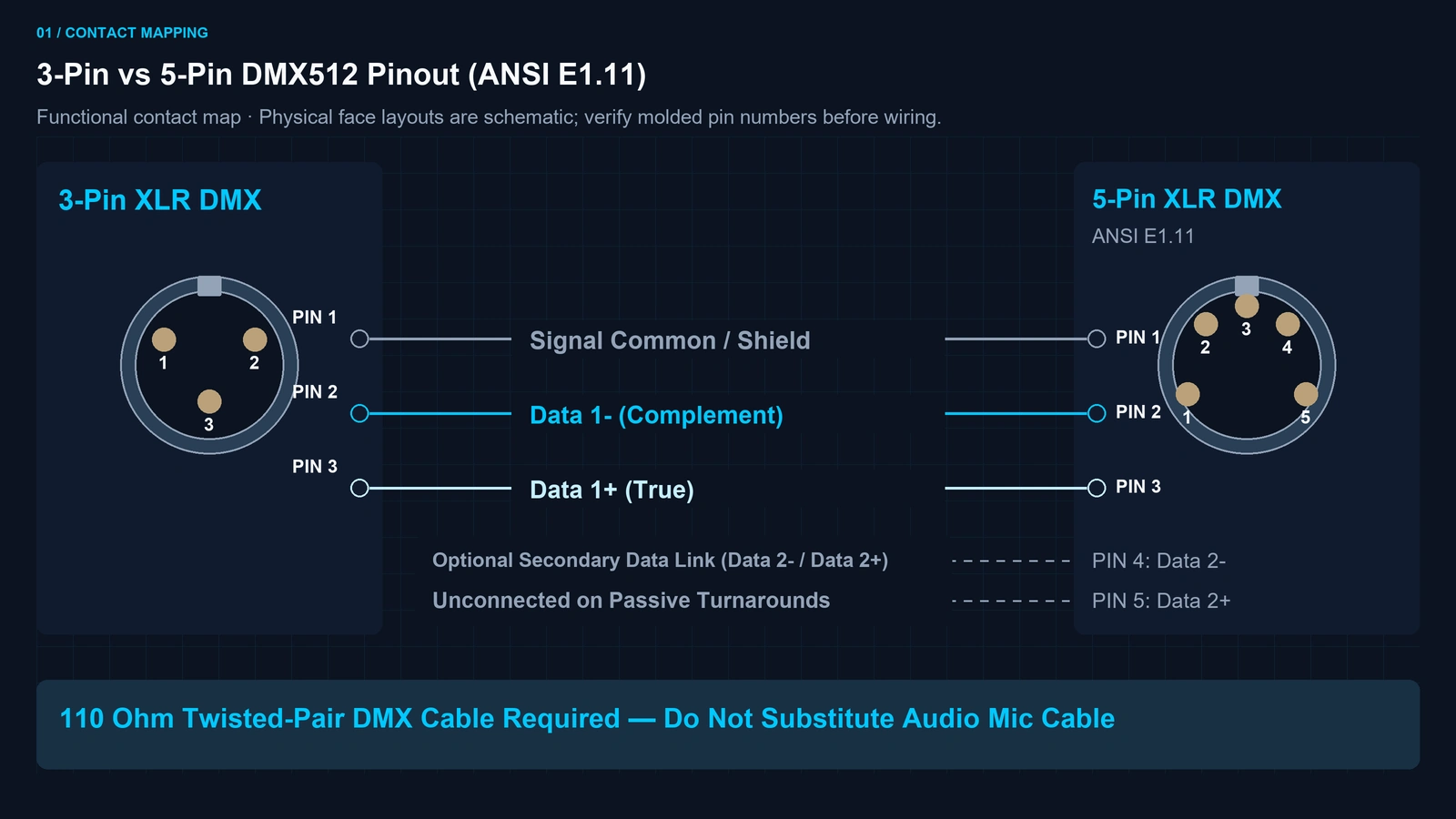
2. 3 Pin vs 5 Pin DMX: Complete Pinout & ANSI E1.11 Standard Comparison
To eliminate guesswork on mixed-brand lighting rigs, start with the exact electrical pinout table for 3 pin DMX vs 5 pin DMX:
| Pin Number | 3-Pin DMX (3-Pin XLR) | 5-Pin DMX (5-Pin XLR — Official ANSI E1.11) | Passive 3-to-5 Adapter Wiring | Real-World Usage on Stage Lights |
|---|---|---|---|---|
| Pin 1 | Shield / Signal Common | Shield / Signal Common | Pin 1 ↔ Pin 1 | Ground reference & EMI shielding (connect shell cleanly) |
| Pin 2 | Data 1− (Primary Cold / Inverted) | Data 1− (Primary Cold / Inverted) | Pin 2 ↔ Pin 2 | Carries half of differential 250 kbps RS-485 DMX + RDM |
| Pin 3 | Data 1+ (Primary Hot / True) | Data 1+ (Primary Hot / True) | Pin 3 ↔ Pin 3 | Carries matching half of differential DMX + RDM |
| Pin 4 | (Does not exist) | Data 2− (Optional Secondary Cold) | Unconnected / Floating | Unused on ~99% of modern DMX fixtures |
| Pin 5 | (Does not exist) | Data 2+ (Optional Secondary Hot) | Unconnected / Floating | Unused on ~99% of modern DMX fixtures |
What Is the Point of 5-Pin DMX If Only 3 Pins Carry Data?
Veteran theatrical and touring lighting engineers summarize the history of 5 pin vs 3 pin DMX in two practical reasons:
- Preventing Fatal Audio-Lighting Cross-Plugging: In the 1980s, USITT engineers knew audio crews already used 3-pin XLR cables everywhere on stage. Choosing a 5 pin XLR connector (often searched as 5 pin DMX vs 3 pin or DMX 3 pin vs 5 pin) made it physically impossible for a tired stagehand to plug a moving head’s DMX input into a sound console sending +48V phantom power (or patch a digital 250 kbps DMX signal into a PA preamp, producing a deafening square-wave screech).
- Future-Proofing Pins 4 and 5: The original committee reserved Pins 4 and 5 for a secondary data link (such as return diagnostics or a second DMX universe). In practice, modern lighting evolved toward bidirectional RDM over Pins 2–3 and Ethernet protocols (Art-Net vs sACN) for multi-universe rigs—leaving Pins 4 and 5 idle on nearly all commercial moving heads, strobes, and LED PARs.
3. Why Do So Many Stage Lights Still Use 3-Pin DMX?
Despite ANSI E1.11 formally specifying 5-pin XLR, 3 pin DMX remains ubiquitous across mobile DJ rigs, clubs, bars, mid-size rental warehouses, and event venues worldwide:
- Lower Connector & Cable Inventory Cost: 3-pin XLR connectors and 110 Ω 3-pin DMX cables cost less to replace and are stocked at every regional AV shop.
- Dual-Port Touring Fixtures: Many professional moving head lights and beam moving heads include both 3-pin and 5-pin DMX IN/OUT ports on the rear panel so rental companies never have to hunt for adapters (always confirm exact 3-pin vs 5-pin chassis ports in your fixture’s specification sheet before ordering).
- Zero Performance Difference on Primary Data: Electrically, a 110 Ω 3 pin DMX cable and a 110 Ω 5 pin DMX cable deliver identical 512-channel refresh speed (~44 Hz) and identical noise immunity across Pins 1–3.
4. Converting 3-Pin to 5-Pin DMX: Passive Turnaround Rules & Mechanical Warnings
Can you convert 3 pin DMX to 5 pin? Yes—100% safely in nearly every real-world lighting rig using a passive 3 pin to 5 pin DMX adapter (known backstage as a DMX turnaround). Understanding 3 pin vs 5 pin DMX adapter rules keeps mixed venues running smoothly. Simply map Pin 1 → 1, Pin 2 → 2, and Pin 3 → 3, and leave Pins 4 and 5 unconnected.
4.1 Flexible Turnaround Whip vs. Rigid Metal Barrel Adapter
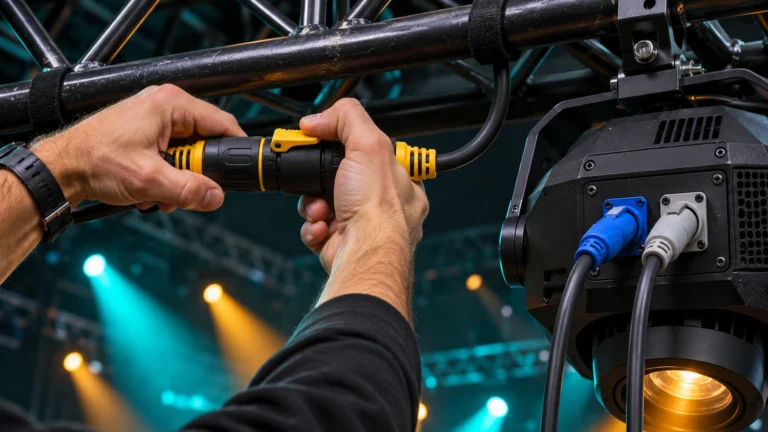
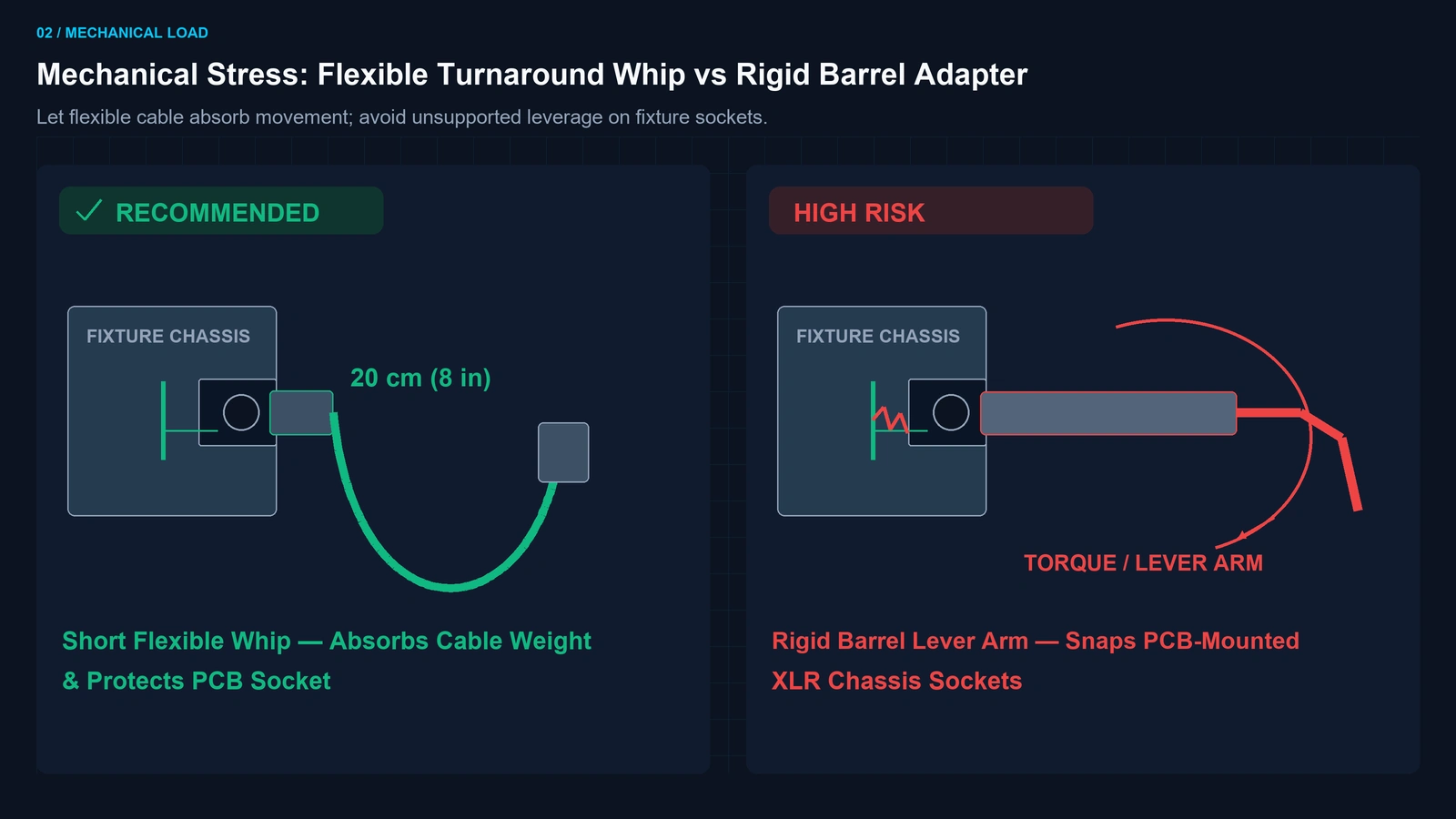
One of the most valuable field warnings from experienced rental technicians is never to plug a solid rigid metal barrel adapter directly into the DMX socket of a moving head or console:
- Why rigid barrels destroy gear: A solid metal barrel extends 8–10 cm straight out of the fixture base. Once you hang a heavy 15 m DMX cable off the end of that rigid lever—or bump it in a tight truss bay—the bending torque snaps the internal PCB solder joints right off the fixture’s DMX board.
- The pro standard: Always use a short 15–30 cm flexible turnaround cable whip built with genuine 110 Ω DMX cable so cable weight hangs harmlessly off strain relief rather than torquing the socket.
4.2 Two Rare Cases Where a Passive 3-to-5 Adapter Will Fail
- Legacy Phase-Reversed Fixtures (Pre-2000s Vintage Gear): Certain vintage Martin fixtures from the 1990s swapped Pin 2 (Data+) and Pin 3 (Data−), requiring a phase-reversing adapter. All modern ANSI E1.11-compliant lights use standard Pin 2 Data− / Pin 3 Data+.
- Proprietary Pin 4–5 Features or Non-Standard Power-Over-DMX: A handful of specialized architectural dimmers, color scrollers, or dual-universe proprietary nodes use Pins 4 and 5 for secondary signals or low-voltage power. Dropping down to 3-pin breaks Pins 4–5 completely.
5. 3 Pin vs 5 Pin DMX for RDM: Does 3-Pin Support Remote Device Management?
A persistent misconception among newer lighting crews is that RDM (ANSI E1.20) requires 5-pin DMX because “RDM talks back on Pins 4 and 5.” That is completely false.
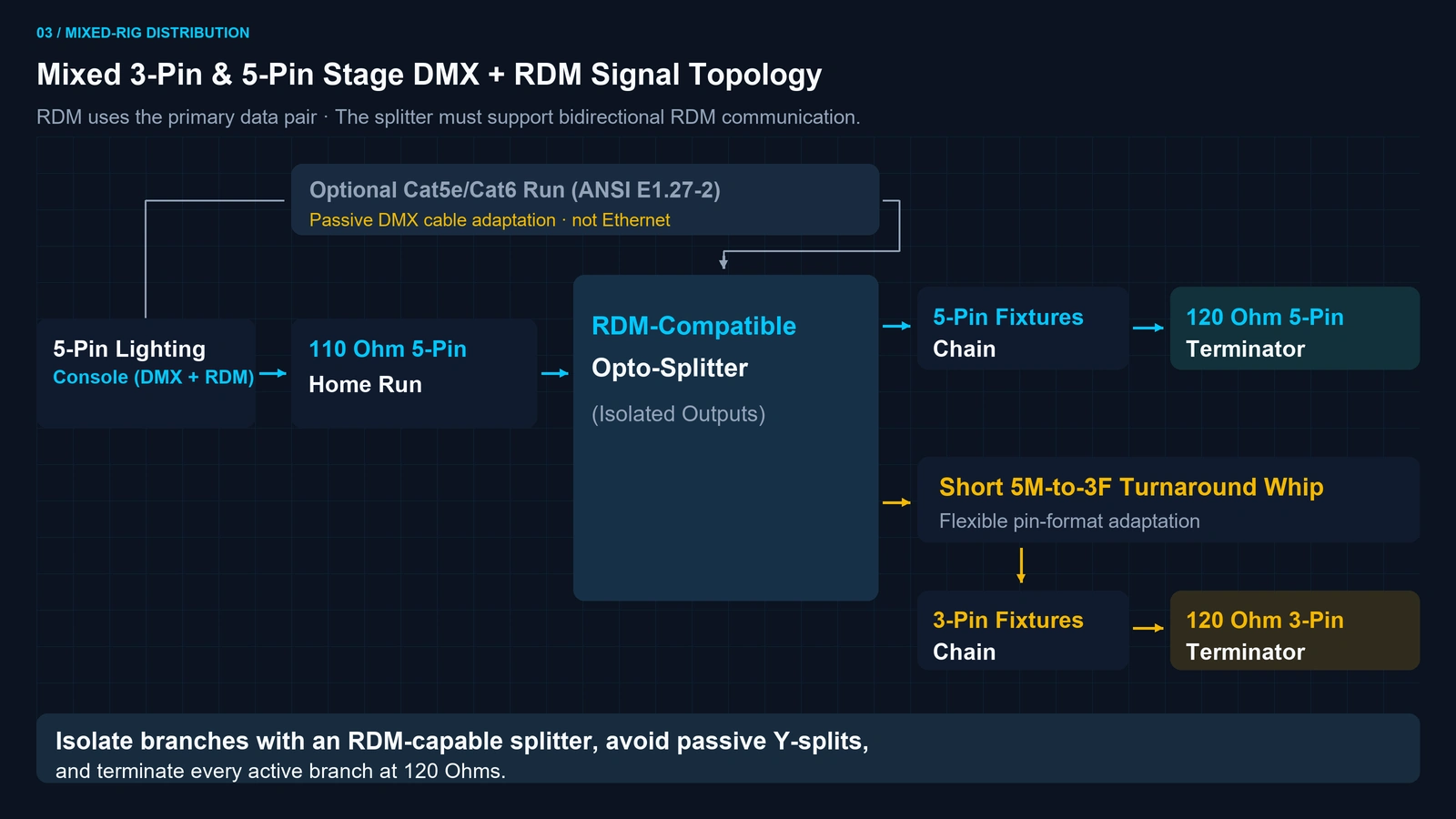
- How RDM actually travels: As detailed in our DMX RDM Remote Addressing Guide, RDM is a half-duplex bidirectional protocol that interleaves discovery and sensor reply packets onto the exact same primary pair (Pins 2 and 3) during brief pauses between DMX512 frames.
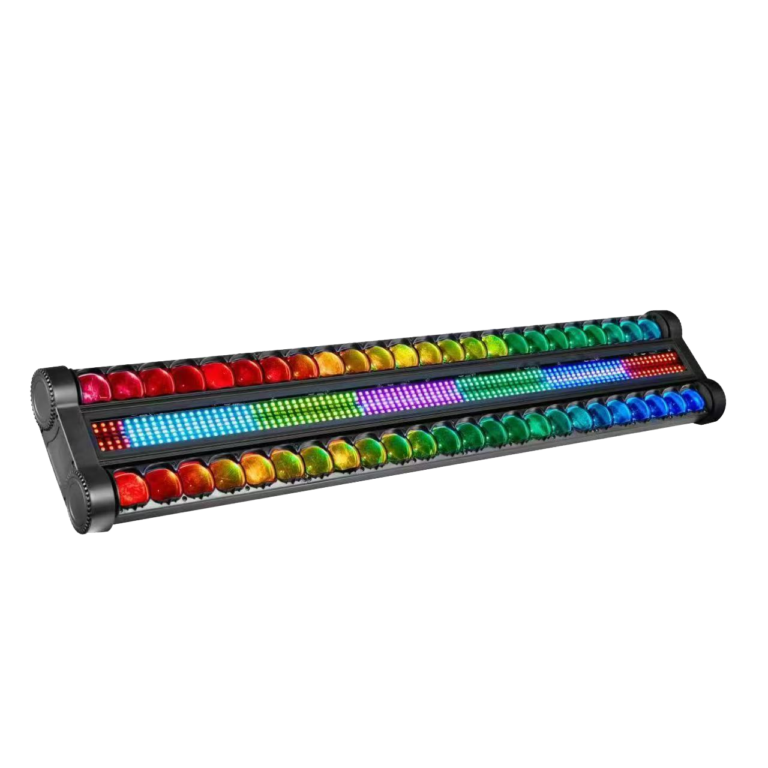
- Bottom line for mixed rigs: A passive 3-to-5 turnaround whip passes RDM cleanly between a 5-pin console and RDM-capable fixtures (such as our 253W Double-Row Beam Swing Strobe Light with RDM support).
- What actually breaks RDM on 3-pin lines:
- Analog 3-pin microphone cables (~70 Ω): High capacitance rounds off fast RDM turnaround edges far sooner than unidirectional DMX.
- Non-RDM optical splitters: Standard unidirectional DMX opto-splitters block reverse RDM replies—you must use an RDM-capable bidirectional splitter.
- Missing end-of-line termination: Every active branch MUST have a matching 3-pin or 5-pin 120-ohm DMX terminator seated in the final fixture’s DMX OUT port.
6. Can You Use XLR Mic Cables or Cat5 Ethernet Cable for DMX?
Google’s top People Also Ask box on 3 pin vs 5 pin DMX hits two closely related cable questions every day. Here is the strict engineering answer to both:
6.1 Can You Use a Standard 3-Pin XLR Audio Mic Cable as a 3-Pin DMX Cable?
Physically it plugs in—which is the exact trap 5-pin DMX was invented to stop—but you should never rely on analog XLR mic cables for professional DMX rigs. Audio cables have ~45–75 Ω impedance and high capacitance designed for 20 kHz analog audio, not 250 kbps digital RS-485 square waves. On short 2-fixture DJ setups they may seem fine during soundcheck, only to cause random moving-head jitter once you add fixtures or lengthen the run. Read our dedicated DMX Cable vs XLR Microphone Cable Guide for full electrical specs.
6.2 Can You Use Cat5e / Cat6 Ethernet Cable for DMX?
Yes—Cat5e/Cat6 twisted-pair cable is officially approved for DMX512 under standard ANSI E1.27-2! Because Cat5e has a nominal characteristic impedance of 100 Ω (±15%) and ultra-low capacitance, it actually transmits DMX512 cleanly over long permanent building runs (such as churches, theaters, and hotels) using RJ45-to-XLR adapters wired to the exact ANSI E1.27-2 pinout:
- RJ45 Pin 1 (Orange/White) → XLR Pin 3 (Data 1+)
- RJ45 Pin 2 (Orange) → XLR Pin 2 (Data 1−)
- RJ45 Pin 3 (Green/White) → XLR Pin 5 (Data 2+, optional)
- RJ45 Pin 6 (Green) → XLR Pin 4 (Data 2−, optional)
- RJ45 Pins 7 & 8 (Brown/White + Brown) → XLR Pin 1 (Signal Common / Shield)
(Never plug a live PoE Ethernet switch into a DMX-over-Cat5 wall jack—keep physical DMX Cat5 runs strictly isolated from IT/PoE switches, or use proper Art-Net / sACN Ethernet nodes for networked lighting!)
7. 3 Pin vs 5 Pin DMX Purchasing & Cable Trunk Checklist for Rental Companies
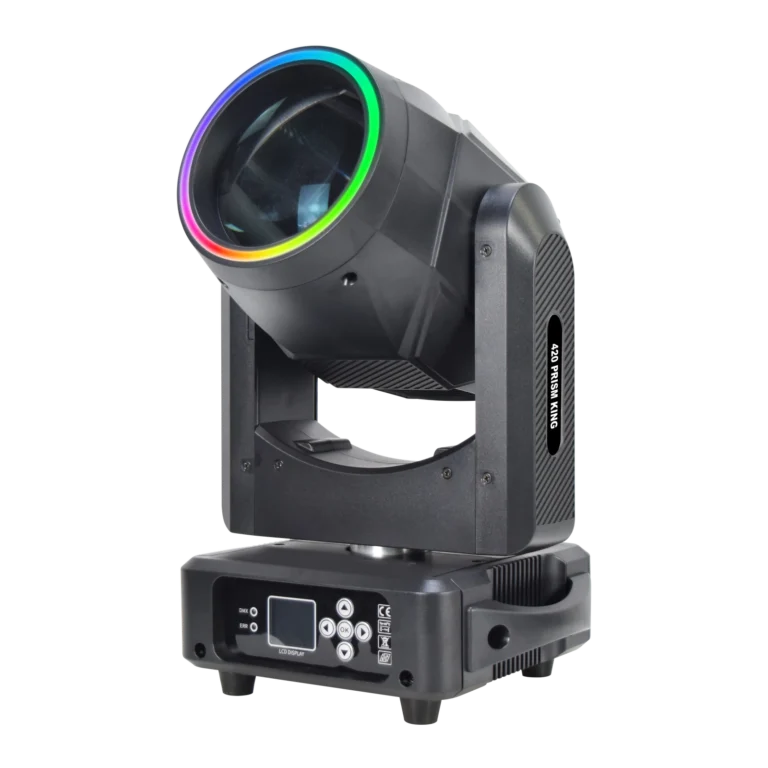
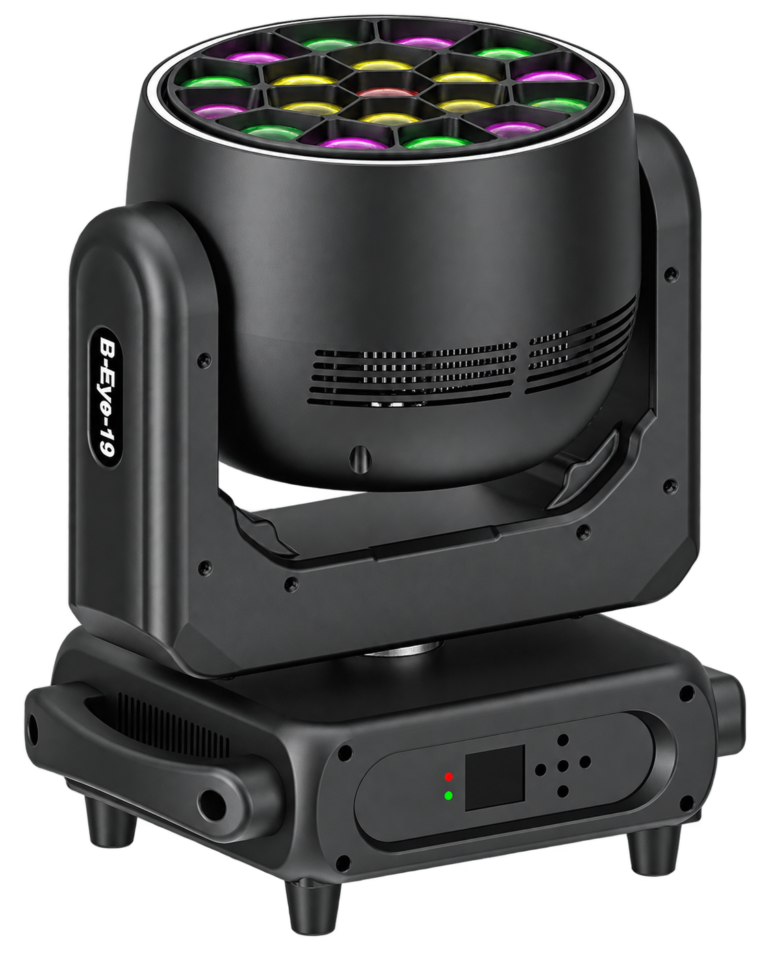
Whether you are stocking cables for 420 Prism King Beam, 19×40W Rotating Bee Eye, LED PAR fixtures, or mixed rental shows, standardize your cable trunks with these five rules:
- Standardize Trunk Cables on One Spec: Touring and theater houses standardize main trunks on 5-pin 110 Ω DMX (zero risk of audio crews borrowing your DMX cables!), while club/mobile DJ houses often standardize on 3-pin 110 Ω DMX clearly heat-shrunk with “DMX 110Ω” labels.
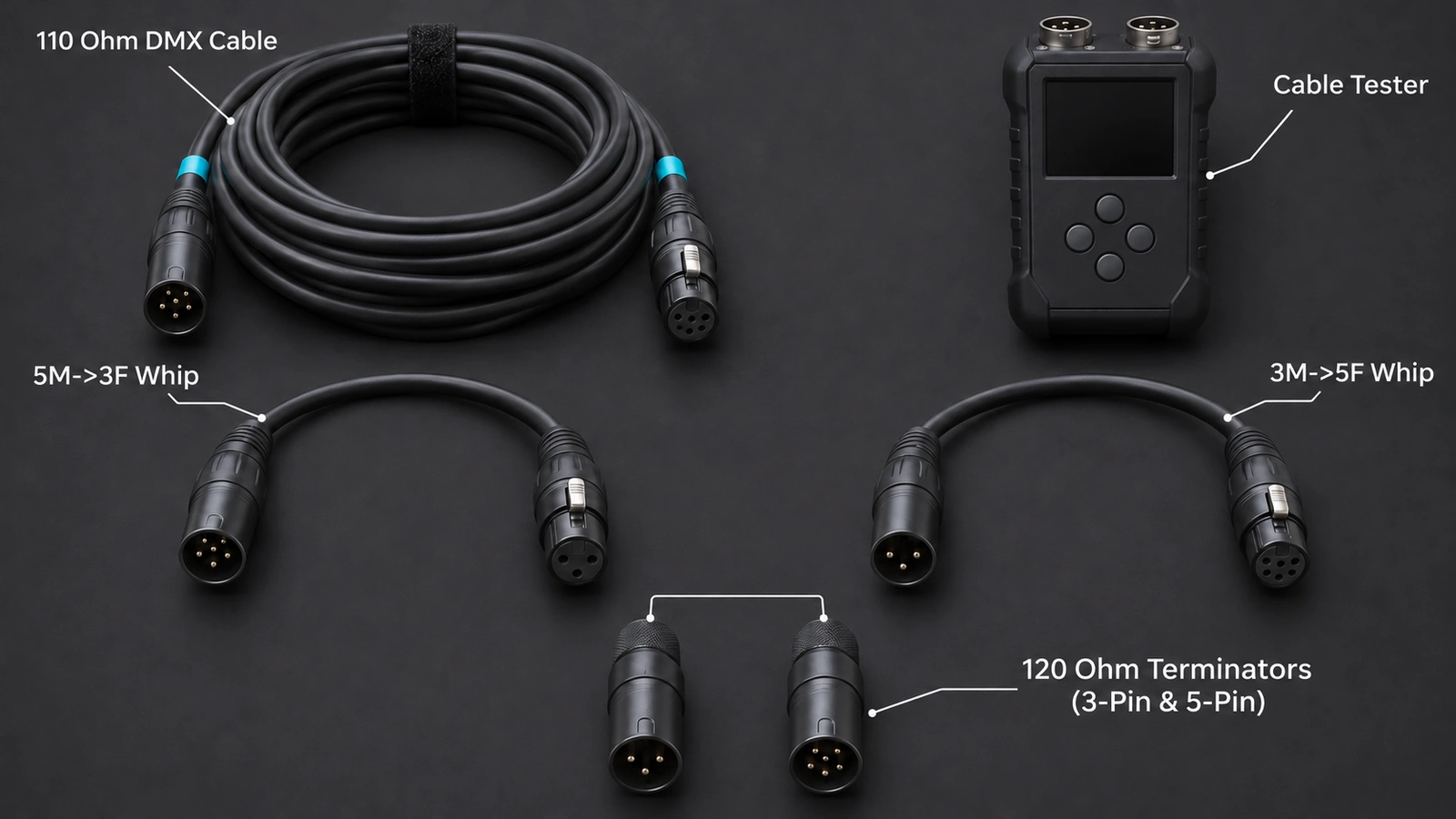
- Pack Paired Flexible Turnaround Whips: Keep at least 4× 5-pin Male → 3-pin Female and 4× 3-pin Male → 5-pin Female 20 cm flexible turnaround whips in every console workbox.
- Carry Both 3-Pin and 5-Pin 120 Ω Terminators: Your DMX terminator must match the final fixture’s DMX OUT port on each branch—never skip termination just because the last fixture is 3-pin.
- Verify Addressing & Modes Separately: If lights behave erratically even after fixing connectors and cables, check start addresses and channel-mode mismatches using our interactive DMX Addressing & 9-Pin DIP Calculator and DMX Channels Overview.
- Confirm Exact Ports Before Bulk Orders: Before purchasing new moving heads, strobes, or LED PARs, request the datasheet confirming 3-pin vs 5-pin DMX IN/OUT ports and RDM compatibility so your cable inventory matches on day one.
8. Real Bench Check: Verifying Mixed 3-Pin & 5-Pin DMX Hardware Before Load-In
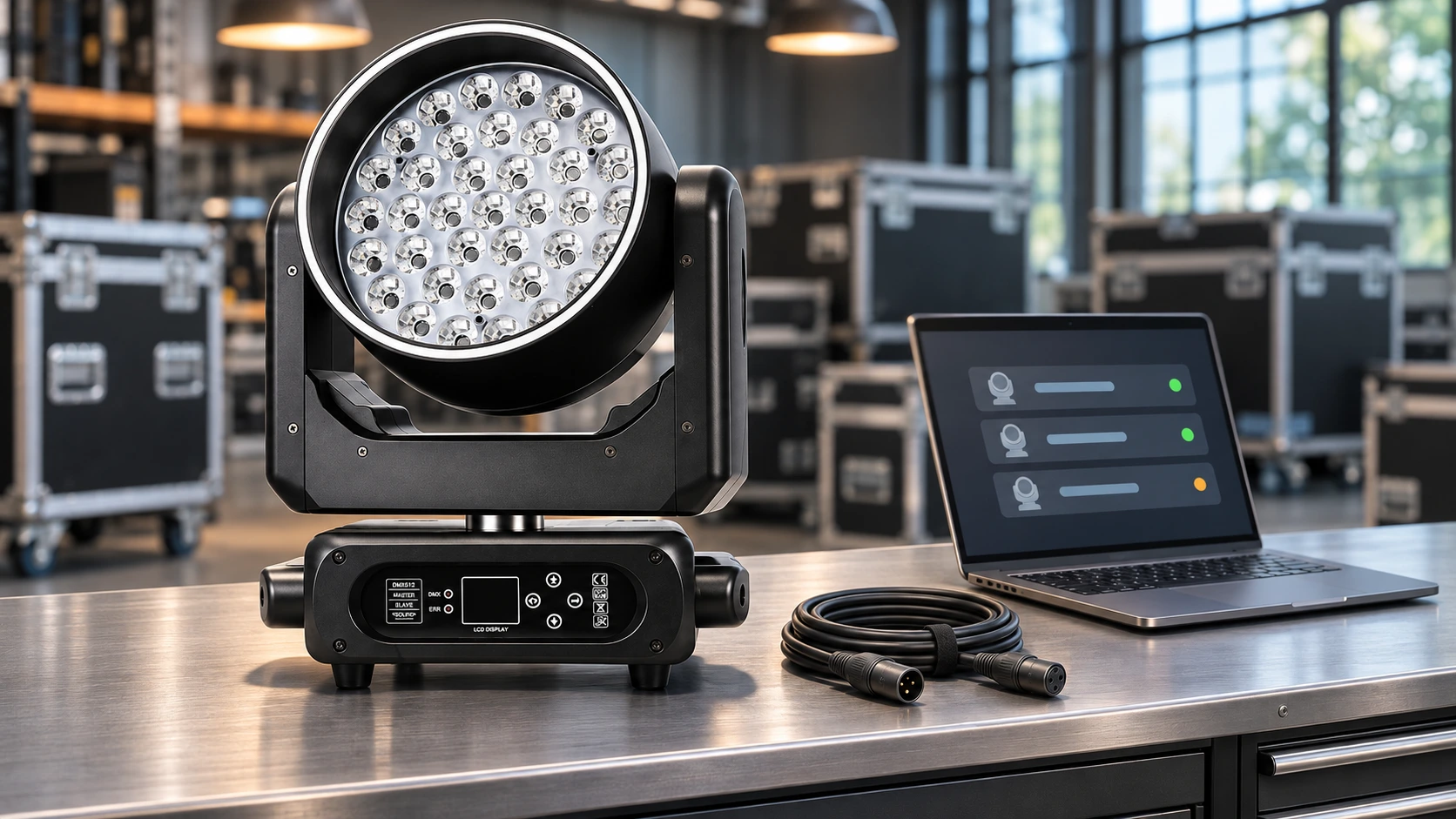
Short connector summaries rarely show the physical bench workflow that prevents dead DMX lines on show day. Before packing mixed 3-pin and 5-pin lighting fixtures, test every turnaround whip for Pin 1-to-1, Pin 2-to-2, and Pin 3-to-3 continuity, confirm whether RDM discovery passes cleanly through your opto-splitter, and keep rigid metal barrel adapters off suspended moving-head input sockets to avoid cracking internal PCB headers.
9. Frequently Asked Questions: 3 Pin vs 5 Pin DMX
What are the main differences between 5-pin and 3-pin DMX cables?
5-pin XLR is the official ANSI E1.11 DMX512 standard designed to prevent plugging lighting into 3-pin audio mic lines (48V phantom power) and to reserve Pins 4 and 5 for an optional secondary data pair. 3-pin DMX uses a 3-pin XLR plug with only Pins 1, 2, and 3. Electrically, both transmit identical primary DMX512 data and RDM across Pins 1–3 when built with true 110–120 ohm DMX data cable.
Can you convert 3-pin DMX to 5-pin DMX with an adapter?
Yes. Because standard DMX512 only uses Pins 1 (Common), 2 (Data−), and 3 (Data+), a passive 3-pin to 5-pin turnaround adapter connects Pins 1–3 straight through and leaves Pins 4 and 5 unconnected. Always choose a short 15–30 cm flexible cable whip rather than a heavy rigid metal barrel adapter to avoid straining fixture XLR sockets.
What is the point of 5-pin DMX if Pins 4 and 5 are rarely used?
The primary practical benefit of 5-pin DMX today is physical safety and crew workflow: audio technicians cannot accidentally plug 5-pin lighting cables into 3-pin microphone snakes or send +48V phantom power into lighting fixtures, and vice versa.
Does 3-pin DMX or a 3-to-5 pin adapter support RDM?
Yes. ANSI E1.20 RDM communicates half-duplex over the exact same primary pair (Pins 2 and 3) as DMX512—not over Pins 4 and 5. Passive 3-to-5 turnaround whips pass RDM cleanly as long as you use true 110–120 ohm DMX cable, RDM-compatible opto-splitters, and 120-ohm end-of-line termination.
Can you use a regular 3-pin XLR microphone cable as a 3-pin DMX cable?
Avoid it on professional rigs. Although a 3-pin XLR mic cable fits physically, its ~45–75 ohm impedance and high capacitance distort 250 kbps digital DMX packets, causing random moving-head twitching, strobe misfires, and failed RDM discovery on longer runs or multi-fixture chains.
Can you use Cat5e or Cat6 Ethernet cable for DMX lighting?
Yes. ANSI E1.27-2 officially standardizes running DMX512 over Cat5e/Cat6 cable using RJ45-to-XLR adapters (Pin 1 Orange/White = Data 1+, Pin 2 Orange = Data 1−, Pins 7–8 Brown = Common). Keep passive DMX-over-Cat5 runs completely separated from PoE network switches.
Is 5-pin DMX faster or brighter than 3-pin DMX?
No. Both 3-pin and 5-pin DMX carry the exact same 250 kbps, 512-channel DMX512 protocol at the exact same refresh rate. Switching from 3-pin to 5-pin does not add channels or increase fixture brightness—it simply enforces ANSI E1.11 connector compliance and prevents audio-cable mix-ups.
What DMX connectors should rental companies verify before buying new stage lights?
Before placing a bulk fixture order, check the manufacturer specification sheet for exact 3-pin vs 5-pin DMX IN/OUT sockets, RDM support, DMX channel modes, and power-linking connector type (blue/gray powerCON vs IP65 TRUE1) so your existing cable trunks and turnaround kits fit seamlessly.
10. Need DMX Channel Charts & Connector Specs for Your Next Lighting Order?
Planning a new rental rig or club installation with 420 Prism King Beam, 19×40W Rotating Bee Eye, 253W Double-Row Swing Strobe, or professional LED PAR lights? Send your fixture list, console protocol (DMX512 / RDM / Art-Net), and preferred connector standard via our Contact & Engineering Quote page, and our team will reply with exact DMX channel charts, connector documentation, and factory-direct pricing.