A DMX splitter is useful when one lighting-control output needs to reach several physical positions. Each active output starts a separate data branch; the fixtures within that branch can still be daisy-chained. Decide the cable routes and end points first, then check the address plan. Splitting one universe does not give each branch a fresh set of 512 independent channels.
For rental teams, venue buyers and distributors, the practical question is whether the proposed rig can be connected, labeled and checked consistently. A front-to-back cable route may be convenient in one venue and awkward in another. Use the five checks below to turn the lighting plot into a distribution brief.
Cover image: an illustrative stage-preparation scene, not a customer installation or a verified wiring layout.
1. Choose the route before the number of splitter outputs
Mark each lighting position on the plot: stage left, stage right, rear truss, floor effects or another actual location. Draw the intended data route through each group and identify the last receiver. A continuous route can suit a daisy chain. Separate positions may be easier to serve from active splitter outputs than by running one cable back and forth across the stage.
The ESTA-hosted DMX512-A recommended-practice guide describes daisy-chain links and active splitter amplifiers for branches. It rejects passive Y leads because branching the conductors can cause reflections and signal errors. A passive cable with two sockets is not an active DMX splitter.
| Layout question | Planning action |
|---|---|
| Do the fixtures follow one practical route? | Draw one chain and mark its final receiver; check the equipment limits. |
| Must data go to separate lighting positions? | Allocate an active output to each required branch. |
| Does the design require fault separation? | Specify and verify isolation between the relevant ports; do not infer it from socket count. |
| Is remote device management required? | Confirm RDM support across the controller, distribution path and fixtures. |
Put the splitter where its incoming feed and outgoing runs make sense for the actual build. Include access for inspection and its power requirements in the equipment brief. This is a signal-distribution decision; mains circuits and fixture power linking need their own plan.
2. Keep one address plan across all repeated branches
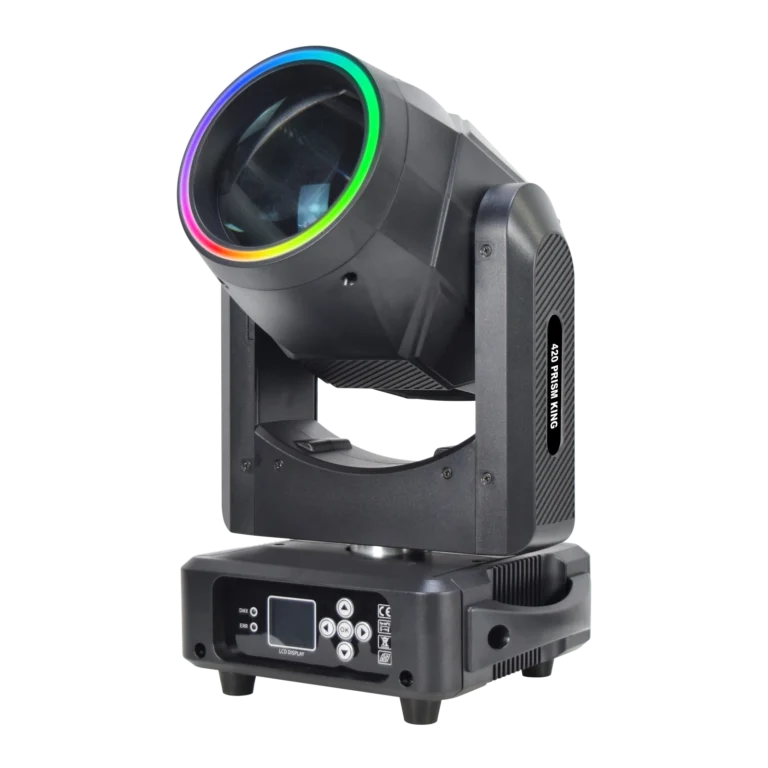
Use a worked example: twelve RG-132 420 Prism King Beam fixtures in the confirmed 22CH mode, arranged as three groups of four. Each group uses 88 slots. Together they use 264 slots in one universe. These calculations describe allocation, not the function assigned to each channel.
| Branch / fixture labels | Start addresses | Occupied slots |
|---|---|---|
| Output 1 · stage left · A1–A4 | 001, 023, 045, 067 | 001–088 |
| Output 2 · stage right · B1–B4 | 089, 111, 133, 155 | 089–176 |
| Output 3 · rear position · C1–C4 | 177, 199, 221, 243 | 177–264 |
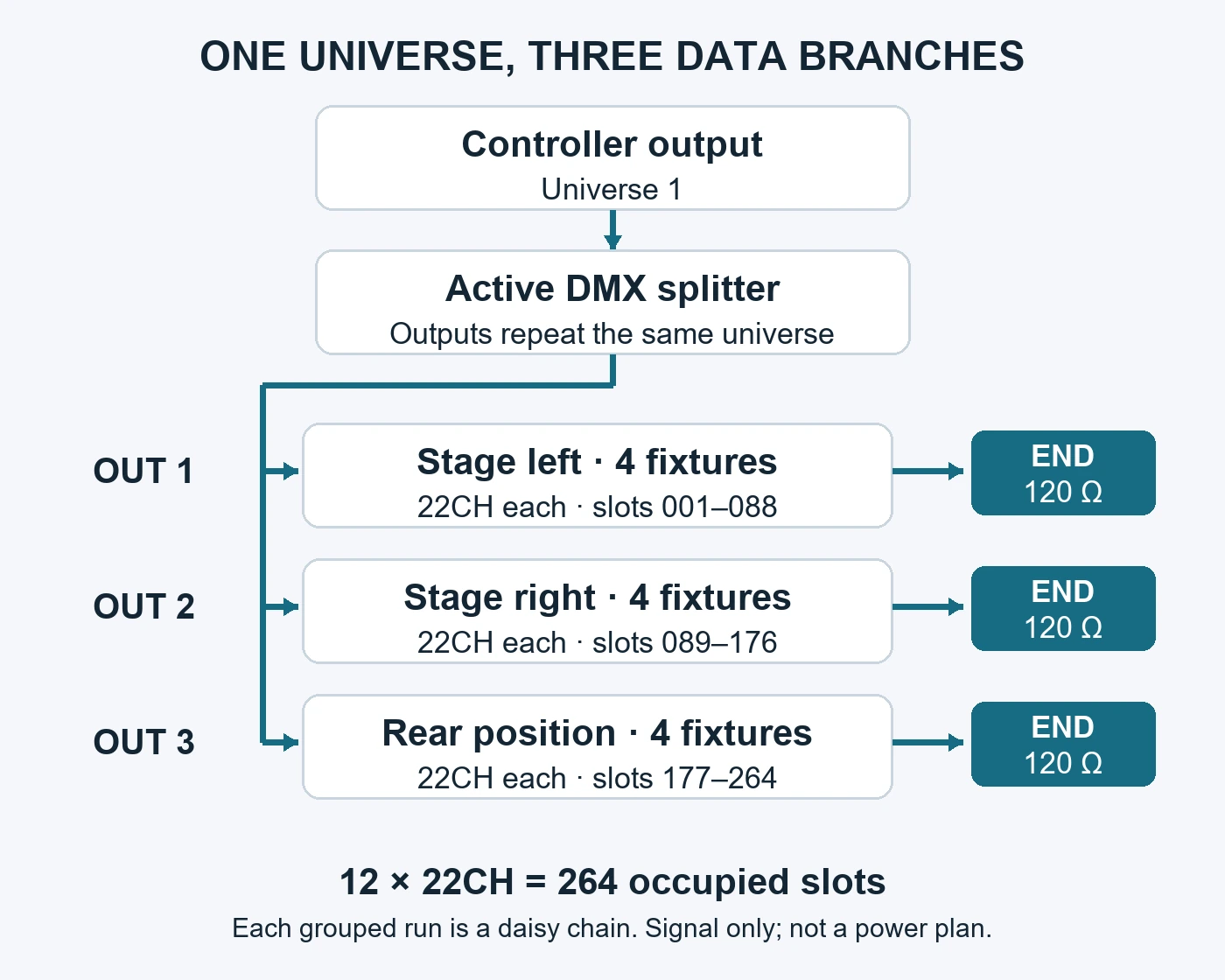
Do not restart every group at address 001 unless shared control is intentional. The splitter repeats the same incoming data. Matching fixtures in the same mode at the same address will receive the same slot values even when they are on different outputs. Separate sockets do not make those addresses independent.
This example leaves 248 slots unallocated, but that is an address-space figure, not permission to add a particular number of receivers to a cable. Confirm the selected mode and current channel chart for the supplied RG-132 configuration. If a mode changes, update the fixture settings, console personality and patch together. The DMX channels and address guide explains the allocation rules in detail.
3. Mark the real end of every data branch
In an ordinary DMX receiver chain, termination belongs at the final receiver. The American Society of Theatre Consultants explanation describes a 120-ohm resistor across the data pair at the end of the run, reducing end-of-line reflections. The physical end changes when the lighting plot or cable route changes.
For the three-branch example, mark A4, B4 and C4 as the final receivers and record how each is terminated. Check whether the equipment uses a suitable plug, an enabled termination switch or another documented arrangement. Avoid adding a second termination simply because an external plug is available. Follow the splitter manual for its input and any thru-port arrangement; a thru connection is not automatically another regenerated output.
A useful handover note says “Output 2 → B1 → B2 → B3 → B4; termination at B4,” rather than “right-side lights connected.” If B4 is removed or another fixture is added after it, update the cable order and end point before the next cue check.
4. Verify cable and receiver limits separately from DMX channels
For each branch, record the actual cable route and total run, receiver models, connectors and adapters. Compare those details with the controller, splitter and fixture documentation. There is no fixture count that can be approved from the channel total alone. Likewise, spare addresses do not establish that the electrical loading or cable distance is acceptable.
Specify cable intended for the documented DMX installation and verify pin assignments where adapters are involved. A matching connector shell is not a compatibility test. For outdoor or exposed routes, confirm the environmental suitability of the distribution equipment, cables and connections separately from a fixture’s rating.
If RDM is part of the workflow, put it on the quotation and acceptance sheet explicitly. Check the complete path with the intended equipment. Do not assume every DMX-compatible fixture or active splitter supports the required bidirectional management features.
5. Test and hand over one labeled branch at a time
Begin with the saved patch, a known cue and one identified branch. Confirm that each fixture responds under its own label, address and selected mode. Then connect the other branches and repeat the intended cues with the complete rig. Record the exact configuration used for acceptance; a diagram alone does not establish reliable operation.
When something behaves incorrectly, separate the observations. Two fixtures following the same commands suggests checking shared addresses and modes. A branch that drops out calls for checking its feed, connections, termination and equipment indications. Neither symptom proves a specific hardware fault. Change one item at a time and retain the before-and-after result.
| Handover field | What the next technician needs |
|---|---|
| Source and splitter | Controller output / universe; splitter identification; port mapping; relevant isolation and RDM settings |
| Each branch | Position; cable route and lengths; receiver sequence; connector / adapter details; end termination |
| Each fixture | Physical label; exact configuration; selected mode; start address; matching console profile |
| Acceptance | Show-file version; tested cues; observed result; unresolved items; technician and date |
For the twelve-fixture example, the handover should allow another technician to identify B3, confirm its 22CH mode and start address 133, and trace it between B2 and B4 without guessing from where the beam lands. That is the operational value of keeping the plot, patch and cable labels aligned.
DMX splitter questions before ordering
Will a DMX splitter fix an overlapping address patch?
No. Repeating the same universe does not change which slots fixtures read. Correct unintended address overlaps and match modes to console profiles; investigate the signal path separately.
Does a small rig always need a splitter?
No. A suitable daisy-chain route may be sufficient when the equipment documentation permits the cable run and loading. Use an active splitter when the actual distribution plan needs separately driven branches.
Can the same branch plan carry different fixture models?
Plan from each actual mode, receiver specification and connector arrangement. A physical group can contain different models, but its labels and patch must identify each one; matching addresses do not make different models interpret values identically.
Send a fixture and distribution brief together
When comparing the beam moving-head range, send WUYESTAGE the fixture quantities, proposed positions, controller and output mapping, preferred modes, branch routes, connector requirements and intended environment. Include any existing splitter or node details and the current channel chart you are using.
Send your lighting equipment brief with the quantity and destination so the proposed fixture configuration can be checked against the control plan. Request confirmation of the relevant modes and documentation before programming. A DMX splitter plan is useful when it travels with the order and show file, rather than remaining an unlabeled cable sketch.