LED screen refresh rate describes the display’s refresh behavior, usually stated in hertz. It is a specification to confirm for the supplied configuration, not a certificate that every camera will record a clean image. A useful purchase decision connects that specification to the actual screen system, camera settings and footage the project needs.
For rental companies and event teams, the practical question is: can another technician reproduce the approved result with the equipment being quoted? A short demonstration without a configuration record leaves that question unanswered.
This guide provides a way to prepare the test, record each run and carry the accepted configuration into the order. It complements the wider rental LED panel fleet-value guide, which also covers mechanical build, servicing, transport and complete-system acceptance.
Keep display refresh, video frame rate and camera exposure separate
A display refresh figure, an incoming video frame rate and a camera setting describe different parts of the workflow. Copying one number into another field does not make the system matched.
| Record | What it identifies | Where to obtain it |
|---|---|---|
| Display refresh rate, Hz | The confirmed refresh specification for the supplied display configuration | Approved configuration record and supplier documentation |
| Source or signal frame rate, fps | The frame rate of the content and signal used for the test | Playback and signal-chain settings |
| Camera recording frame rate, fps | The camera’s recording mode for the intended production | Camera settings and its official manual |
| Camera shutter setting | The exposure setting used for the recorded test | Camera settings, with the displayed unit recorded |
A 7680Hz display specification does not mean the camera records 7680 frames per second. Likewise, a familiar recording frame rate does not identify which screen configuration was tested.
The relationship between camera setup and LED timing is a real system consideration. Brompton’s official ShutterSync explanation illustrates a configuration-specific approach to matching the two. Confirm capabilities for the selected equipment; a function documented for one processing system should not be assumed available on another.
Treat 1920, 3840 and 7680 as specifications with context
Refresh figures help organize questions, but a comparison needs more than three numbers in a table. Ask what configuration each number belongs to and under which camera conditions the supplier will demonstrate it.
The WUYESTAGE indoor rental cabinet series lists a 1920–7680Hz configuration range for P1.953 GOB. That range should not be read as a promise that every supplied cabinet can switch freely between all values. Its other listed indoor pitches have a 7680Hz reference. The outdoor rental cabinet series lists 7680Hz for its confirmed configurations.
If a quotation lists 3840Hz or another refresh figure, request the exact cabinet and receiving configuration behind that specification. Confirm the ordered version in writing; a comparison value alone does not identify a WUYESTAGE supply option.
There is no universal acceptance result in this article for a particular Hz value. The test should answer whether the proposed configuration meets the project’s required shots and operating settings.
Plan the LED screen refresh rate test baseline
Assign the sample a configuration ID before filming. Record the cabinet or module version, receiving hardware identification, processor, software and relevant configuration-file versions. Where an input is unknown, ask for it rather than filling the gap from a similar-looking cabinet.
Record the assembled screen dimensions and pixel layout, input source and signal path. Then identify the camera model, recording frame rate, shutter setting, exposure and relevant lens or framing conditions. Keep display brightness settings distinct from measured luminance: a percentage or menu setting is not a cd/m² measurement.
Agree what the project actually needs to capture. Include representative event content and any low-brightness or grayscale conditions that matter to the production. Use named files so a later run can repeat the same content. If several cameras or recording modes are required, identify the required combinations instead of approving the whole project from one clip.
A test run needs a configuration ID, a settings record and a matching clip ID. Without that connection, a clean recording is difficult to reproduce or compare with a later sample.
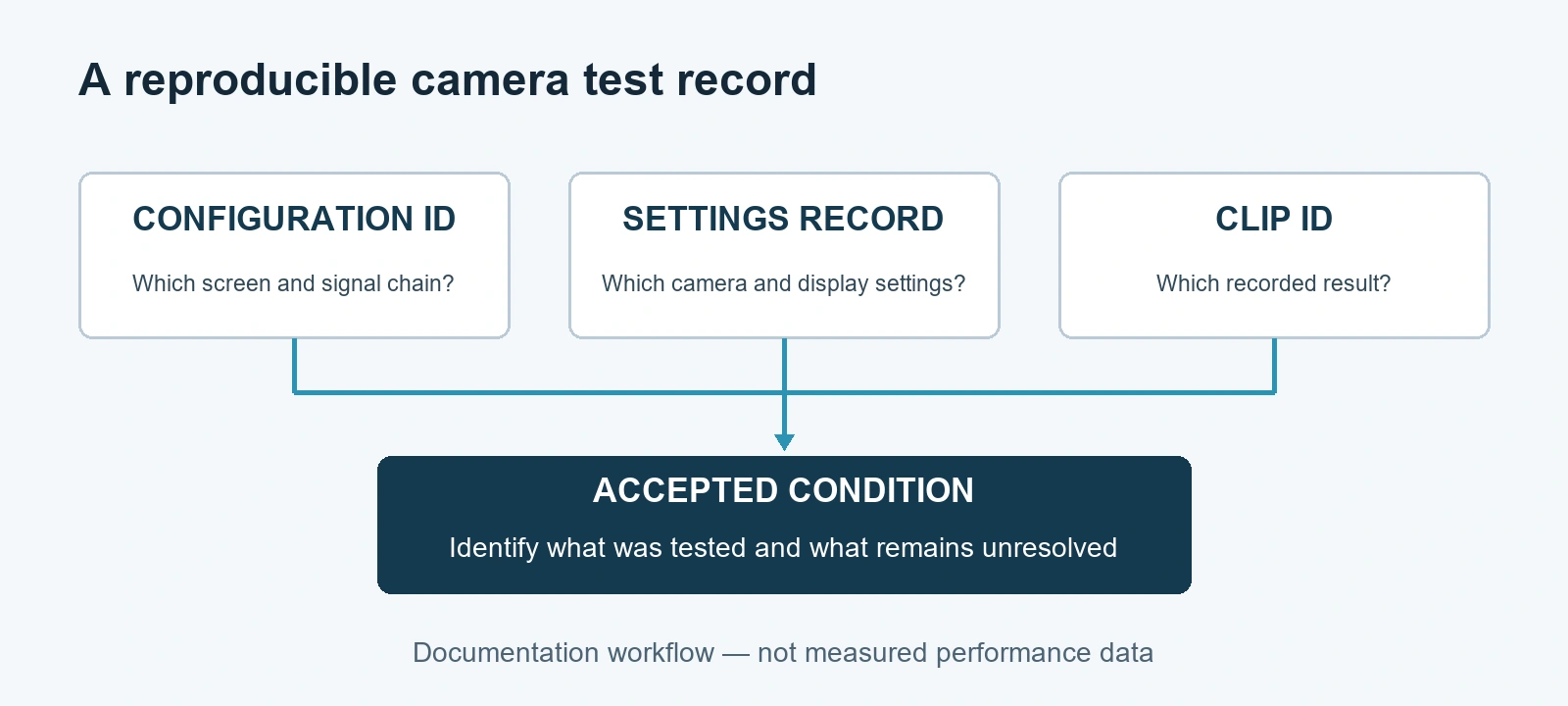
Documentation workflow, not measured performance data.
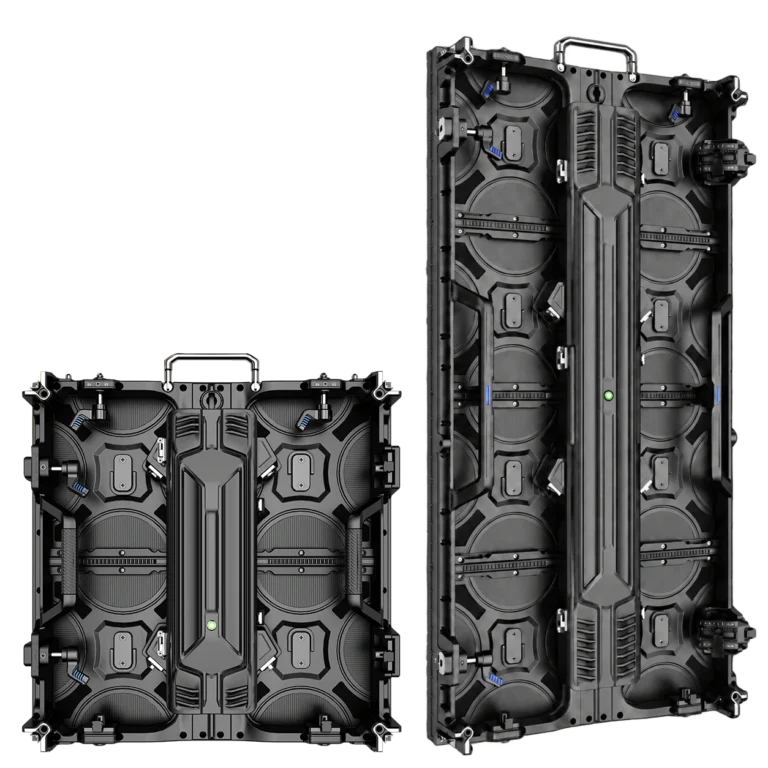
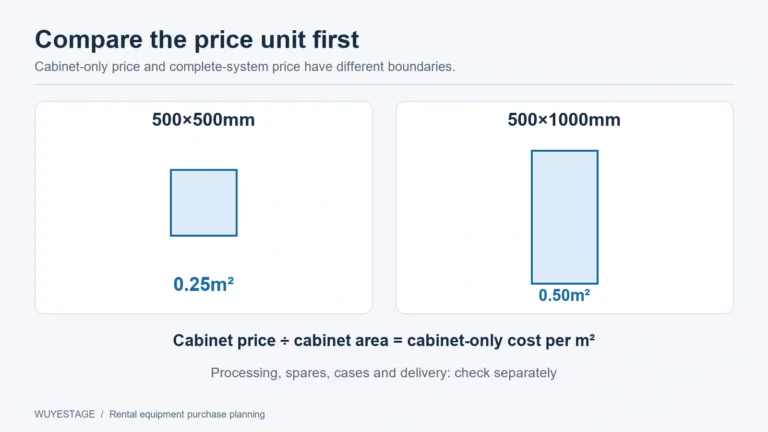
For a configuration-planning example, a 6 × 4 m wall made from 500 × 1000 mm cabinets in vertical orientation has 12 cabinet columns and four rows: 48 cabinets. The verified P3.91 format has 128 × 256 pixels per cabinet, giving a native layout of 1536 × 1024 pixels, or 1,572,864 pixels in total. This identifies a proposed test layout; it is not a recorded camera pass or approval of processor loading, structure or power. Use the LED wall calculator for other sizes, then confirm the actual signal mapping and selected hardware before testing.
Record each camera test run
Agree the acceptance brief before filming. Identify the required camera modes, shots, content and display settings, and describe which visible issues would prevent approval. Keep an unresolved condition open until the buyer and supplier have reviewed matching footage. This makes the record a purchasing decision rather than a collection of attractive clips.
Complete one record for each run. The fields below are deliberately blank: they describe what to collect, not a WUYESTAGE test result.
| Field | Fill in for this run |
|---|---|
| Run ID and date | — |
| Sample and configuration ID | — |
| Cabinet/module and receiving-hardware version | — |
| Processor, software and configuration-file versions | — |
| Screen layout and signal frame rate | — |
| Camera model and recording frame rate | — |
| Shutter setting and unit; exposure/lens notes | — |
| Display brightness setting | — |
| Test content ID | — |
| Visible phenomenon and matching clip ID | — |
| Change made and comparison run ID | — |
| Accepted condition or unresolved requirement | — |
Keep the settings sheet and recording together. Describe the visible phenomenon concretely: for example, a moving band during one named shot or an unstable recorded brightness at one setting. Avoid collapsing every symptom into the label “flicker.” Describe what is visible before choosing an explanation.
Review recorded output as well as the camera’s live view. Approval should refer to the required recorded material and operating conditions, not only to an attractive screen viewed by eye.
Record changes and retest the required condition
If a run does not meet the brief, retain it as evidence. Record the configuration, settings and content under which the problem appeared before making adjustments.
Confirm allowed adjustments from the selected camera and controller documentation. Change a recorded input deliberately, create a new run ID and compare with the baseline. Where the equipment permits it, keeping other inputs stable makes comparisons easier; it does not guarantee that every fault has one independent cause.
Do not treat a workaround as complete acceptance until it has been checked against the production requirement. If one adjusted setting clears the observed problem but prevents the required recording mode or changes another important part of the image, record that tradeoff. A different brightness, lens framing or content file may create a useful comparison, but it is a different condition.
There is no blanket prescription here to choose 1/50 or 1/60, run the screen at full brightness, or buy a higher-Hz version. The appropriate next step depends on the documented system and the shot. If the supplier cannot reproduce a required condition, leave that requirement unresolved rather than marking the sample passed.
Carry the accepted sample into the quotation
| Situation | Acceptance decision |
|---|---|
| The agreed shots pass with the identified sample and settings | Record approval for those tested conditions and retain the matching clips |
| A clean clip uses a camera mode the production cannot use | Keep the required mode unresolved; the workaround does not approve the project |
| A quoted processor, receiving configuration or module version changes | Review the change and repeat the affected acceptance conditions with the proposed system |
| Only one of several required cameras was tested | Approve only that tested combination; check the remaining required cameras separately |
The acceptance output should identify the sample configuration, accepted camera conditions and retained footage. Attach processor and receiving-system configuration records where available and agreed. List any exclusions or unresolved conditions alongside the accepted result.
The P3.91 500×1000 outdoor rental display is a relevant product reference for buyers planning that outdoor cabinet configuration. Its current specification lists 7680Hz refresh and 1/28 scan. CMS130 is WUYESTAGE’s primary recommended processor option; CMS260 and NovaStar VX1000 are additional project-dependent choices. Identify the actual tested processor and its agreed supply scope rather than assuming one is included with every cabinet.
Ask the quotation to reference the approved configuration ID and clarify how substitutions or version changes will be reviewed. A matching refresh-rate line alone does not prove that the delivered modules, receiving hardware, files and processing chain match the sample.
At delivery, compare the supplied configuration against the approved record and repeat the agreed acceptance conditions. Changes that affect the tested system should trigger a documented review and appropriate retest, not an automatic transfer of the old pass result.
Camera-test FAQ
Does a 7680Hz refresh rate guarantee clean camera footage?
No. It is one specification of the proposed display configuration. Approval still depends on the actual receiving and processing system, camera modes, exposure, display settings and required content. Keep footage linked to those conditions rather than treating the Hz value as a pass result.
Can a clean demonstration replace a settings record?
No. The recording shows an outcome, while the configuration and settings explain which condition produced it. Keep both, including the content ID and camera mode, so the required result can be checked again.
What if the quotation matches the refresh rate but uses a different processor?
Treat it as a configuration change requiring review. Confirm the proposed processor’s documented capabilities and repeat the relevant acceptance test with the actual supply configuration. The same refresh figure is not proof of an identical system.
Does a screen brightness setting identify measured brightness?
No. A menu percentage or setting value is not a measured luminance in cd/m². Record the setting for repeatability; identify a measurement and its conditions separately if the project requires one.
Should every camera setting be declared accepted?
Only record acceptance for the required conditions that were actually tested. Name the camera modes and operating range covered, and leave untested combinations outside the approval until they are checked.
Send WUYESTAGE your sample requirements with the required camera modes, screen configuration and test content. Those inputs give WUYESTAGE a concrete camera-acceptance task to review before a trial or bulk quotation.