DMX RDM adds two-way device management to a DMX lighting link. With compatible equipment, a controller can discover connected fixtures, read settings and change supported parameters such as the DMX start address. DMX continues to carry the lighting cues.
For rental companies, wholesalers and distributors, the useful question is which jobs a fixture can actually perform over RDM—and whether the complete control path supports those jobs. A specification that says only “RDM” leaves too much open when preparing or purchasing a batch of lights.
What is DMX RDM, and how does it differ from DMX?
DMX512 sends channel values from a controller to lighting equipment. RDM, short for Remote Device Management, adds a question-and-response exchange on the DMX link. Communication is half-duplex: the controller sends a request, then a device can reply.
In a DMX vs RDM comparison, the distinction is the job: DMX carries show control; RDM provides device management. RDM does not replace the lighting cues or make the system wireless.
A GET request reads a supported value; a SET request changes a supported setting. For example, the controller can request a fixture’s current start address, assign a new address and read it back. The RDM Protocol overview also explains a crucial purchasing limit: support for RDM does not mean support for every function available within the protocol.
Which RDM lighting functions should a buyer distinguish?
Ask for the actions your crew needs, rather than treating discovery, addressing and monitoring as interchangeable.
| Function | Practical job | What to establish |
|---|---|---|
| Discovery and identification | List responding devices and match a selected device to a physical fixture. | Whether the controller discovers the devices and how each fixture indicates Identify. |
| Remote start addressing | Read or change the DMX start address. | Which address operations the fixture and controller support. |
| Personality or channel mode | Check or select the fixture’s channel footprint. | Whether remote mode selection is supported; otherwise select the mode locally. |
| Status and sensors | Retrieve supported diagnostic information. | The actual parameters available, rather than assuming temperature, hours or fault reporting. |
Identify behavior varies by device: a fixture may indicate itself through its light output, display or another method. Check the documented indication before using Identify around a working rig.
Keep the RDM UID, your inventory ID and the DMX start address separate. A UID identifies a device in RDM discovery. An inventory sticker identifies an asset in your own stock records. The start address tells the fixture where its channel range begins. None of these alone describes its physical hanging position.
Record the discovered UID rather than inventing one from an asset number. Check the mapping against the physical inventory sticker during preparation.
Why can DMX work while RDM discovery fails?
DMX level control needs an outbound path. RDM also needs the device’s response to reach the controller. A working fader therefore does not establish a working RDM path.
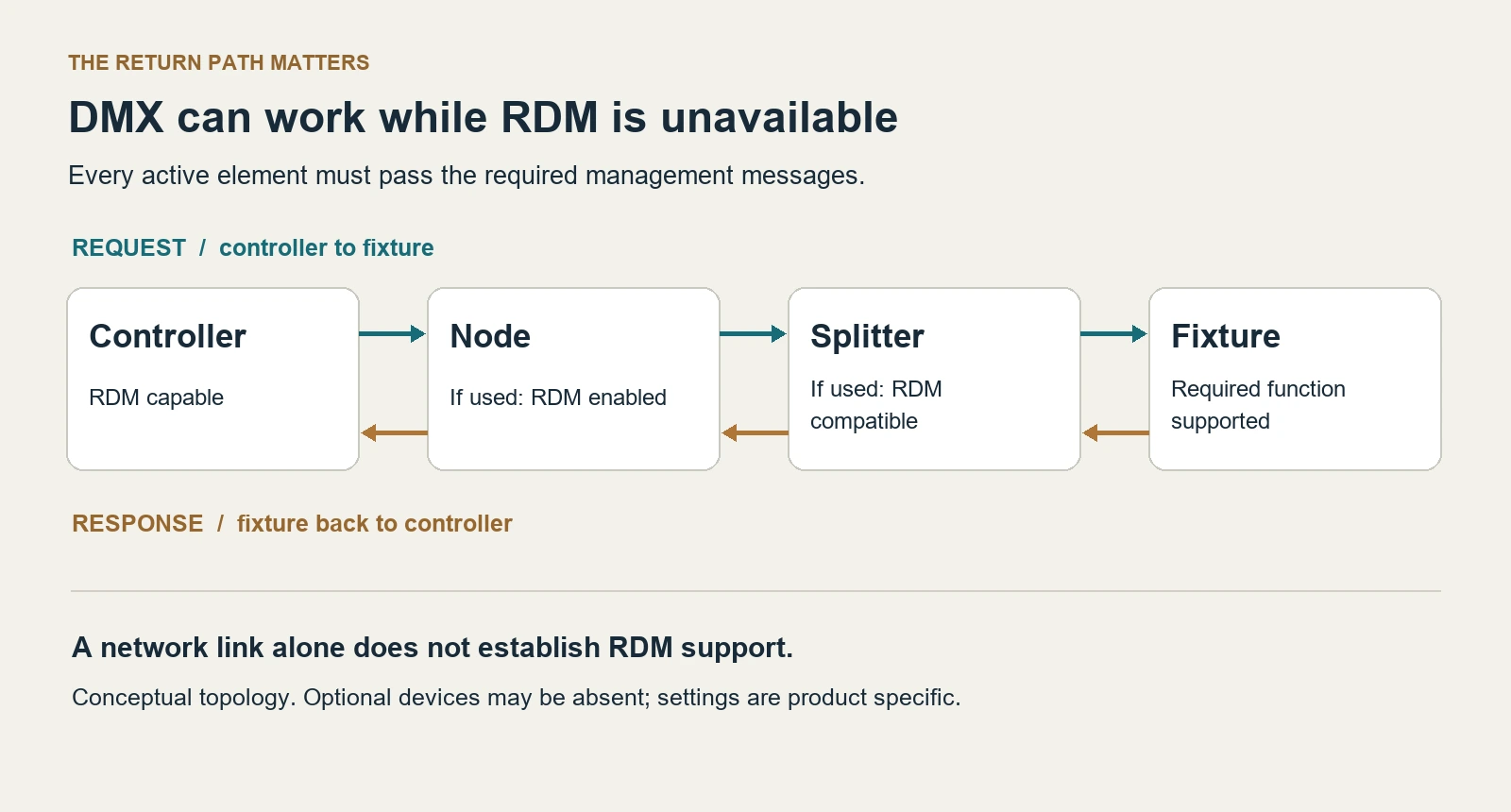
View the return-path diagram at full size.
Check the chain in order:
- Controller: Does its hardware and software support the required RDM operation, and is discovery enabled?
- Network node, if used: Does the exact model, port and operating mode support the required management traffic? Is RDM enabled where required?
- Splitter, if used: Is it RDM compatible, with the applicable mode enabled? A DMX-only distribution device can pass lighting data while blocking management communication.
- Fixture: Does the selected unit and firmware support the requested function? Allow startup to complete before judging the discovery result.
To narrow a fault during preparation, try one supported fixture on a short, known-good DMX link to the RDM controller. Then add the node and distribution devices used in the intended rig, checking discovery after each change. Use this as a way to locate the affected part of the path; a successful short-link check does not prove the complete rig will work.
For physical branching decisions, see our DMX splitter guide. For Ethernet distribution, the Art-Net and sACN comparison separates network transport from fixture management. An Ethernet link or a discovered network node does not by itself establish RDM access to the lights. RDMnet is a separate network management protocol.
How should a rental prep record connect IDs, modes and addresses?
Consider three wash moving heads on one universe, each selected to a 22-channel personality. The example below is a planning record, not measured test data. The UID placeholders mean “enter the actual discovered UID.”
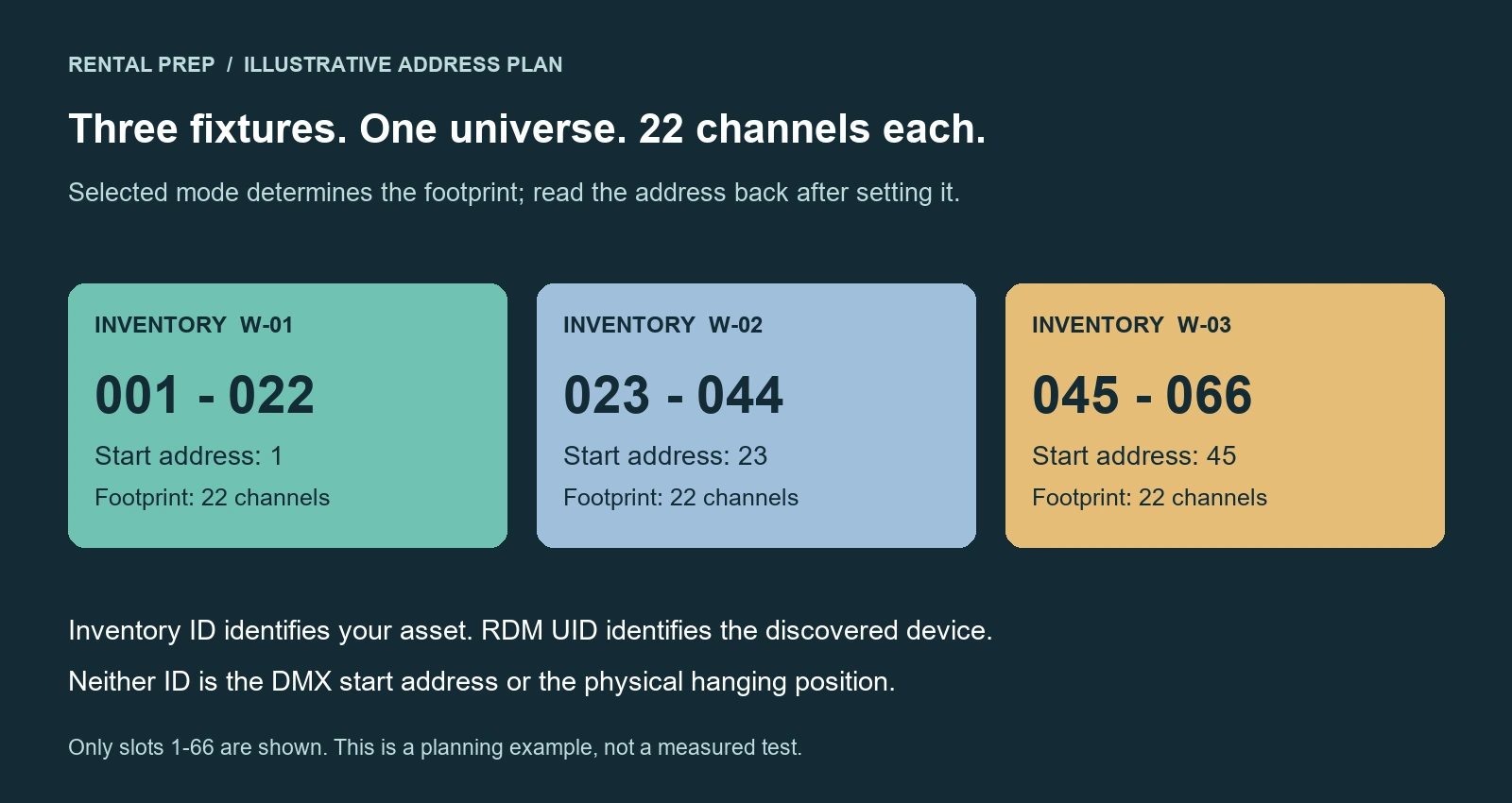
View the address plan at full size.
| Inventory ID | Discovered UID to record | Physical position | Mode | Planned start | Address readback to record |
|---|---|---|---|---|---|
| W-01 | UID A | Stage left | 22CH | 001 | Actual returned value |
| W-02 | UID B | Centre | 22CH | 023 | Actual returned value |
| W-03 | UID C | Stage right | 22CH | 045 | Actual returned value |
The footprint calculation is last channel = start address + channel count − 1. These fixtures occupy 1–22, 23–44 and 45–66. If you select a different mode, recalculate the ranges before assigning addresses; our DMX channel planning guide explains that step.
Use the record through preparation and dispatch:
- Select the intended mode. Use the local fixture menu if remote personality selection is unavailable. For this example, establish 22CH before applying the address plan.
- Discover and match each unit. Use supported Identify behavior, or identify one fixture at a time on the bench. Match its actual UID to its inventory sticker and planned position. Do not assume discovery order follows physical order.
- Set the start address and read it back. Record what the controller returns, rather than copying the planned value into the result column. Investigate a mismatch before dispatch.
- Reconcile the console patch. Match the chosen fixture personality, universe and address, then check the intended control functions. RDM addressing alone does not guarantee automatic console patching.
- Save the final record. Keep the inventory-to-UID mapping alongside position, mode, address and relevant controller/node settings. Update it if a fixture is substituted.
A remote address change does not move a fixture to another physical DMX output or repair a power or cable fault. Keep provision for physical access when the rig requires it.
How should RDM appear in a fixture quotation?
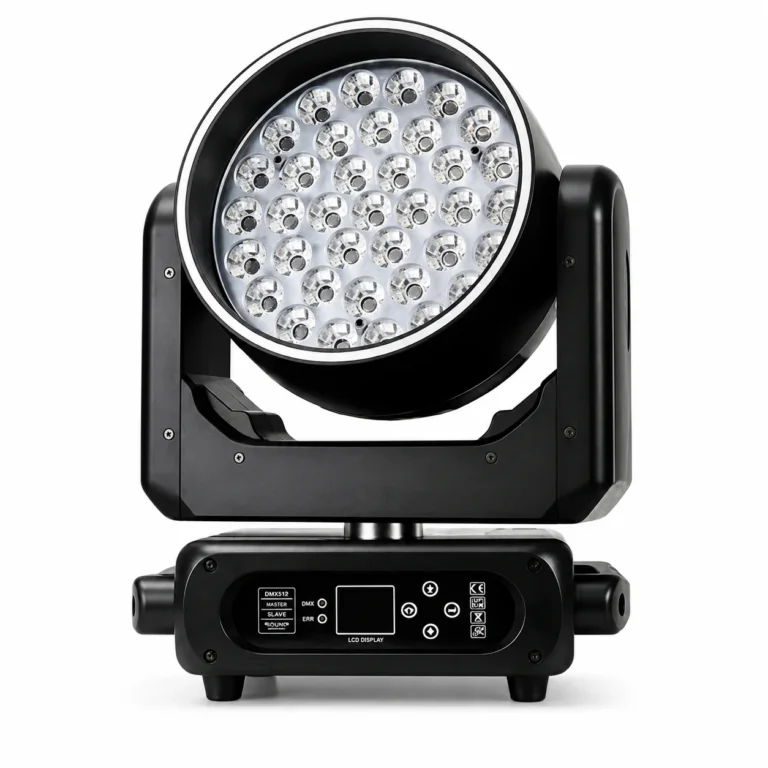
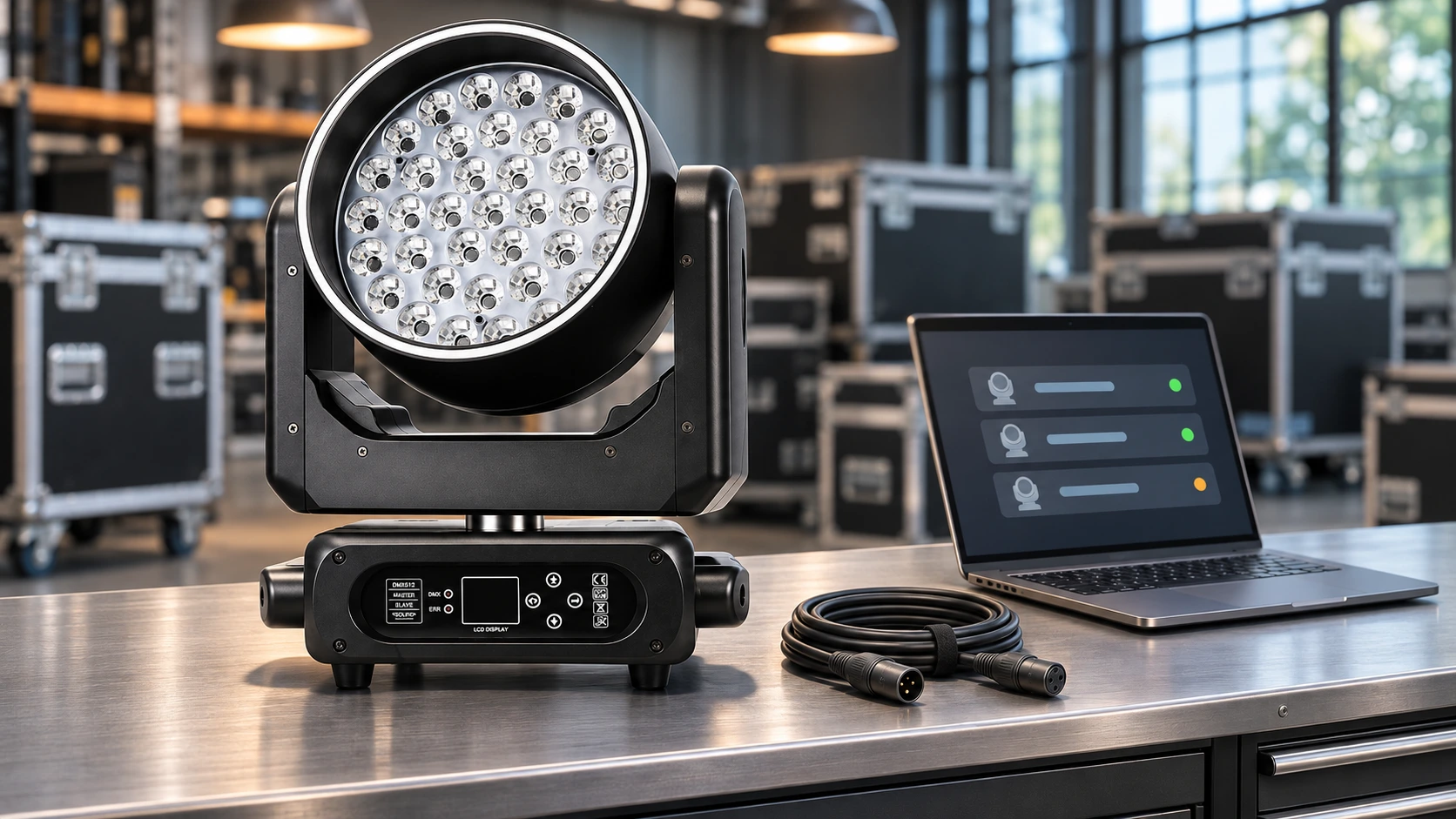
Specify the function that matters to the purchase. For example, our 37×15W RGBW wash moving head lists RDM remote addressing, 22CH/50CH modes, 37×15W RGBW LEDs and a 550W fixture power rating.
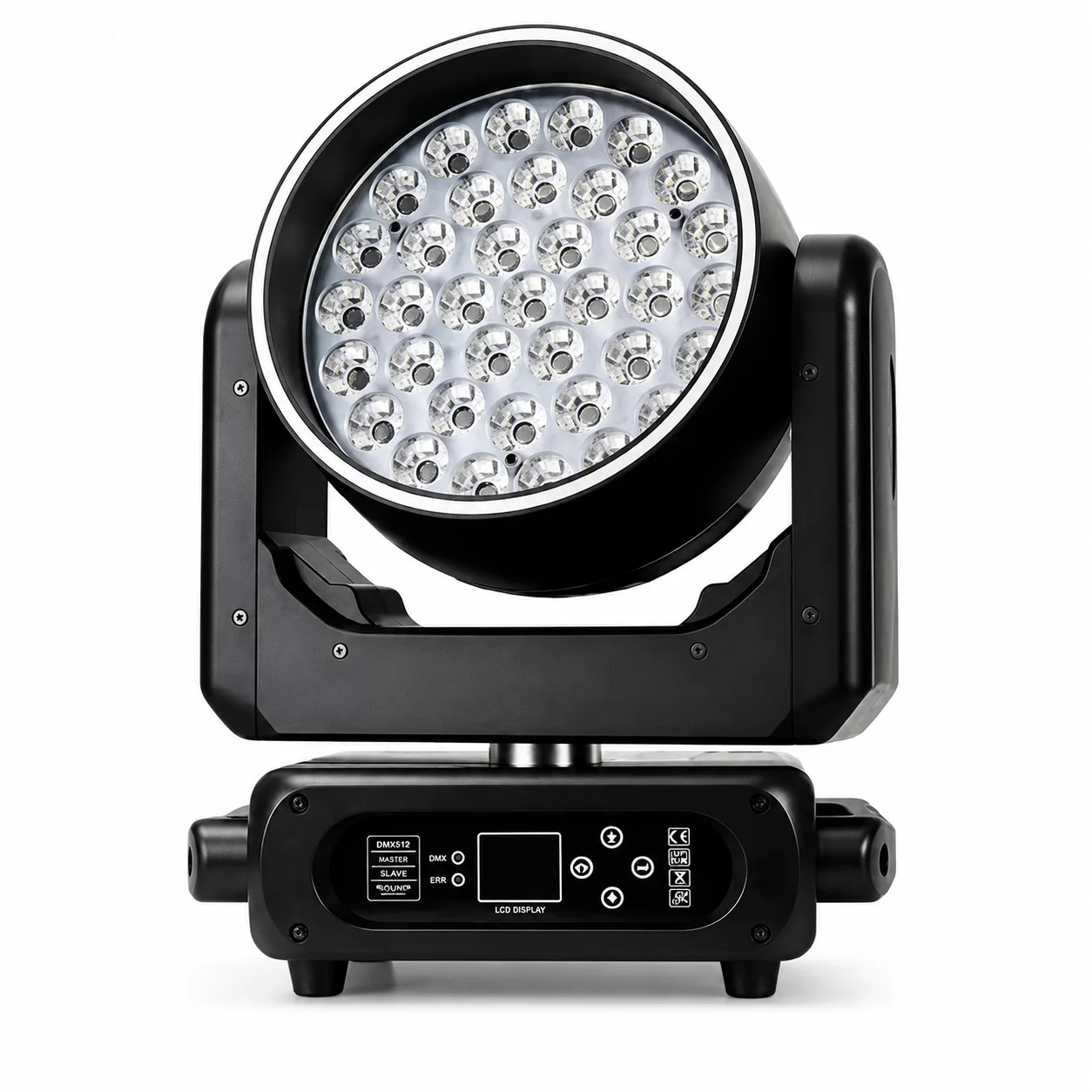
That remote-addressing specification is useful if your prep workflow requires changing the DMX start address from a controller. The availability of 22CH and 50CH modes does not establish that you can switch between them through RDM. If remote mode selection, sensor readback or another action matters, name it separately and confirm support for the selected equipment.
Before an incoming check, agree on the required action and the intended controller/node/splitter combination. A useful address check records the unit, initial address, requested address and returned value. If a needed function is unavailable, distinguish a fixture limitation from a controller or distribution-path limitation before deciding whether the shipment meets the requirement.
Send a request along these lines through our contact page:
We are preparing [quantity] wash fixtures for [rental inventory / distribution] in [destination and operating environment]. Our intended mode is [22CH / 50CH]. We need RDM [remote start addressing / Identify / other named function]. Our controller is [model and firmware if known], with [node and splitter models, or direct DMX]. Please confirm the required fixture functions and any documented conditions for this configuration.
For a distributor, retain that function-level answer in the product handover so downstream buyers know which actions they can plan around.
Frequently asked questions
Can non-RDM fixtures share a line with RDM lighting fixtures?
They can, but check the actual mixed rig before relying on polling during a show. Some non-RDM receivers react incorrectly to management packets. If unwanted behavior begins when RDM is enabled, isolate the affected units during preparation and follow the equipment documentation. Where needed, keep management traffic off the affected line. Flicker alone does not identify RDM as the cause.
Does a successful discovery scan mean the rig is ready to dispatch?
It establishes that the controller found responding devices at that time. It does not establish the correct inventory-to-position mapping, selected modes, address plan or console patch. Reconcile those items and check the required control functions before dispatch.