Stage lighting maintenance is easier to manage when every returned fixture follows the same documented path: identify it, inspect it with power isolated, carry out the work its manual supports, retest the relevant functions, and record what the next crew still needs to know.
This stage lighting maintenance guide brings those steps into one return-to-stock workflow. It includes an inspection checklist and a copyable maintenance log for moving head lights. The aim is a clear handover: what was observed, what was done, what was checked, and whether anything remains on hold.
1. Start with the fixture identity and manual
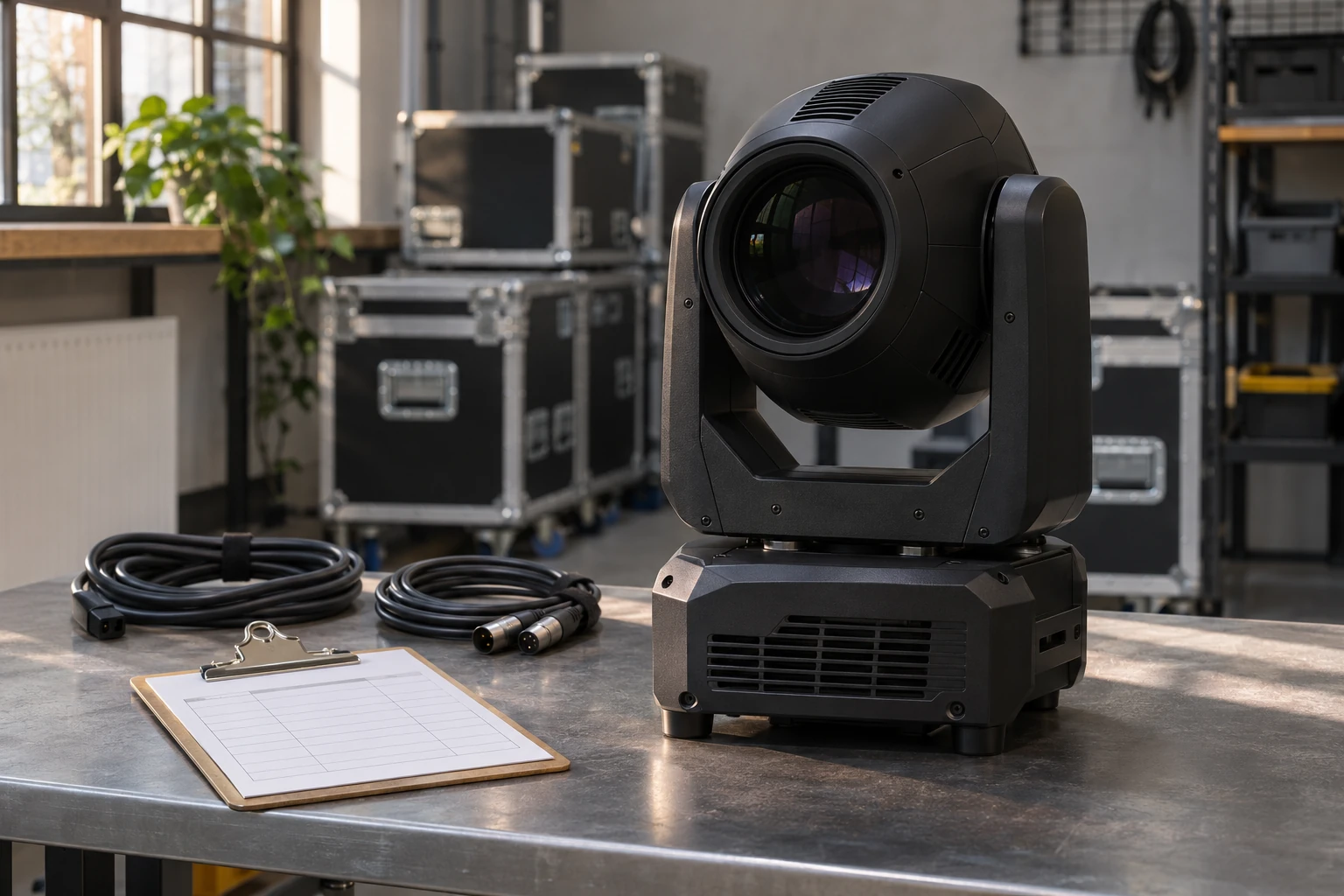
Before cleaning or testing, match the fixture to its public product name, your fleet asset ID, its version information where available, and the applicable manual. Two lights that look similar may have different optical surfaces, cooling arrangements or control modes.
Begin the external inspection with the fixture switched off, disconnected from power and cooled according to its instructions. Keep the crew’s return notes with the unit; an intermittent problem reported during a show may not be visible on the prep bench.
For each fixture family, keep a short maintenance reference alongside the manual:
- Product name, version and manual edition or page reference.
- Permitted operating environment and cooling or restart instructions.
- Parts the manual identifies for cleaning, with the approved method for each.
- Material restrictions and tasks requiring qualified service access.
- DMX mode and the documented profile or test cue used for function checks.
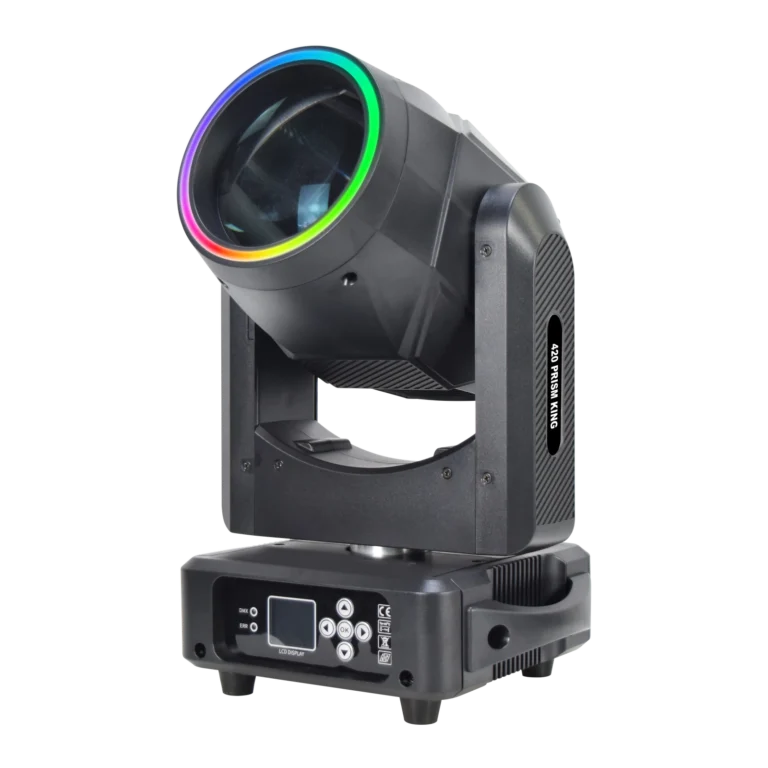
For example, the current 420 PRISM KING BEAM manual gives a restart instruction of waiting 20 minutes after switch-off, until the fixture is fully cooled. Keep that instruction with this model’s record; other fixtures need their own documented cooling and restart conditions.
If a cleaning method or service step is missing, mark it as unresolved. That gives the next person a specific question to answer before work proceeds.
2. Use a stage lighting maintenance checklist at return
Use the checklist below to record external observations on an isolated, cooled fixture. Record the actual location and condition of a problem rather than entering only “needs maintenance.” Opening the housing or working on internal electrical and lamp components belongs to appropriately qualified personnel following the relevant procedure.
| Inspection area | What to observe and record | Next action |
|---|---|---|
| Housing and covers | Cracks, impact marks, loose covers, residue or reported moisture exposure; note the affected area. | Follow the documented exterior-cleaning method. Hold damage or moisture concerns for technical review. |
| Mounting and safety attachment points | Visible deformation, damage or missing components on the fitted mounting hardware and attachment points. | Keep affected equipment out of rental stock pending competent assessment. |
| Power and control connections | Visible cable damage, bent pins, loose sockets, damaged strain reliefs or heat marks. | Identify the affected cable or fixture connection and route it for appropriate replacement or service. |
| Front lens and accessible optics | Dust, fingerprints, haze film, scratches or chips; distinguish exterior contamination from material visible inside. | Use the model’s approved method for the affected surface. Refer internal contamination or damage for service. |
| Vents, fan nets and guards | Visible dust matting, lint, confetti or damaged accessible guards; note where an opening is obstructed. | Follow the supported clearing method. Refer inaccessible contamination or damaged components for service. |
| Transport provisions, if fitted | Visible condition of locks and transport-related components; include any movement problem reported by the crew. | Follow the fixture’s preparation instructions before testing. Do not force an axis to investigate resistance. |
| Display, controls and return notes | Physical damage, the crew’s description of an intermittent fault, and any photographs or displayed messages recorded on the job. | Keep the evidence with the fixture for retest or service assessment. |
This stage lighting inspection checklist covers fixture turnaround. For equipment quantities and broader stock selection, see the moving head rental fleet guide. Packing and a pre-show lighting checklist also have job-specific requirements beyond the maintenance work recorded here.
3. How to clean stage lights: match the method to the component
When cleaning moving head lights, separate three decisions: which surface is affected, what method is approved for it, and who can access it. A direction to keep a part clean does not necessarily provide the fluid, tool or disassembly procedure needed to do the work.
Housings and exterior covers
Follow the material restrictions for that fixture. On printed page 1 of the current 420 PRISM KING BEAM manual, alcohol and other organic solvents are prohibited for wiping the shell. Keep that restriction explicit on the work instruction for this model.
Record any residue that cannot be addressed with the documented method and obtain further instructions before trying another cleaner.
Lenses and haze residue
For stage light lens cleaning, identify whether contamination is on the accessible front surface or inside the optical assembly. Record visible dust, fingerprints or haze residue on lights before choosing a method. Internal contamination may need a different access procedure and a service technician.
Manufacturer instructions demonstrate why optical cleaning methods must stay with their intended equipment. The ETC Source Four LED Series 3 cleaning procedure permits isopropyl alcohol on a cloth for its lens. The High End Systems SolaSeries care guide warns against alcohol on its coated optical lenses. Each instruction applies to the equipment it describes.
The 420 manual identifies the optical lens as a cleaning area, but its shell-solvent restriction does not establish a lens-fluid recipe. If the available instructions do not specify a suitable optical cleaning method, record the contamination and request that method for the exact product and surface.
Fan nets, vents and cooling paths
Moving head fan cleaning starts with identifying the accessible parts and the supported method. The 420 manual names the fan and fan net among the parts to keep clear. Note visible buildup at those locations and distinguish accessible clearing from work requiring the housing to be opened.
Use the fixture’s instructions for tools, access and cleaning materials. If those details are unavailable, leave a precise note about the affected area and obtain them before proceeding. An overheating report also needs technical assessment; visible dust alone does not establish the cause of an abnormal-temperature condition.
4. Build a maintenance schedule from the manual and return records
A stage lighting maintenance schedule should combine the manufacturer’s requirements with what the fleet’s inspection records actually show. A calendar reminder is useful, but it should identify the work to review rather than trigger the same cleaning treatment for every unit.
Keep three kinds of work distinct:
| Work trigger | What to review | What to record |
|---|---|---|
| Return from a job | Crew reports, visible condition and the checks needed before the unit’s next assignment. | Use conditions, findings, work required and current routing status. |
| Changed conditions or a new symptom | Reported dust, haze, contamination, moisture exposure, abnormal temperature or control behaviour. | The actual exposure or symptom and who will assess its effect on the maintenance plan. |
| A documented service requirement | The applicable manual’s interval, usage threshold or specified service task. | The source, due condition, responsible person and completion evidence. |
Review the log for repeated buildup or recurring symptoms and have the responsible technician adjust the plan within the manufacturer’s requirements. A dusty return can justify an additional inspection; it does not establish a universal weekly or monthly cleaning interval for the whole fleet.
This makes preventive maintenance for stage lighting traceable: each task has a reason, an applicable method and a record of its result.
5. Retest control and functions after maintenance
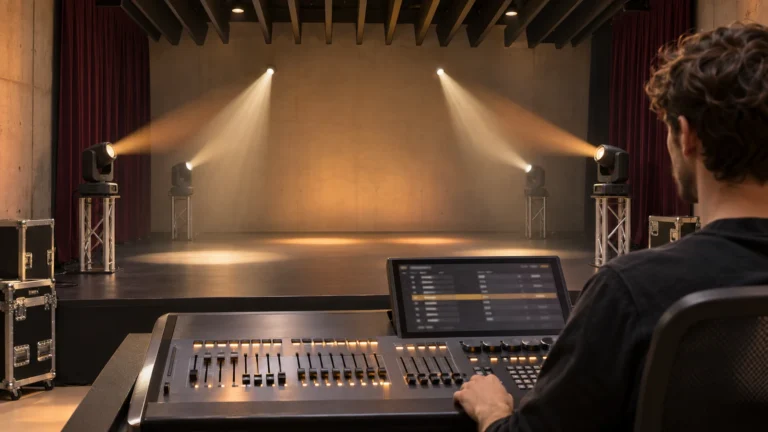
Once the authorised work is complete and the fixture is ready for a powered check, use a suitable stable setup, adequate movement clearance and a controlled beam direction. Follow the fixture’s installation and operating instructions. Keep people and sensitive materials out of the beam path.
Before a moving head DMX test, confirm the selected fixture mode, start address and console profile against the documented test setup. A fixture profile mismatch is a control-configuration issue to check before drawing a conclusion about the hardware.
The 420 PRISM KING BEAM supports 18- and 22-channel modes, so the selected mode must match the patch used for the test. For the full patch, channel comparison and cue workflow, use how to program moving head lights.
Using the documented test cue, record:
- Control response: which commands produced the expected response and which did not.
- Movement: observed pan and tilt response within the suitable test area, including any unexpected movement, sound or failure to reach a commanded position.
- Output and effects: the dimmer, shutter, colour and optical functions checked; include an LED ring or other additional function where fitted and included in the test.
- Display and cooling observations: exact displayed messages and observed fan or temperature-related behaviour, compared with the model’s operating instructions.
A fan that is stationary at one moment does not, by itself, establish a fault. Likewise, an unresponsive effect does not prove either a failed part or healthy hardware. Record the conditions and observations for the responsible technician.
If moving head lights are not responding to DMX, a unit does not turn on, or a displayed fault persists, hold it for assessment and include the checks already completed. Do not repeatedly restart a fixture to force a response. Follow the applicable shutdown procedure; an urgent fault requires the site’s appropriate response rather than waiting for a routine test to finish.
A function check records what worked in that test. Separate electrical, mounting and other required safety checks remain part of the relevant work procedures.
6. Keep a stage lighting maintenance log the next crew can use
Copy the two blocks below into a work ticket or your existing maintenance system. Leave fields blank until the corresponding observation or action has actually been recorded.
Part A: inspection and work record
STAGE LIGHTING MAINTENANCE LOG — INSPECTION / WORK

Date / time:
Fixture public name and version:
Fleet asset ID:
Manual edition / relevant page or procedure:
Returned job and reported use conditions:
Crew-reported symptoms / photo reference:
Power isolation and cooling status, recorded by:

External observations:
  Housing / mounting points:
  Cables / connectors:
  Lens / visible contamination:
  Vents / fan nets / guards:

Work performed and by whom:
Approved method / materials / procedure reference:
Work not completed and reason:
Part B: retest and handover record
STAGE LIGHTING MAINTENANCE LOG — RETEST / HANDOVER

Test date / person:
Selected DMX mode / start address:
Console profile / documented test cue:
Functions checked and observed results:
Functions not checked and reason:
Displayed messages / cooling observations:

Unresolved items:
Routing status: [hold for assessment / review for next preparation]
Next action / responsible person:
Release decision / authorised reviewer / date:
Next inspection or service due condition and its source:
The useful handover is specific: a description of the affected component, the procedure used, the result seen and the remaining action. “Tested OK” leaves the next crew guessing about what was actually checked.
For a documentation or moving head light spare parts request, keep the product/version information, component photographs and recorded symptom together. Those details identify the question that needs answering before a part or service action can be confirmed.
7. Put the maintenance record alongside the next equipment decision
When choosing equipment for a rental fleet, consider whether your team can identify each version, obtain its applicable instructions and repeat the required preparation and checks.
For an indoor beam option, the 420 PRISM KING BEAM product page lists the current configuration, including its 300W lamp source, 450W rated power, 2° beam, IP20 rating and 18/22-channel control. Use that page to discuss the intended indoor application, fixture quantity and configuration requirements with WUYESTAGE.
For an existing 420 unit, include its version information, the manual you are using, the recorded observation and clear component or display photos in a documentation or parts enquiry. That gives the team a specific request to review while the fixture’s unresolved maintenance items remain visible in its handover record.