
BEAM · SPOT · WASH
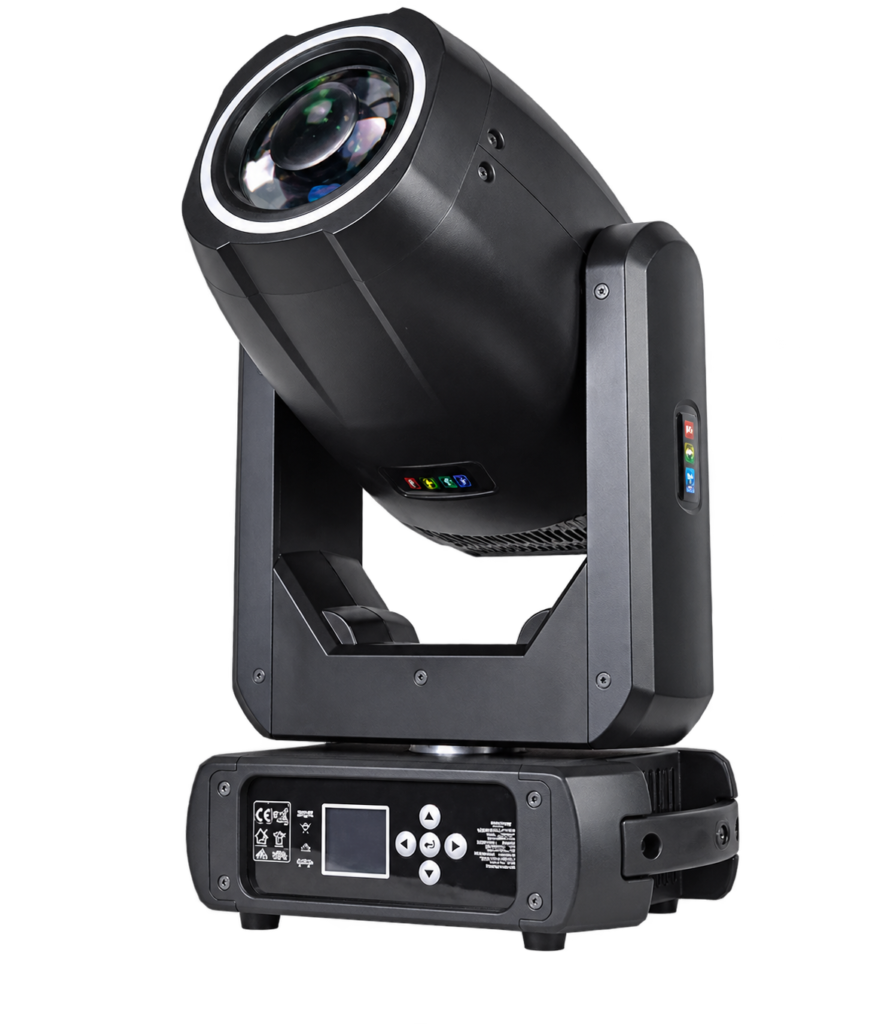
300W LED BSW Moving Head Light overview
Choose this 300W LED beam spot wash moving head when one rig position needs to switch between aerial accents, gobo projection and broader color looks. This 3-in-1 hybrid moving head changes cue roles; it does not provide three independently positioned lights. If a cue needs a projected pattern and separate wash coverage at the same time, plan the required fixture positions. These are different cue roles, not a promise of equal performance in each role. Use the demonstration to shortlist the effects, then check the working distance and coverage your show actually needs.
COLOR, GOBOS & PRISM
Build More Looks from Color, Gobos and Prism
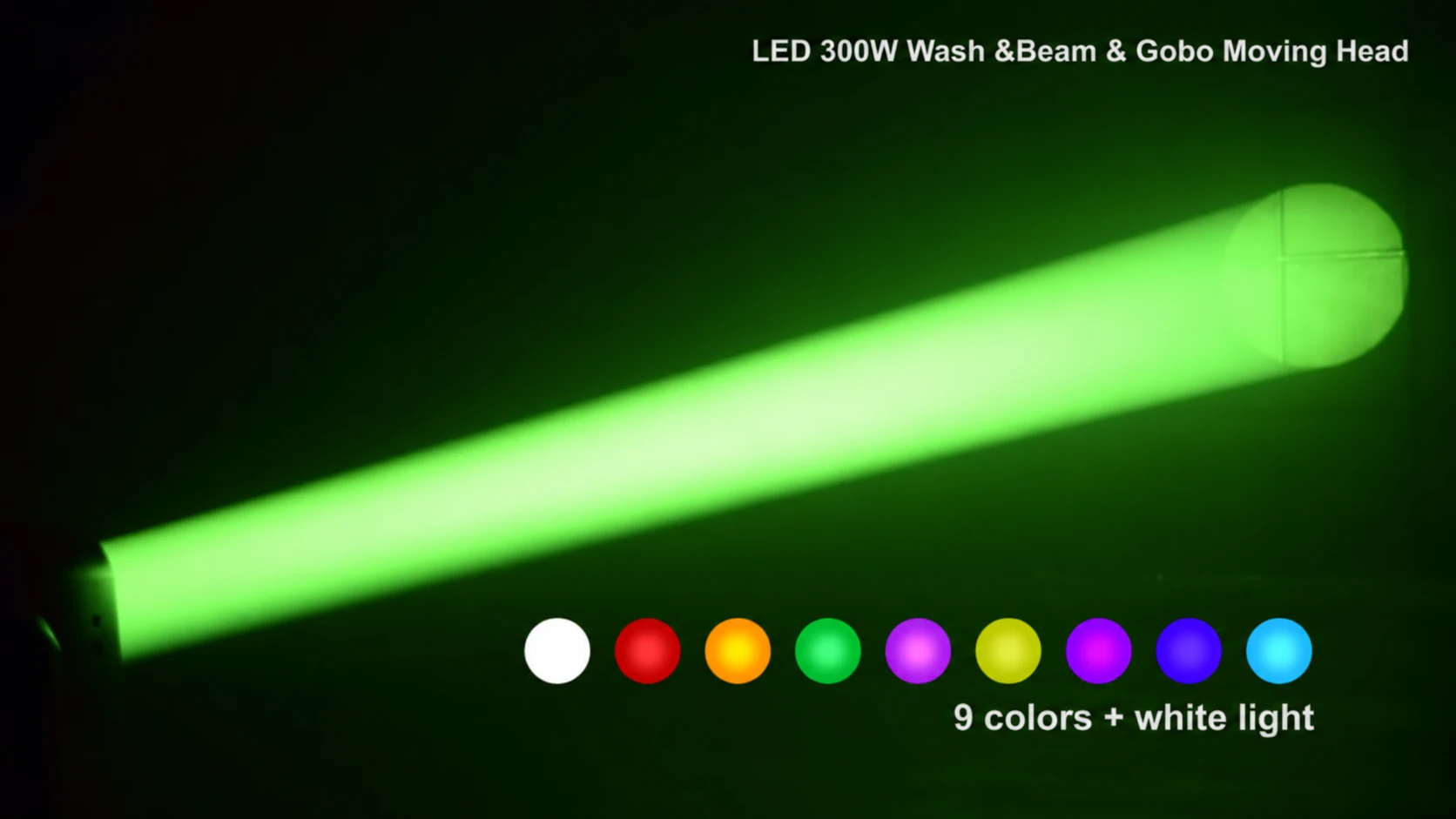
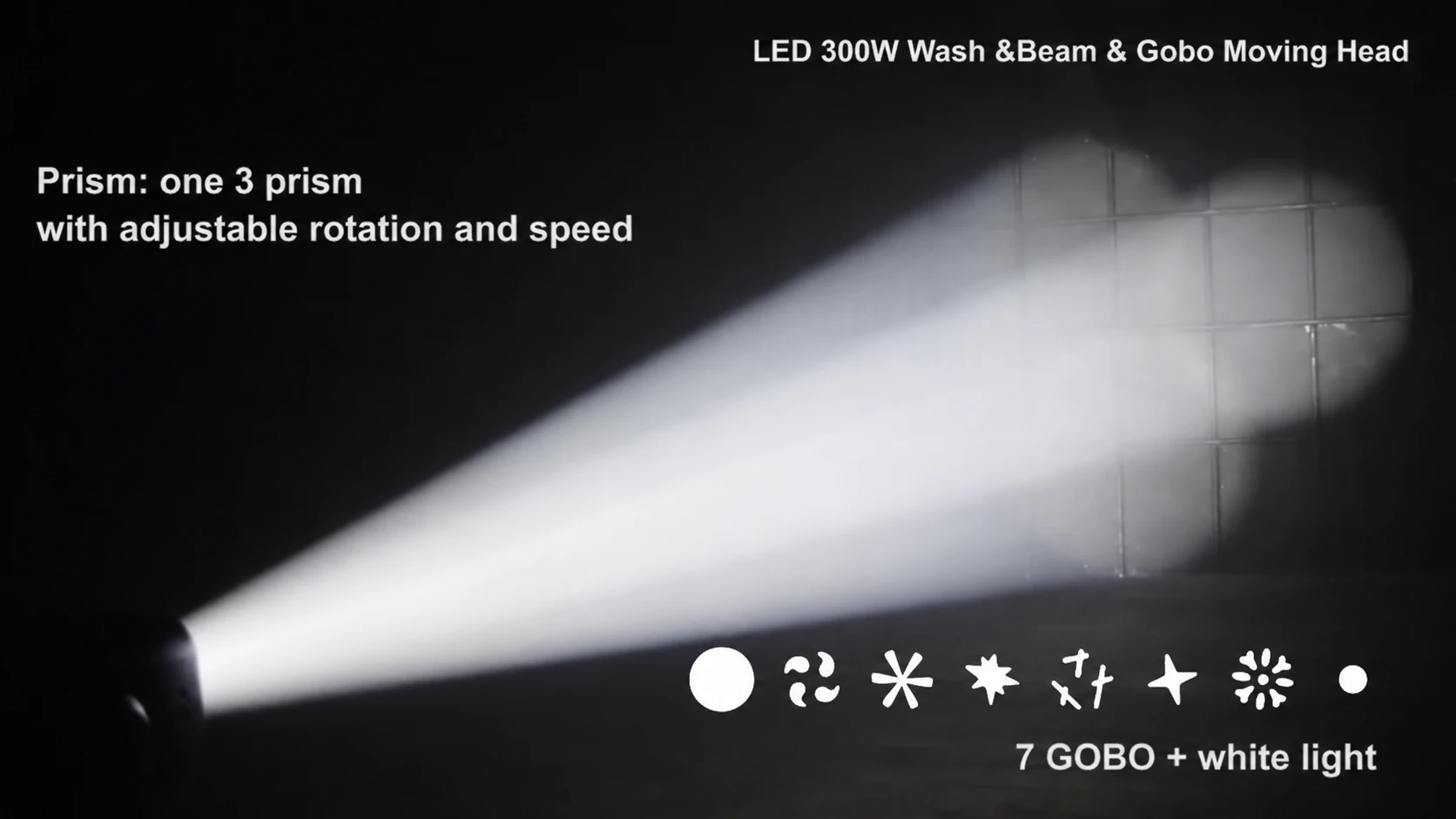
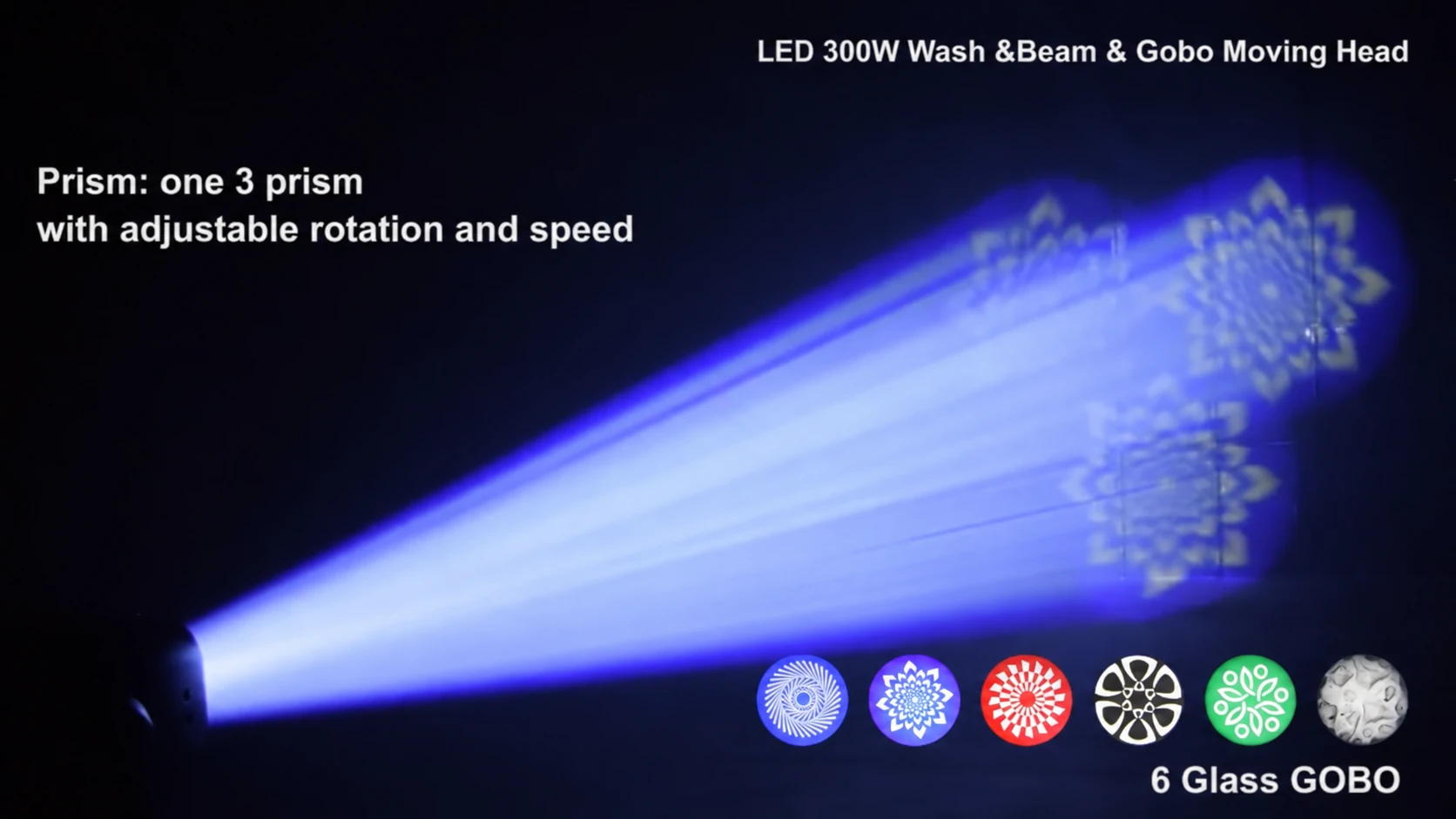
The color wheel offers nine colors plus white. A rotating gobo wheel adds seven patterns plus open, while the demo highlights six glass gobo looks. The single 3-facet prism can rotate at adjustable speed to multiply a projected pattern. For continuous CMY mixing or a specific brand-color match, discuss the required look before choosing this fixed color-wheel configuration.
PRODUCT VIDEO
Watch the Moving Head Demonstration
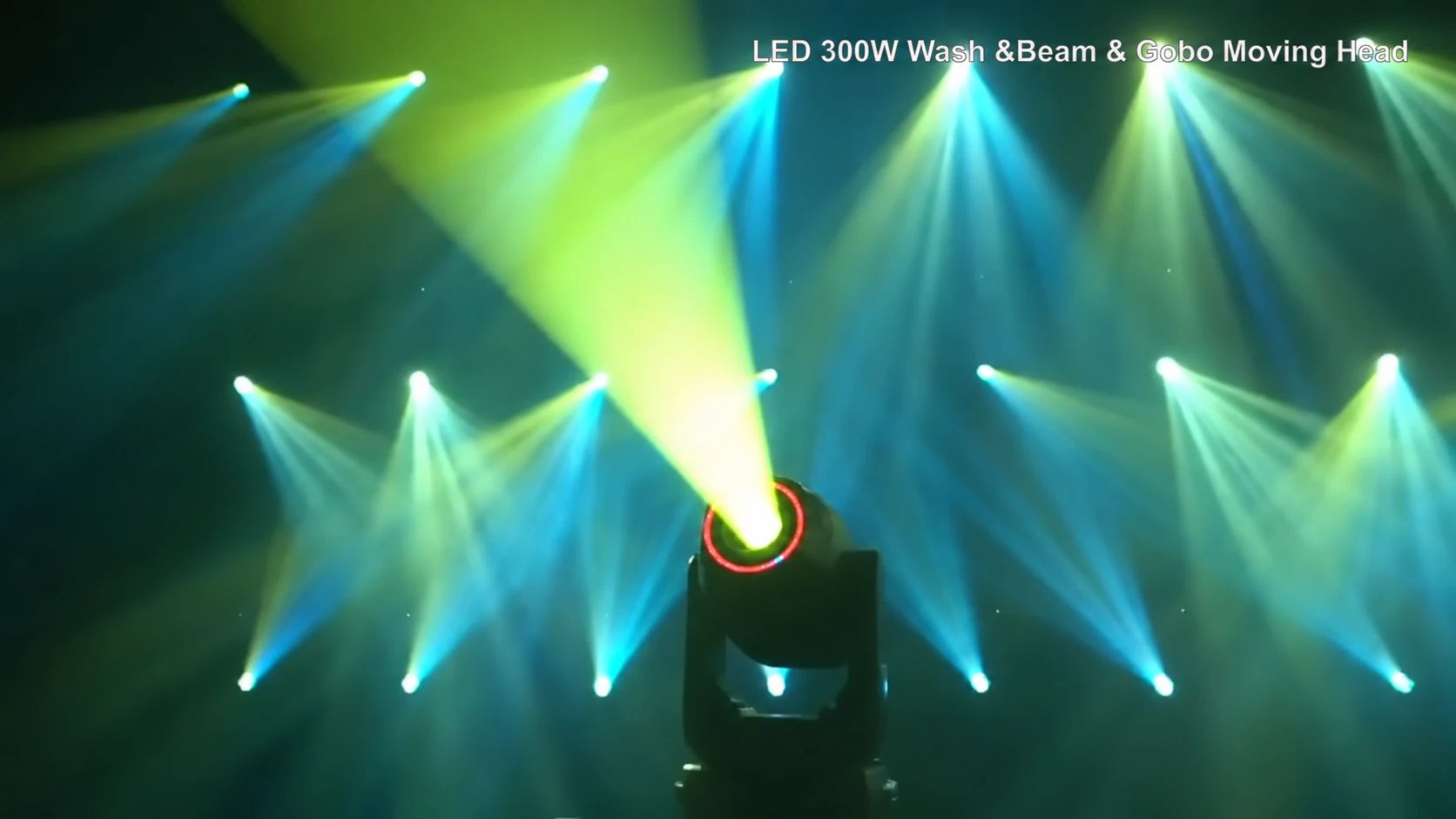
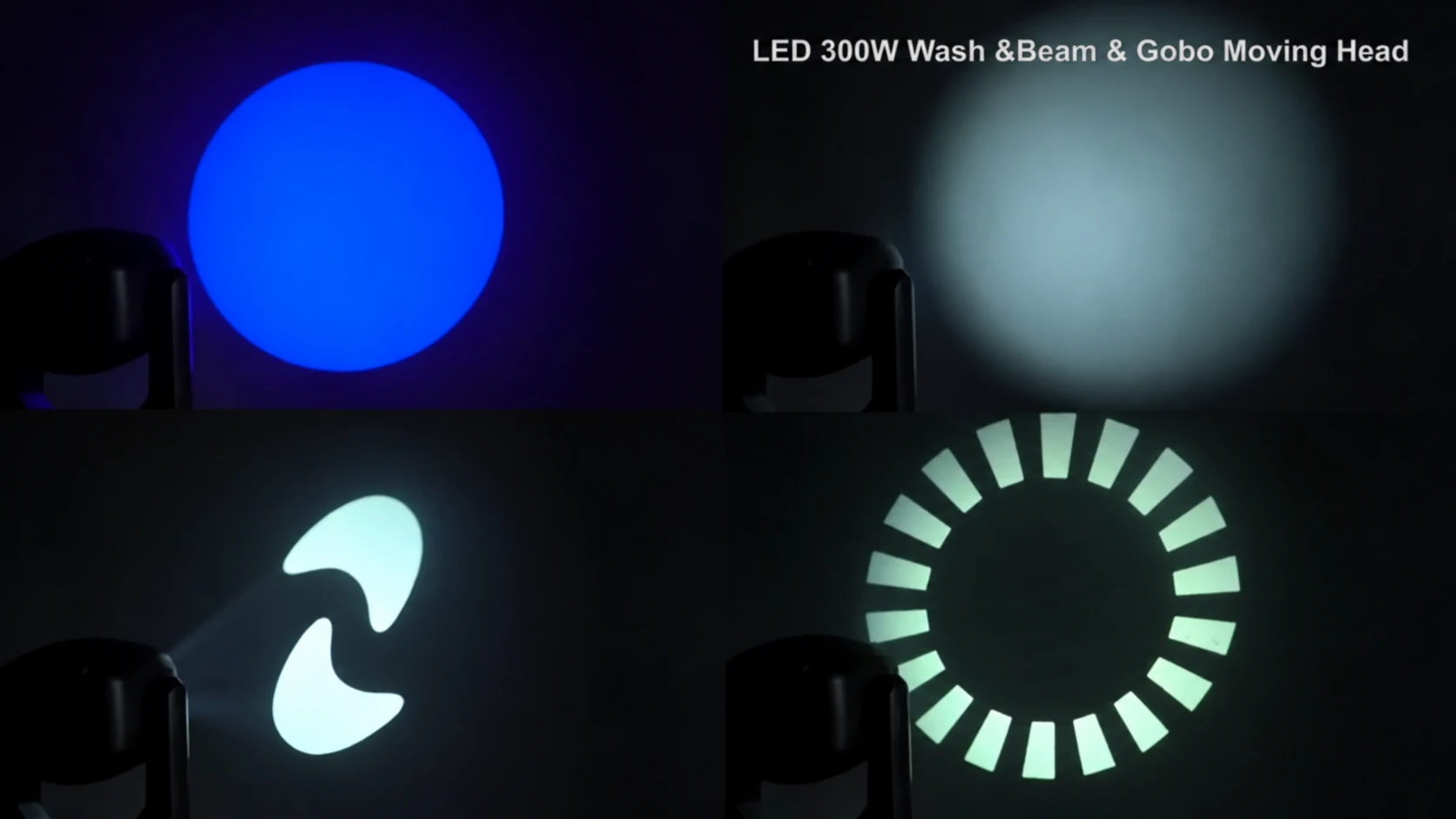
Watch beam, focused gobo and softer color cues separately in the video. A projection needs a readable pattern on the chosen surface; an aerial cue depends on the surrounding light and haze. Share the look you want and the working distance so the configuration can be discussed against your venue.
SPECIFICATIONS
Control and Technical Specifications
Program the fixture through DMX512 in 18- or 22-channel mode, or use Auto, master/slave and sound control for simpler setups. Focus adjusts the sharpness of a gobo projection; it is separate from a zoom function that changes beam width. Share your working distance and target area when discussing coverage.
| Light source | 300W LED module |
|---|---|
| Color temperature | 7000K |
| Input voltage | AC 100–240V, 50/60Hz |
| Color wheel | 9 colors + white |
| Gobo wheel | 7 patterns + open; six glass gobo looks shown in the demo |
| Prism | One rotating 3-facet prism; adjustable rotation speed |
| Focus / dimming | 0–100% linear focus / 0–100% linear dimming |
| Movement | Pan 540° / tilt 270° |
| Strobe | 0.5–14 flashes per second |
| DMX channels | 18 / 22 CH |
| Control modes | DMX512, Auto, master/slave, sound control |
APPLICATION FIT
Built for Stage and Rental Rigs
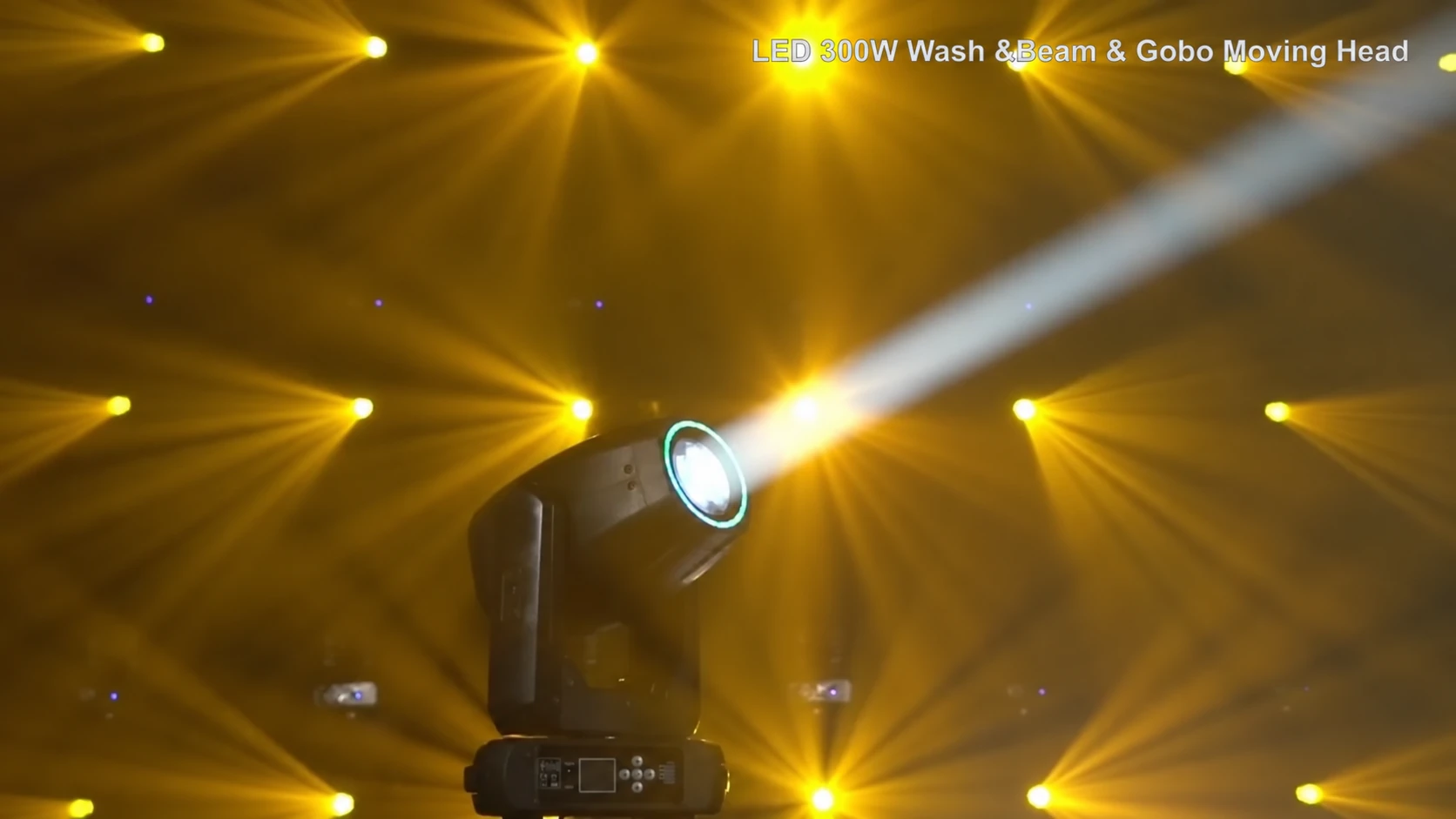
For the planned installation, use beam looks for aerial accents, gobos for projected texture, and wash output for color across the stage. The yellow-beam demonstration shows the fixture in a multi-unit live production setup. Compare related profile and spot moving heads when planning your lighting rig.
Confirm throw distance, beam spread, control cues and venue conditions against your rig plan. Compare beam, spot and wash moving heads and use our output-role comparison guide to plan the fixture mix. For exposed outdoor positions, select equipment with a confirmed protection rating.
B2B ORDER FLOW
Plan the Configuration Before Requesting a Quote
To request a quote, tell us the fixture quantity, destination country, venue type and the effect roles required in your show. Include your controller or lighting software, preferred DMX mode and any channel-file requirements if known. If you have not chosen a mode, describe the cues you want to create so we can discuss the configuration, packing and quotation for your project. For DMX network planning, consult ESTA’s DMX512-A guide and request this fixture’s current channel chart.
PRODUCT FAQ
Questions Before You Order
Direct answers about the optical system, control and project quotation.
What does BSW mean on this moving head?
BSW stands for beam, spot and wash. The fixture is designed to produce defined aerial looks, gobo projections and broader color coverage from one moving-head position.
Does 300W refer to the LED or the whole fixture?
It refers to the LED light source module. The fixture’s total input power should be taken from the final product documentation for the supplied configuration.
How many colors and gobos are available?
The demonstrated configuration has nine colors plus white and a rotating gobo wheel with seven patterns plus open. The demo also shows six glass gobo looks.
What does the prism add?
The rotating 3-facet prism splits a projected look into multiple images. Its rotation speed is adjustable for different cue styles.
How do I choose between 18- and 22-channel DMX modes?
The 300W LED BSW Moving Head Light lists DMX512 operation in 18- or 22-channel mode, plus Auto, master/slave and sound control. To choose a mode, compare the supplied fixture’s channel chart with your controller or lighting-software profile and the functions needed for your cues. Channel count alone does not confirm the function mapping. Share your controller and any profile name you already use so the configuration can be checked.
What should I send for an accurate quote?
Send the quantity, destination, venue type and intended effects. Include your controller or lighting software and preferred DMX mode if known. If you have not selected a mode, describe the cues you want so the configuration can be discussed with the quote. Add any gobo, accessory or packing requirements for review.